Generate reports Balance values for reference date Contract overview Disclosures Asset register Account balance Payments overview
Export postings that have already been saved
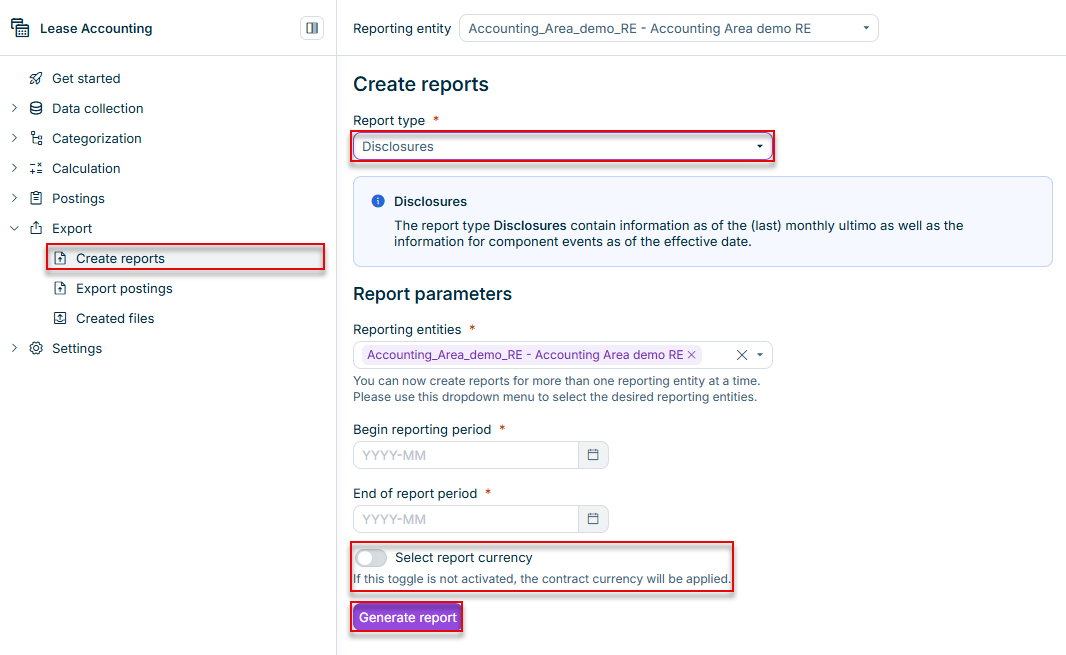
The Select report currency Contract overview Payments overview If the Select report currency

• Overview of the Balance values for reference date (end of last month) • Overview of the Component events for the reference date (first of a month) | • Reference date • Report currency | |
• The end of the reporting period • Report currency | ||
• Report currency | ||
If you activate | • Posting date to • Optional aggregation by transaction type, cost center, profit center, accounting area, business unit, asset class, or reporting entity • Optional report currency | |
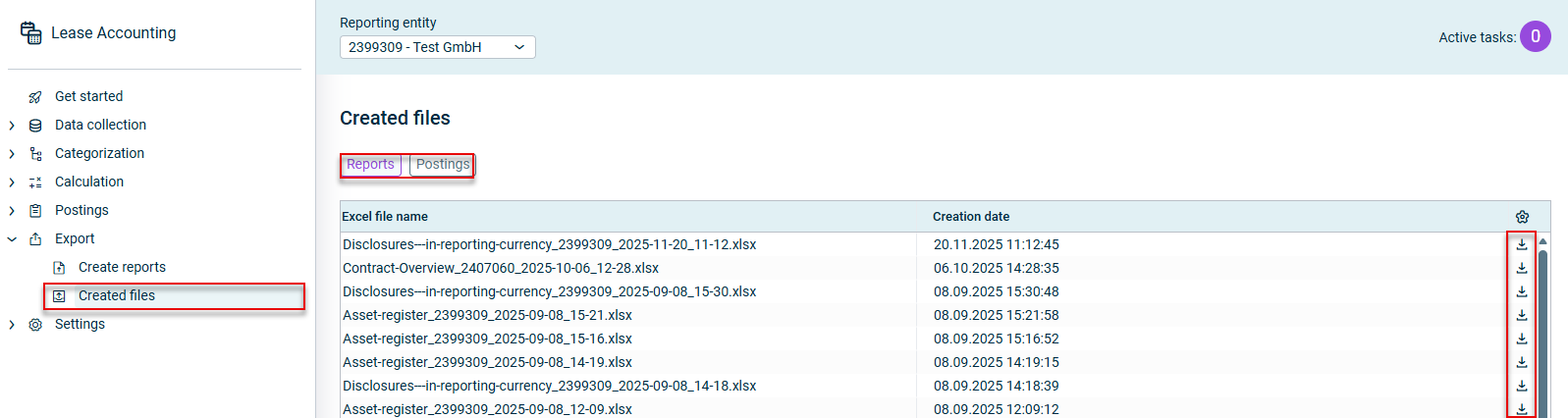
The report will be created in XLSX format Reports Created files The following examples illustrate the file names Contract overview ID of the lessee (reporting entity) _creation date _creation time .xlsxBalance values for reference date ID of the lessee (reporting entity) _creation date _creation time .xlsxDisclosures: name of the lessee (reporting entity)_creation date _creation time .xlsxAsset register: ID of the lessee (reporting entity)_creation date_creation time .xlsxAccount balance: ID of the lessee (reporting entity) _creation date _creation time .xlsx
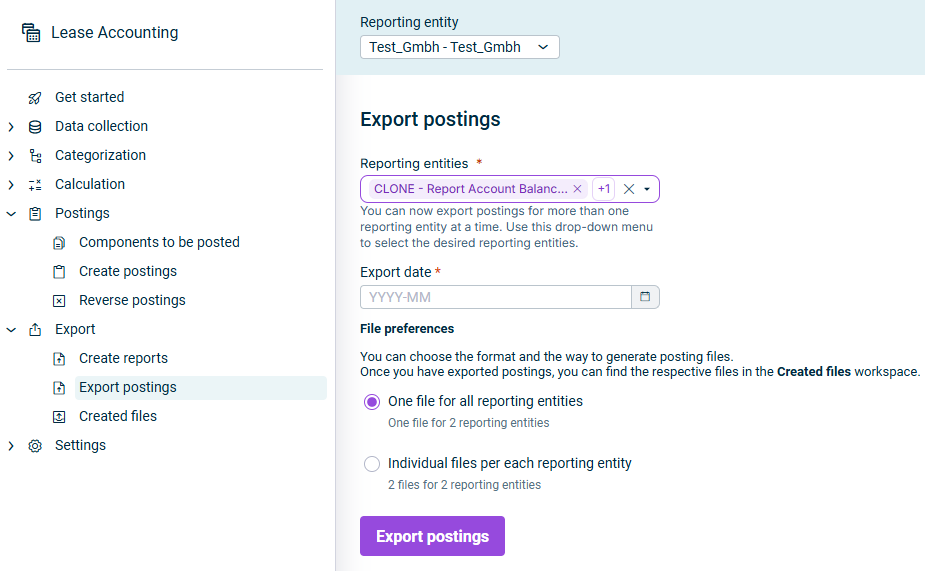
To remove a reporting entity from the selection, click the X The Reporting entities
One file for all reporting entities Individual files per each reporting entity

The export is created in XLSX format Postings Created files You cannot assign custom file names. The file names are generated automatically as follows: One file for all reporting entities Export date _Export time _MultipleRE file ID assigned by the Server .xlsxIndividual files per each reporting entity MultipleRE
If the export fails for one or more reporting entities, the export continues for the remaining reporting entities. You can still download the files that were exported successfully.

This content was generated using AI and reviewed by Lucanet subject matter experts before publication.