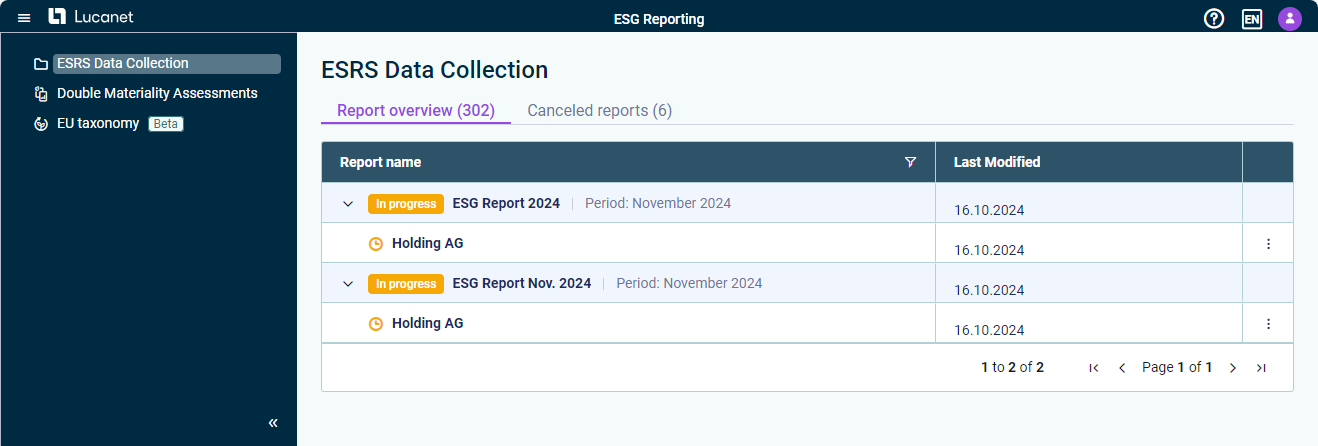
Once the ESRS, ESRS 2.0, or VSME questionnaire has been configured and the data collection process has started, the ESG data can be collected and reviewed by all users assigned as editors or reviewers.
During data collection, ESG Administrators can add users and assign individual users to be editors or reviewers and display the aggregated responses that have been collected at a given time.
After all data have been collected and reviewed, the questionnaire can be submitted.
In general, the process for data collection and review is as follows:
Step
Description
Navigating to the ESG report
Users can access the data collection page by navigating to the ESG Reporting solution and clicking the required reporting entity: View of the 'Data Collection' workspace for ESG Data Collectors In the subsequently displayed data collection page, users can switch between the tabs for ESRS, ESRS 2.0, or VSME and the Emissions Module tab via the tab view at the top.
Collecting data
If a user has been assigned by an ESG Administrator as an editor, they fill out the questionnaire and the Emissions Module entirely or only the questionnaire parts that have been assigned to them. After entering data for a question, the editors activate the Mark as completed check box to indicate that the question is ready for review (see Filling Out Report Questionnaire and Filling Out the Emissions Module).
Reviewing data
If a user has been assigned by an ESG Administrator as a reviewer to the entire questionnaire or parts of the questionnaire, they can start reviewing the data as soon as the data has been collected (see Reviewing Data).
Submitting data
Once all the data have been collected for both the questionnaire and the Emissions Module, editors or reviewers can click Submit, and leave a note, if necessary. The data will then be checked by the ESG Administrator.
If any of the required data is missing, has not been marked as complete, or has not been reviewed, the users will not be able to submit the data. To submit the data, all questions must be marked as Completed, and all questions with an assigned reviewer must be marked as Reviewed. The questions with missing data or statuses will be automatically marked with a validation message to make them easier to identify.
This content was generated using AI and reviewed by Lucanet subject matter experts before publication.