The Analyst Agent can only access data you have permission to see. The Analyst Agent only reads your data; it never writes back to CFP or xP&A. Any file it creates — for example a PowerPoint or Excel file — is a download only and has no effect on your CFP or xP&A data.
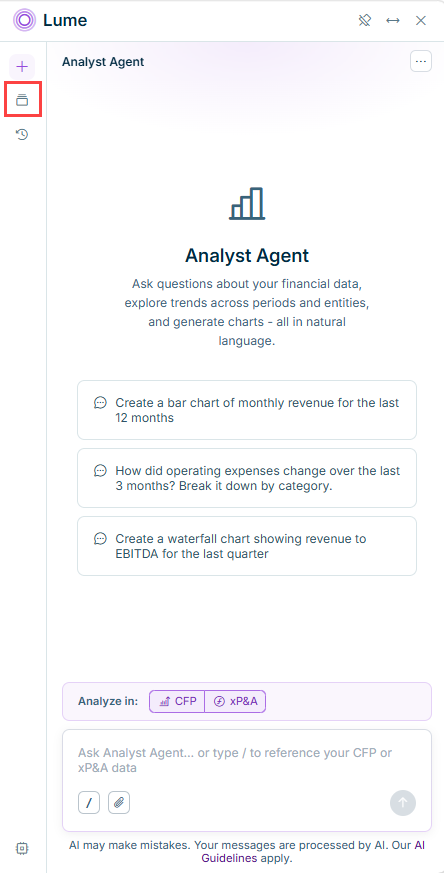
You can ask a question in natural language about your CFP or xP&A data, scoped to a specific area and referencing exact elements with "/". You can also attach your own file, such as a list of production quantities or vendor information, for the Analyst Agent to combine with your CFP or xP&A data. To learn how to phrase and scope a question and use your own files as context, see Asking Analyst Agent a Question You can follow the steps the Analyst Agent takes while it works, answer any clarifying questions it asks, and rate its response. To learn how to read a response and give feedback, see Evaluating Analyst Agent Responses You can turn an analysis into a chart, a PowerPoint or Excel file, or an interactive simulation. To learn how to generate and export these results, see Visualizing and Exporting Results You can have the Analyst Agent remember your preferences, such as your preferred branding for generated decks, across conversations. To learn how to manage what it remembers, see Personalizing Analyst Agent with Memories
The Analyst Agent builds a Lucanet data model The data model is specific to you and reflects your permissions, so it cannot be shared across users. The data model is rebuilt once a day. A model, account, ledger structure, or entity that was created or renamed after the last rebuild is not yet known to the Analyst Agent. To force an update, ask the Analyst Agent to "rebuild the graph." The Analyst Agent interface is currently available in English only, regardless of which language you have set for the Lucanet CFO Solution Platform. This means, the descriptions, example prompts, and buttons remain in English, but you can ask your questions in any language and the agent will answer in your language.
This content was generated using AI and reviewed by Lucanet subject matter experts before publication.
Last updated on Sep 16, 2026