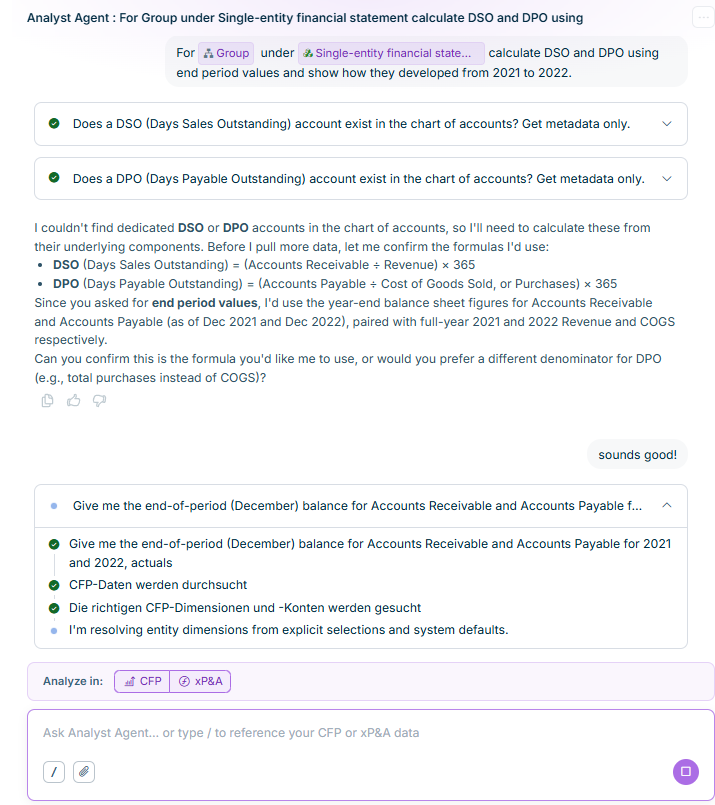
While the Analyst Agent works, it displays the steps it is taking, for example exploring your CFP (Consolidation & Financial Planning) data or finding the relevant dimensions and accounts. If your question is ambiguous — for example if it does not specify which organization or adjustment level to use — the Analyst Agent asks one or more clarifying questions with selectable answer options before continuing.

Once the Analyst Agent has an answer, it displays a narrative explanation, often with a suggested follow-up question you can select to continue the analysis.

Shows an Analyst Agent chat response with a checklist of completed steps (checking whether dedicated DSO and DPO accounts exist in the chart of accounts), a clarifying question confirming the DSO and DPO formulas to use before continuing, the user's reply 'sounds good!', and further steps in progress retrieving CFP data and dimensions.
An Analyst Agent response confirming a calculation approach before continuing
Use the thumbs up or thumbs down icon below any Analyst Agent response to rate it. Rating a response attaches your feedback directly to that answer.

Refer to Visualizing and Exporting Results to turn an analysis into a chart, a PowerPoint or Excel file, or an interactive simulation.

This content was generated using AI and reviewed by Lucanet subject matter experts before publication.

Last updated on Sep 16, 2026