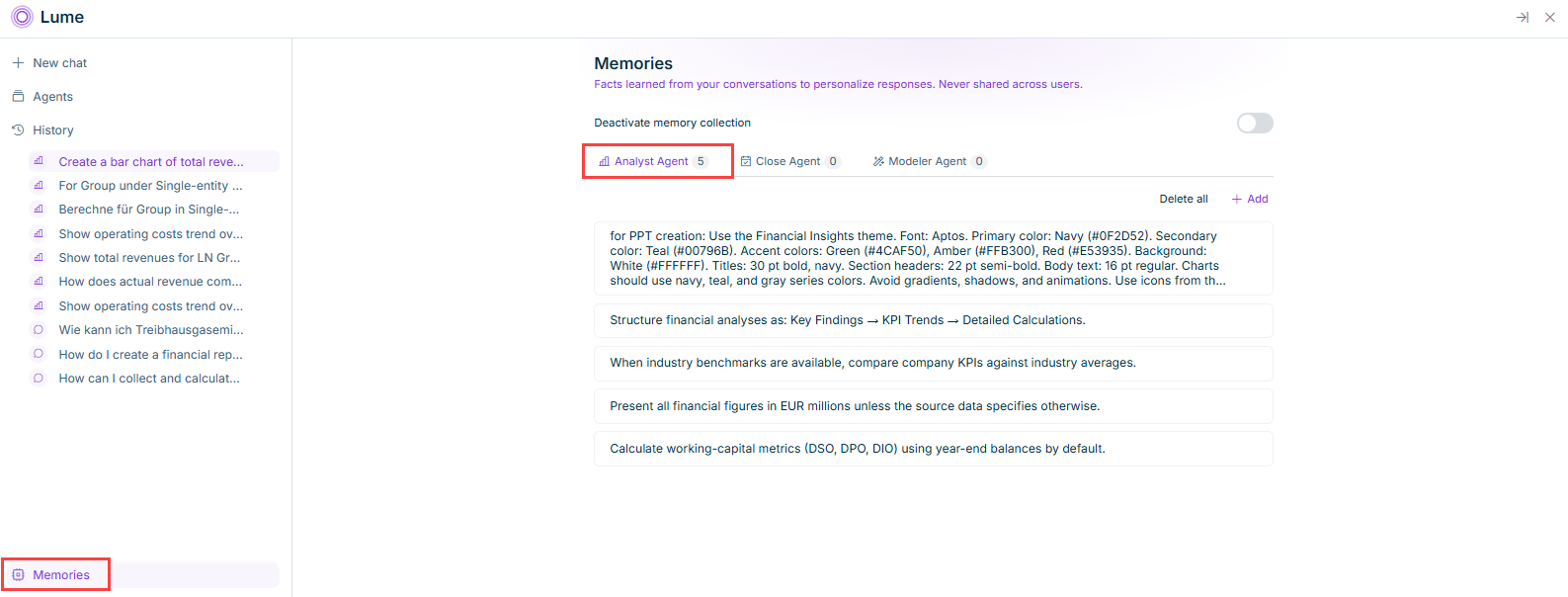
To review or manage what the Analyst Agent has remembered, select Memories at the bottom of the Lume sidebar, then open the Analyst Agent tab. The tab label displays how many memory entries currently exist for the Analyst Agent.
Click + Add and type the fact you want the Analyst Agent to remember, for example a formatting rule or a default currency. The new entry is added to the list immediately and is used in your next conversation with the Analyst Agent.
You can also ask the Analyst Agent directly to remember something, for example "Remember that I prefer amounts shown in thousands." The Analyst Agent then suggests saving it as a memory entry.
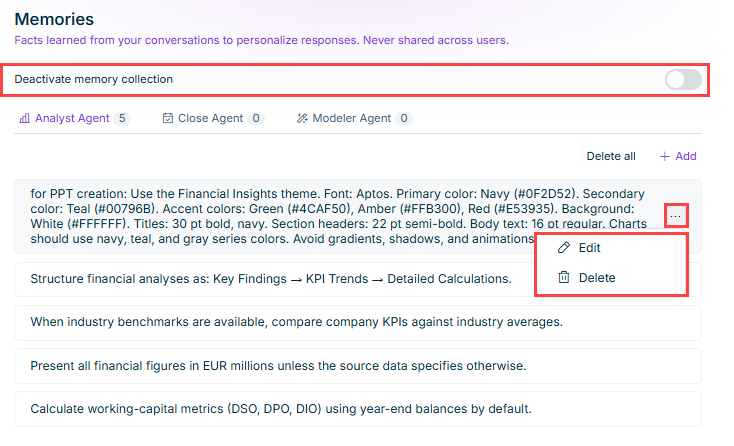
Hover over an Analyst Agent memory entry to reveal its options icon, …, on the right. Click it, then select Edit to change its text or Delete to remove that entry.
Editing or deleting a single memory entry
To remove every memory entry for the selected agent at once, click Delete all above the list.
Use the Deactivate memory collection toggle to stop the Analyst Agent from creating new memories. Existing entries are kept until you delete them; reactivate the toggle at any time to resume memory collection.
This content was generated using AI and reviewed by Lucanet subject matter experts before publication.