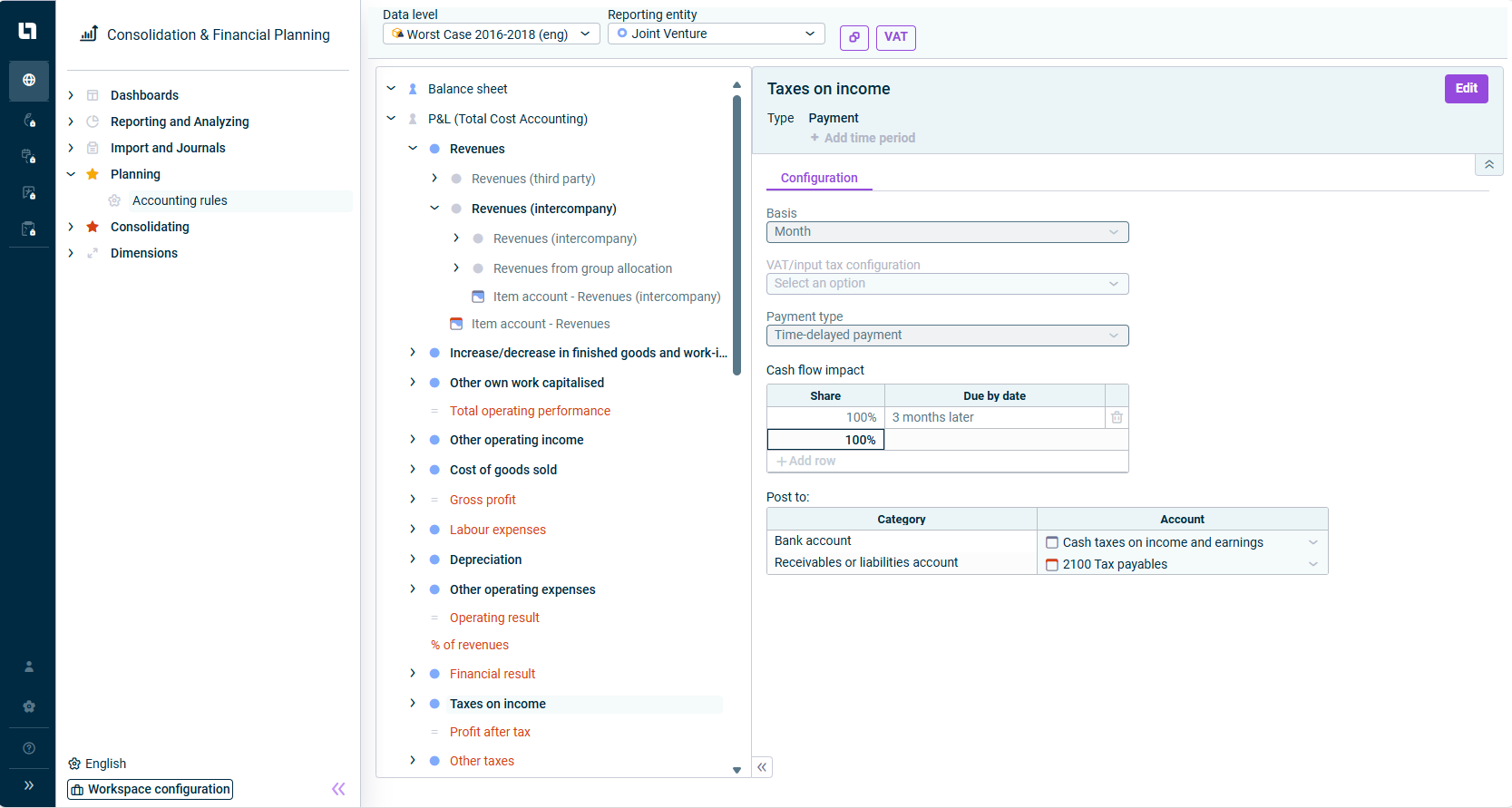
The Accounting rules workspace is used for configuring rules for automatic contra entries. For each combination of data level and reporting entity, a journal exists in this workspace which contains all of the accounting rules for the respective combination pair.
In Lucanet, one-sided postings (only one account is addressed on the credit or debit side) can be made by means of Sheets or Excel using the keyword auto posting. However, since postings in Lucanet can only be saved if the credit side matches the debit side, an automatic contra entry must be made at the same time in case of a one-sided posting. This entry is made by the system using accounting rules that were defined for the corresponding accounts in the Accounting rules workspace. The system uses automatic contra entries in the following cases:
Data imports of import type Automatic posting
Excel postings using the keyword Auto posting
Sheets (except Balance sheet adjustment)
Posting with access to the account hierarchy name of the general ledgerincl. subledgers (automatic posting)
Automatic contra entries can be used to plan only one profit and loss statement from which a planning balance sheet and a planning cash flow statement are automatically created by the system based on defined accounting rules.
Used for all accounts and items relating to business transactions with a cash flow impact. It is the most frequently occurring rule in the P&L. Note: Only available for accounts and items with the period type Transaction figure.
Used to plan new investments and their depreciation/amortization. The configuration specifies the bank account, value-added tax, and cash flow impact. Furthermore, the depreciation/amortization rule including the useful life and the accounts for the accumulated depreciation/amortization are determined on the balance sheet and the expense in the P&L. Note: Only available for accounts and items with the period type Balance with carry-forward from previous period.
Used for entering business transactions for the appropriate period in Lucanet, e.g. to plan business transactions in which services are purchased or sold in advance while the payment is made as a one-off advance payment. If the process is repeated at particular intervals and with a specific amount, the planning can be repeated automatically, e.g. for insurance premiums paid annually in advance. Note: Only available for accounts and items with the period type Balance with carry forward from previous period.
Used for recording postings within or between P&L and balance sheet, e.g. for depreciation in fixed assets. Depreciations do not have a cash flow impact, but reduce the value of the fixed assets (accumulated depreciation) in the balance sheet, and thus require a contra entry. Note: Available for accounts and items with the period type Balance with carry forward from previous period and Transaction figure.
This content was generated using AI and reviewed by Lucanet subject matter experts before publication.