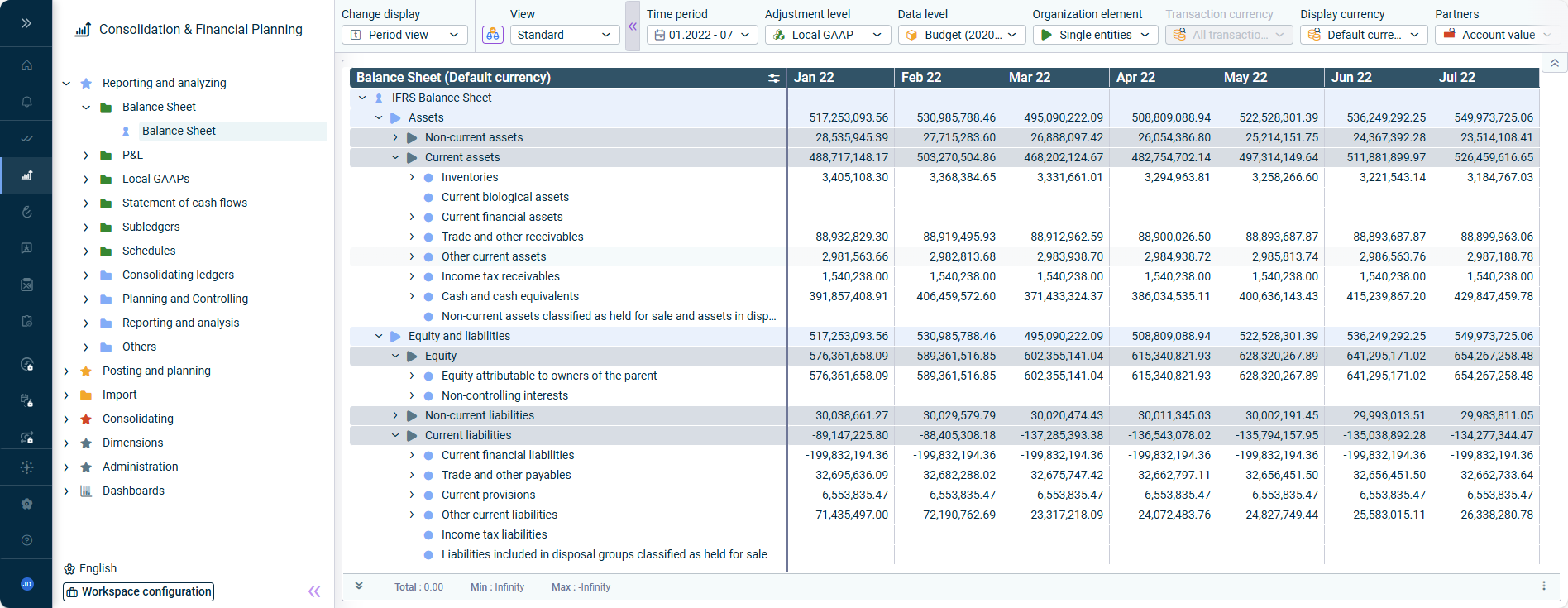
You can display the key indicators and comparative views on a dashboard.Visualization made simple with dashboards: : Access your reporting data in minimum time – and with maximum data security. Create manual postings or detailed posting reports.Fast and secure reporting Import data into reporting entities or Lucanet.Financial Warehouse, centrally manage journal entries and data imports, and flexibly control access to period-specific data.Data import and journal management: Plan flexibly by month, quarter, or year, use automatic accounting rules, flexible revenue and tax configurations, and planning wizards for complex calculations. Benefit from sheets that offer advanced possibilities for your financial planning and formula creation in natural language.Planning Functions: Consolidate your company with wizard-based debt, expense, and income consolidation. Use advanced features and a wide range of apps for comprehensive, automatic consolidation and efficient creation of customized reports.Consolidation Functions: Individually manage and customize Lucanet dimensions. Various dimensions such as reporting entities, organizational elements, currency translation, partners, data levels, adjustment levels, transaction types, and fiscal years are available to you.Dimension Management: Use the Lucanet CFP Add-in for Excel 365 to access your data in Lucanet.Financial OLAP Server directly from Excel. Transfer data between Excel and Consolidation & Financial Planning, and conveniently import planning data or journal entries into your Lucanet database.CFP Add-in for Excel 365: Customize the Consolidation & Financial Planning overview by creating and configuring user-defined folders, ledgers, schedules, or directory structures.Workspace Configuration:
Last updated on Aug 16, 2023