This page contains information about the structure of the user interface and the most important elements in Lucanet Consolidation & Financial Planning. From this page, you can jump easily to the detailed descriptions of the individual areas and functions.
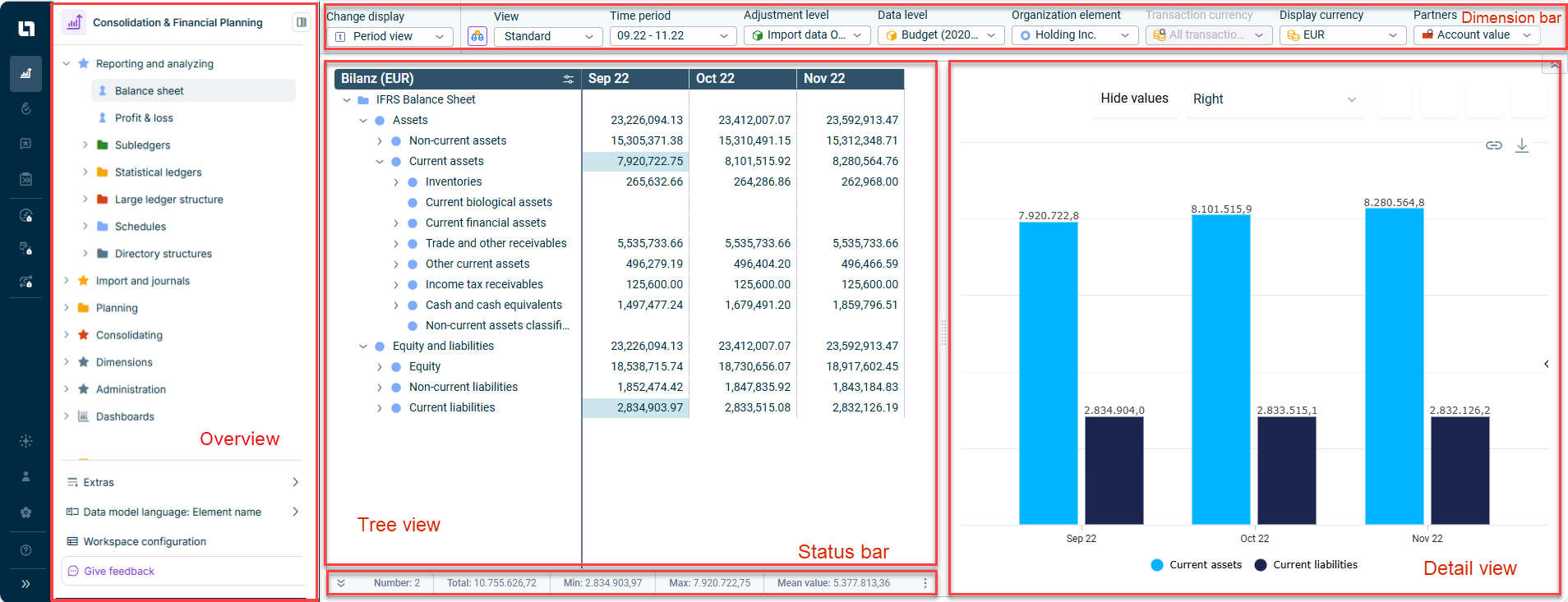
After opening the Consolidation & Financial Planning solution from the main menu, the application window of Lucanet Consolidation & Financial Planning is displayed. The application window is usually divided into the following sections: overview, tree view, dimension bar, status bar, and detail view. Which of these elements are displayed depends on the selected function area or workspace.
For example, the general ledger under Reporting and Analyzing is displayed as follows:
User interface of the general ledger under 'Reporting and Analyzing'
Depending on which function area or workspace is displayed, the following elements are available in the user interface:
Used to configure the dimensions for displaying values, widgets, or journals in Consolidation & Financial Planning. The settings made and the chosen dimensions determine the display in the tree view. The dimension bar contains different dimensions, depending on the workspace, see:
Displays the properties of an element or the values of items or accounts from ledgers in a chart. What is displayed in the detail view depends on which workspace has been chosen.
The detail view is only available for the functional areas Reporting and Analyzing and Import and Journals.
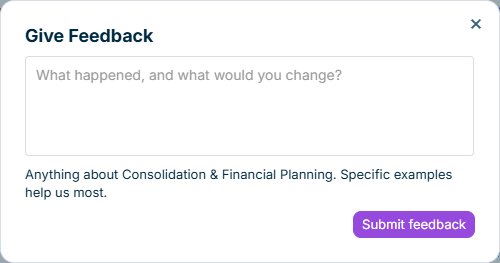
To share your feedback about Lucanet Consolidation & Financial Planning with us, click Give feedback at the bottom of the solution's side menu, below Workspace configuration.
Enter your feedback in the dialog and click Submit feedback. Describe what happened and what you would change. Specific examples help explain your feedback.
Dialog for submitting feedback
This content was generated using AI and reviewed by Lucanet subject matter experts before publication.