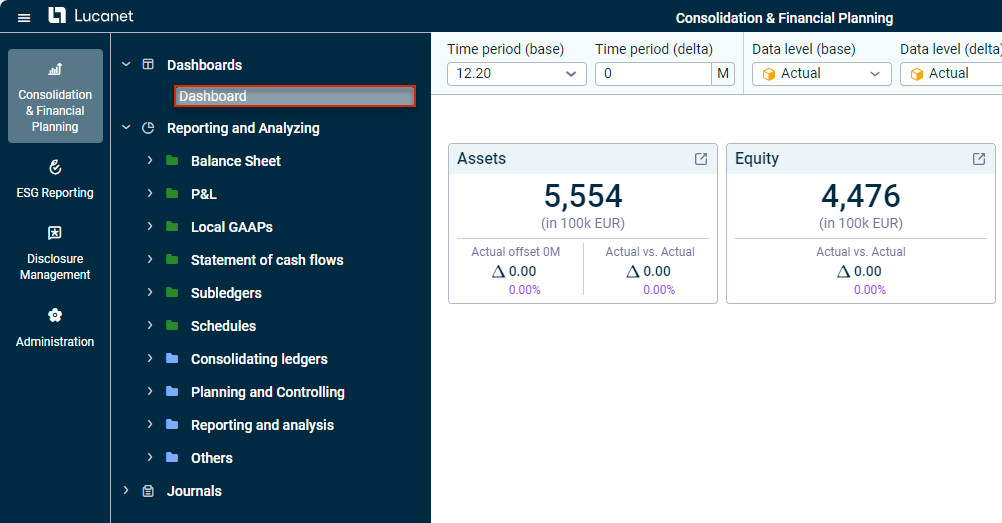
By default, there is one dashboard in the Lucanet CFO Solution Platform. In Lucanet.Financial Client, you can create additional dashboards under Administration | Workspaces to then use these dashboards in the Lucanet CFO Solution Platform.
More information on this can be found in the Lucanet online help under: Complete description | Administration | Administration at database level | Workspaces | Elements | Creating and configuring dashboards.
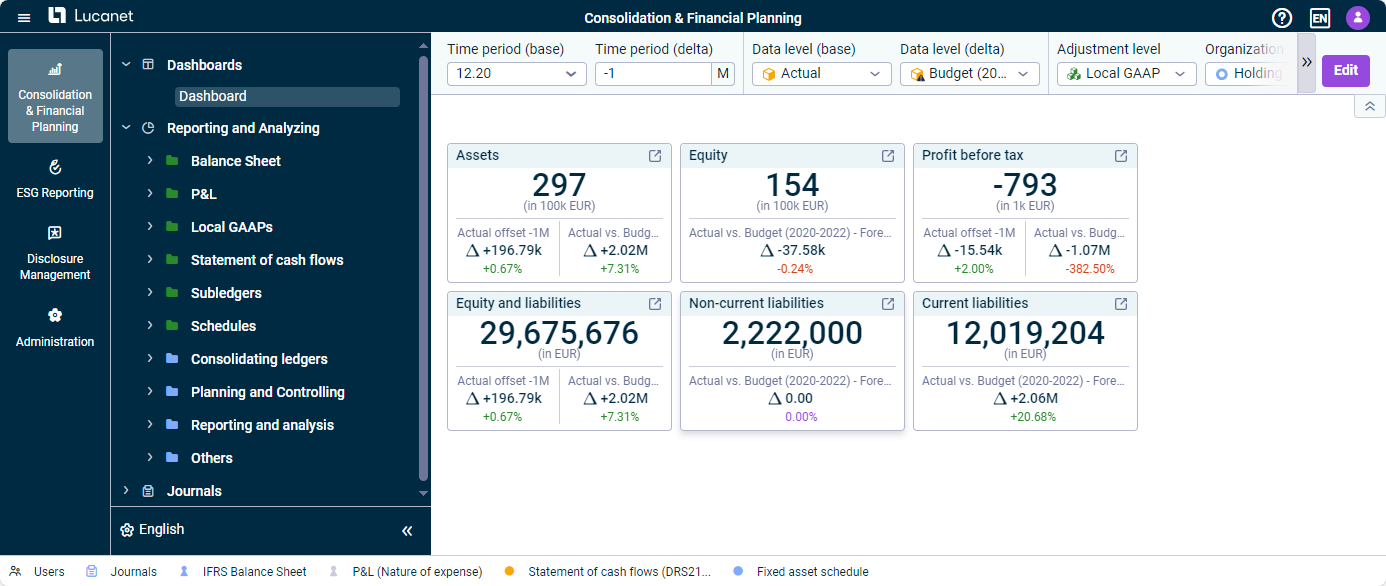
In the dimension bar, you can configure the dimensions for displaying the values in the dashboard widgets. Changes to dimensions affect all widgets in the dashboard.
Dimension bar of the 'Dashboards' workspace
The Time period and Data level dimensions are available in two variants in the dimension bar for dashboards and can be used to display comparisons (deltas).
Time period (base): Period for which values are displayed in the widgets and, if applicable, base period for displaying comparisons (deltas).
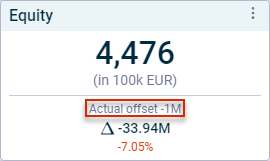
Time period (delta): To track the performance of a particular account or item in a given period compared to the Time period (base), it is possible to specify a positive or negative offset in months under Time period (delta). When a delta is specified, the Offset prefix is displayed in widgets that are configured to display a delta (see Editing Dashboards): Widget with a comparison of time periods
Data level (base): Data level for which values are displayed in the widgets and, if applicable, base data level for displaying comparisons (deltas).
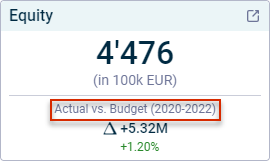
Data level (delta): To display a comparison between planned and actual values, or between different planning scenarios, for example, you can use Data level (delta) to choose the level to be compared with the Data level (base). In widgets configured to display a delta (see Editing Dashboards), the delta is displayed as follows: Widget with a comparison of data levels
All other dimensions match the dimensions that can be configured by default in dimension bars.
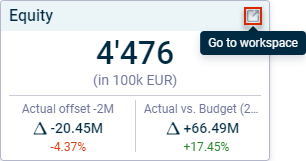
If you click the icon at the top right of the widget, the workspace containing the element selected for the widget will be displayed in a new browser tab. The item or account displayed in the widget is highlighted.
'Go to workspace' option on a widget
This content was generated using AI and reviewed by Lucanet subject matter experts before publication.