Newly added time periods are displayed on the Configuration When deleting a time period, the currently selected tab is always deleted.
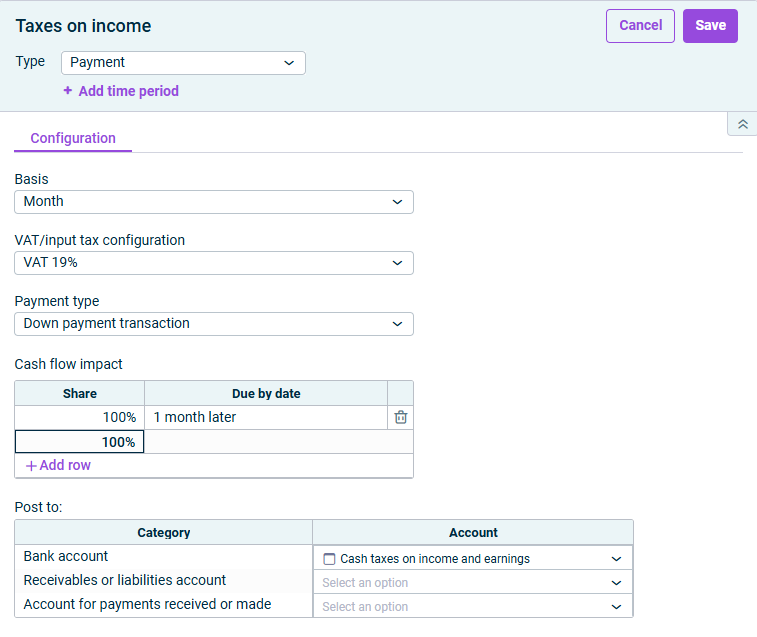
Month, Quarter, Trimester, Semester.
Month, Quarter, Trimester, Semester, Calendar year, Quarter in the fiscal year, Trimester in the fiscal year, Semester in the fiscal year, Fiscal year.
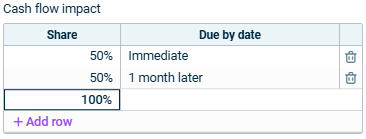
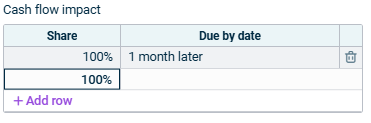
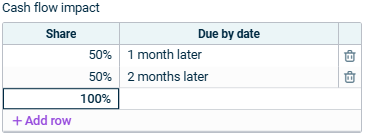
Enter 0 for immediate payments. Enter a positive number for a subsequent payment, e.g. 2 = 2 months later. Enter a negative number for an earlier payment, e.g. -2 = 2 months earlier.
For a, enter the month of the date of payment, e.g. 4 for April. Specify the time offset for b. The time offset depends on what periodicity you have set. Proceed as follows: For a later payment, enter +, e.g. 4+2 = 4th month (April), 2 quarters, trimesters, semesters or calendar years later. For an earlier payment, enter -, e.g. 4-2 = 4th month (April), 2 quarters, trimesters, semesters or calendar years earlier.
- | |
- - |
This content was generated using AI and reviewed by Lucanet subject matter experts before publication.
Last updated on May 1, 2026