Come and explore the new features of Lucanet Lume!
We update our CFO Solution Platform on a regular basis to offer you the latest features and improvements.
The versions of all solutions that you are currently using and those of the CFO Solution Platform are displayed when you select About Lucanet from the Help section in the CFO Solution Platform.
The Analyst Agent now searches accounts in Consolidation & Financial Planning (CFP) faster and more precisely, including in charts of accounts with account names in different languages.
The Analyst Agent now suggests follow-up steps, such as uploading files or creating artifacts like PowerPoint presentations, Excel files, or interactive HTML files.
The Analyst Agent in Lucanet Lume can now answer questions about opening balances, transactions, and closing balances in your Consolidation & Financial Planning (CFP) data. For example, you can ask: "Show the opening balance, transactions, and closing balance of fixed assets for 2026."
Files that the Analyst Agent delivers in Lucanet Lume, such as PowerPoint, Excel, or HTML files, are now marked as AI-generated. The label shows that the content was created by AI, as required by the EU AI Act.
When you reopen a chat in Lucanet Lume, the activity steps that the agent showed while working on each answer are now displayed again. The conversation looks the same as when you first saw it.
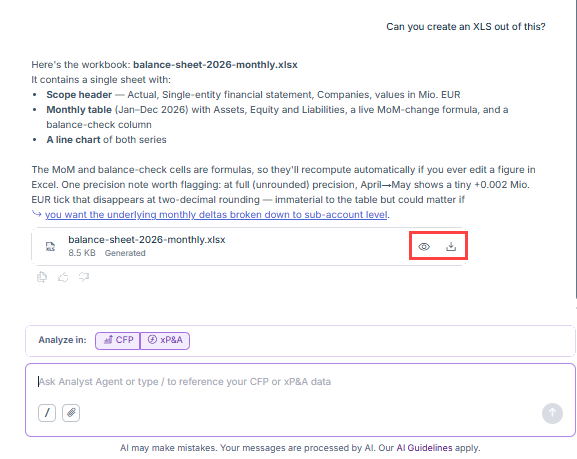
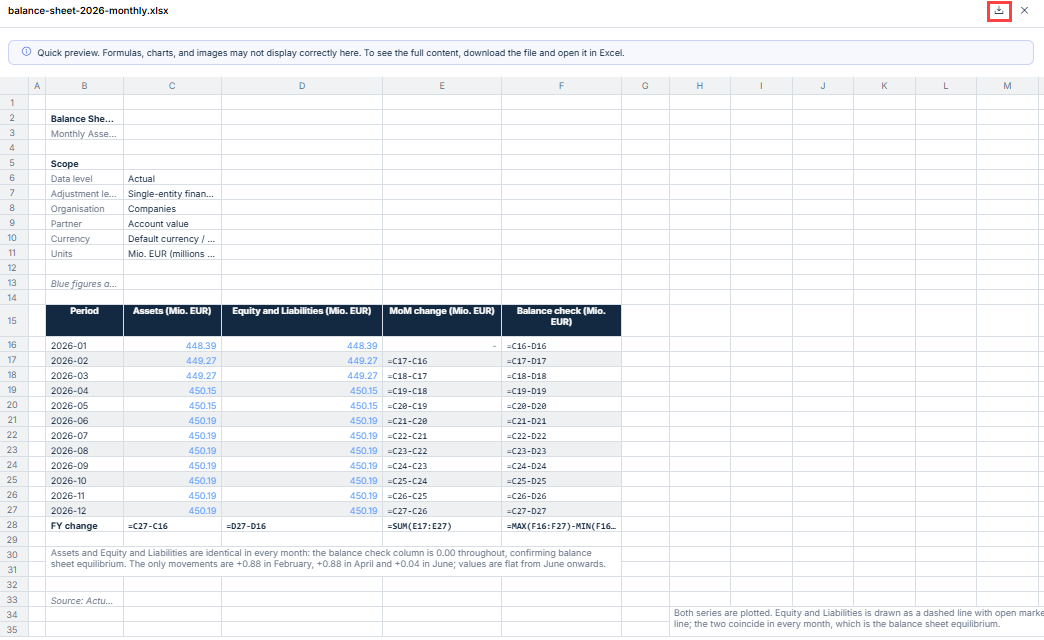
You can now preview Excel files from a chat in Lucanet Lume without downloading them first. The preview shows only a quick overview. To see the full content, download the file.
Preview and download icons on a file in a Lucanet Lume chat
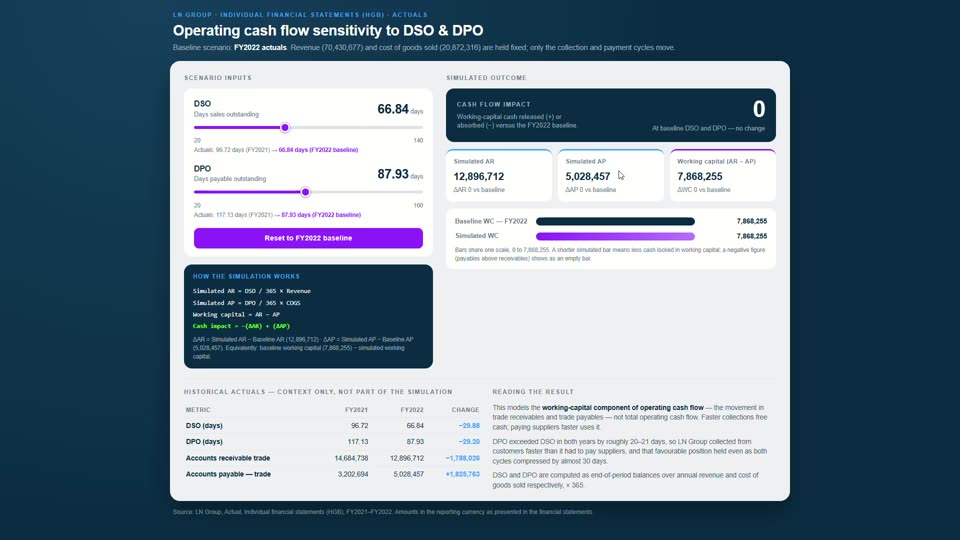
The Analyst Agent is now available in Lucanet Lume. It answers questions about Consolidation & Financial Planning (CFP) and xP&A data in natural language and returns a narrative answer, a chart, or a downloadable PowerPoint, Excel, or interactive HTML simulation file. For example, you can ask the agent to break down variances, analyze drivers, or compare figures across entities.
An interactive simulation built by the Analyst Agent
You can scope a question to Consolidation & Financial Planning, xP&A, or both, reference specific CFP dimensions or xP&A models, dimensions, and dimension items with "/", and attach your own files as additional context. The Analyst Agent can also remember stated preferences, such as a color palette for generated files, across conversations.
Lucanet Lume now sends a browser notification when a chat finishes processing a request. You receive the notification when you have minimized the browser or switched to another tab or application outside the Lucanet CFO Solution Platform. The notification includes the chat's title or a short summary, and clicking it opens the corresponding chat directly. On first use, Lume requests permission to show notifications; users who deny permission are not asked again.
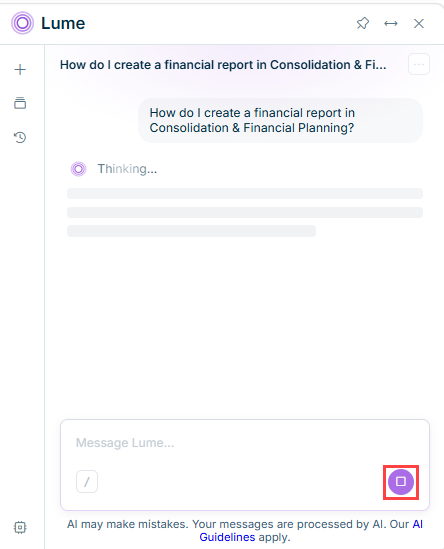
You can now stop Lume while it is generating a response. Select Stop to end the response immediately. The partial response stays in the conversation, marked as stopped, and any text you started typing remains in the input field. You must wait for the stop to complete before sending your next message.
The Stop button while Lume is generating a response
Lucanet Copilot has evolved into Lucanet Lume, a new name that reflects the growing, intelligent capabilities of the conversational layer in the Lucanet CFO Solution Platform.
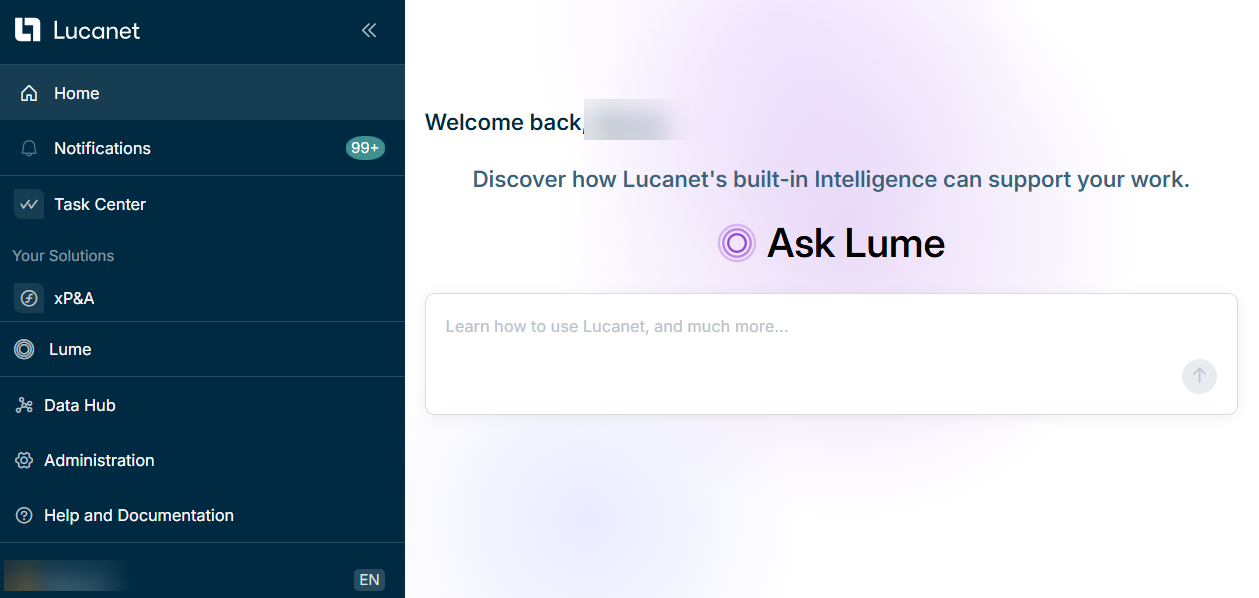
Lucanet Lume is the conversational layer for interacting with the Lucanet CFO Solution Platform through a single interface. Ask a question in plain language and Lucanet Lume handles the rest: providing instant answers or routing to the right workflow agents behind the scenes, with no prompt engineering required.
The Lucanet Lume home screen
Agents in Lume
Lucanet's family of Agents is actively growing. The first purpose-built intelligent assistants for your most important workflows are already available, and more assistants will follow in Lume shortly — so you can get more done, faster.