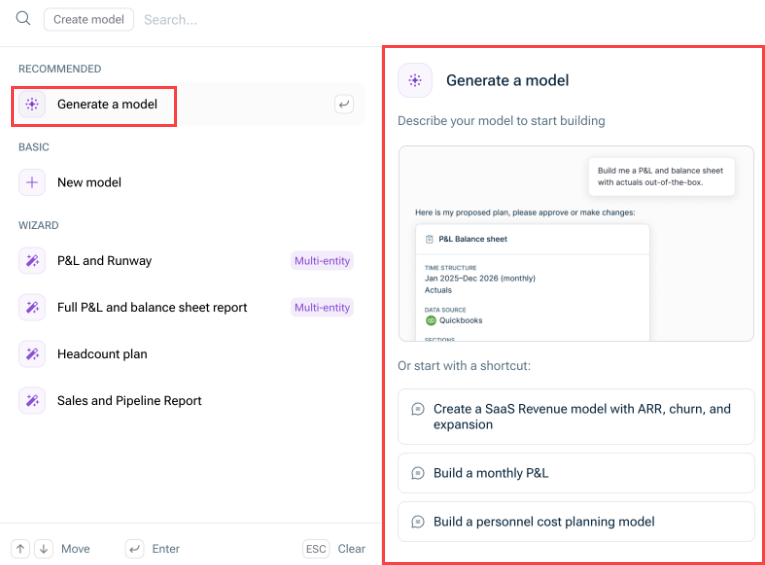
In the Create model Generate a model Generating a Model with the Modeler Agent In Lucanet Lume
Create every dimension Department Employee Cost Center Entity Add the dimension items to each dimension. Note the exact names of the dimensions. You will use them word for word in your prompt.
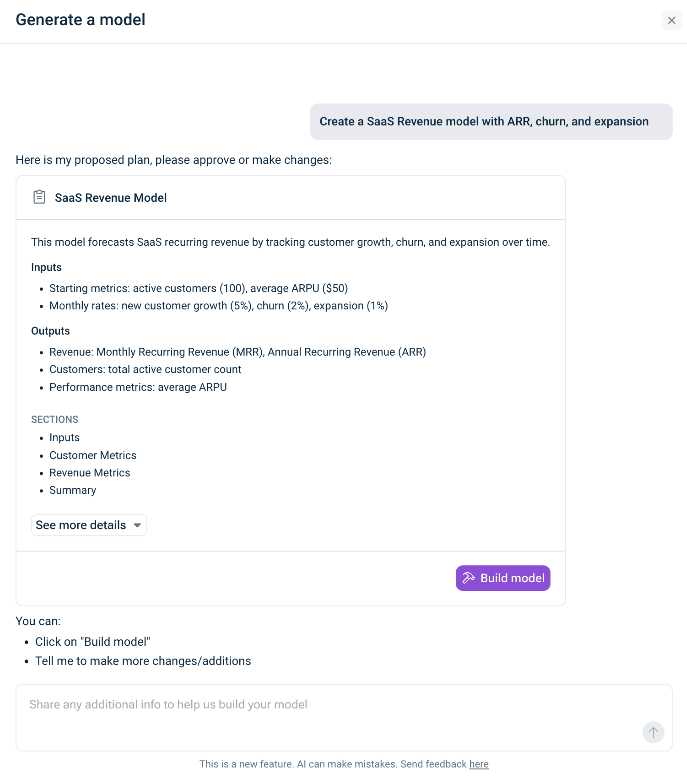
"Apply the Department dimension to the summary section too." "Add a salary increase % input that applies from April."
Build a personnel expense model for the 2027 budget, monthly. Use the and Department dimensions. Inputs per employee: annual base salary, start date, end date, bonus % and employer social charges %. Calculate monthly salary cost, bonus accrual, social charges and total personnel cost. Summarize total personnel cost by Department. Employee
The Modeler Agent does not read data sources and cannot connect them. This applies to: Reports from Consolidation & Financial Planning Excel files Any other data sources
The Modeler Agent does not create dimensions. Create the dimensions beforehand as described in Preparing Dimensions for the Modeler Agent Once a model has been created, you cannot edit it with the Modeler Agent. Edit the model manually instead. To repair formulas or cells in an existing model, use the function Fix with AI
Video — https://player.vimeo.com/video/1213830783?muted=false&autoplay=false&loop=false&playsinline=true&controls=true&portrait=false&byline=false&title=false
This content was generated using AI and reviewed by Lucanet subject matter experts before publication.