A license for the Microsoft Dynamics 365 Business Central (JDBC) Microsoft Dynamics 365 Business Central (JDBC) Source system A running SEA instance that executes the Microsoft Dynamics 365 Business Central (JDBC) Network connectivity from the SEA instance to the database server and its port, for example through a VPN. The default port is 1433 for Microsoft SQL Server, 1521 for Oracle Database, and 5432 for PostgreSQL. A database login with a user name and a password. The login requires read permission on every table or view used in the query, or the permission to execute the stored procedure. Confirmation from the customer of which tables contain the required data. In the Business Central database, the table names contain the name of the company, for example CRONUS$G_L Entry
Creating a Connection for the Microsoft Dynamics 365 Business Central (JDBC) Integration in Data Hub
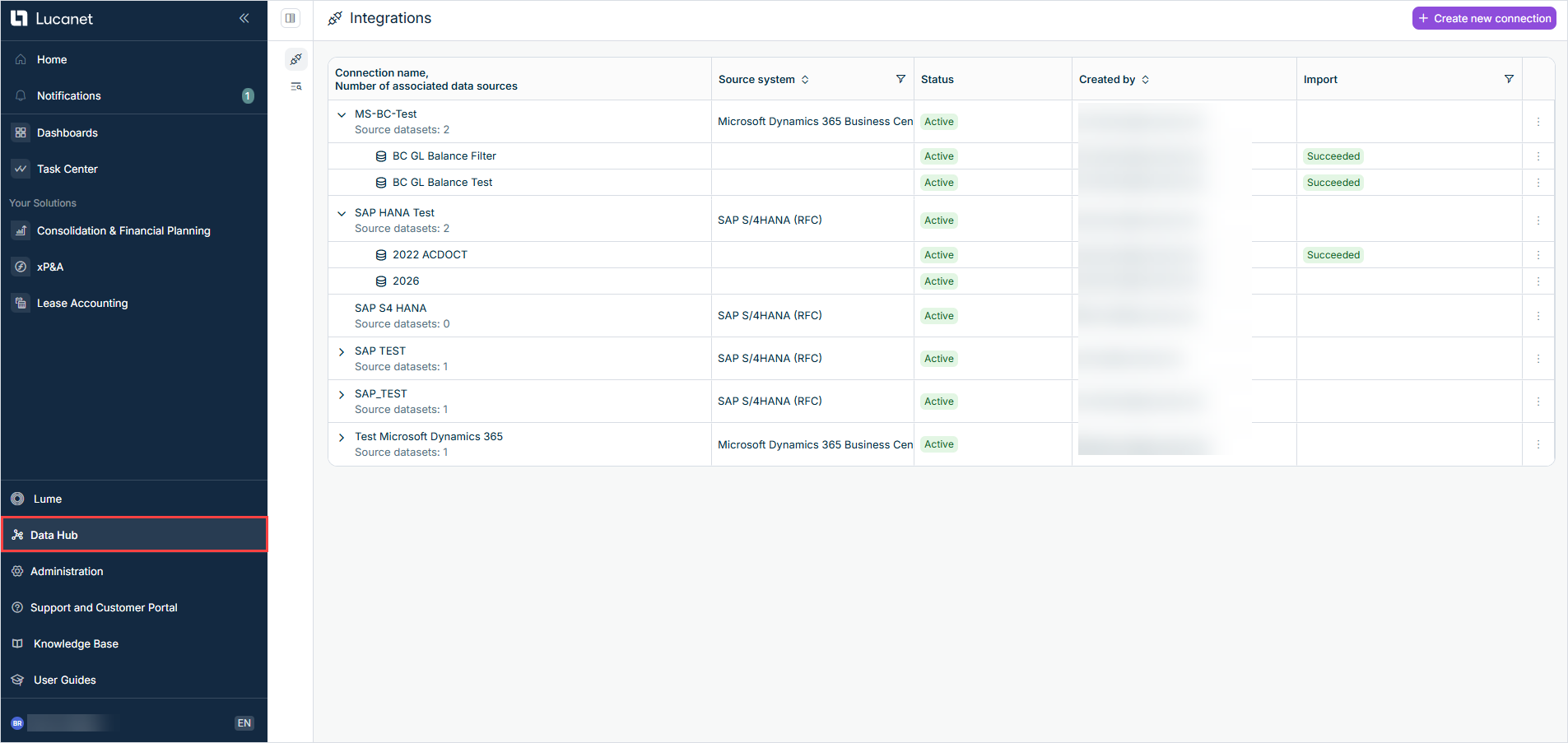
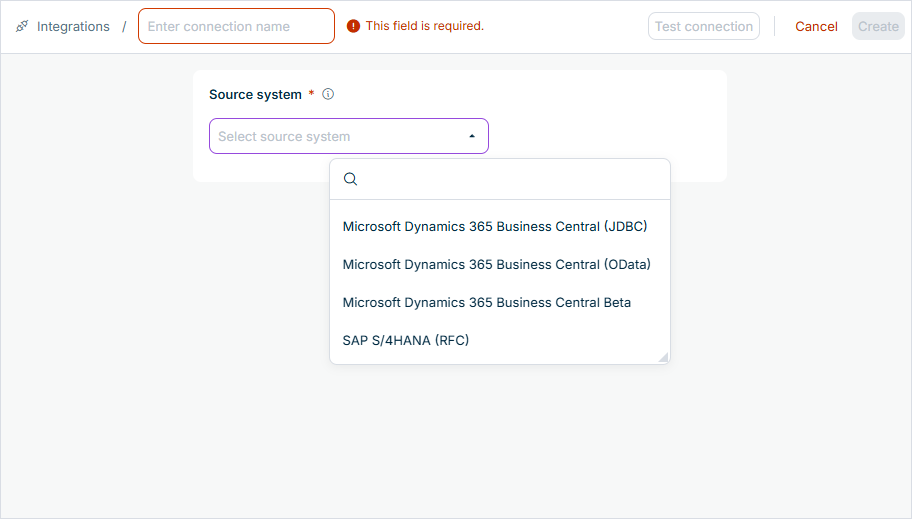
jdbc:sqlserver://dbserver.example.com:1433;databaseName=BC |
jdbc:sqlserver:// | jdbc:sqlserver://hostname:1433;databaseName=myDatabase | |
jdbc:oracle:thin: | jdbc:oracle:thin:@//hostname:1521/servicename | |
jdbc:postgresql: | jdbc:postgresql://hostname:5432/mydatabase |
lucanet_reader | |||
Creating a Source Dataset for the Microsoft Dynamics 365 Business Central (JDBC) Integration in Data Hub

namespace.table_name
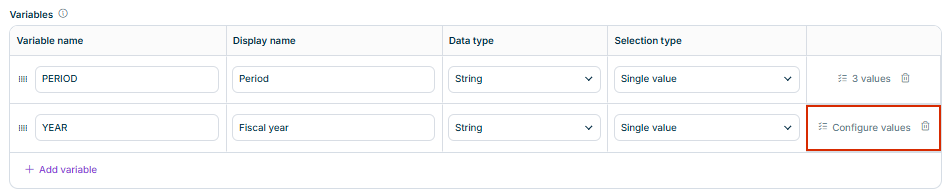
gl_entry_2026 |
Prepared statement Stored procedure
The query or the stored procedure must return a result. Each column of the result is stored as a column of the dataset in the Data Lake. Every column of the result requires a unique name. The columns are stored with the names that the database returns. Oracle Database returns names that are not enclosed in quotation marks in upper case (for example ENTRY_NOASThe integration executes the query or the stored procedure twice per import: first to determine the data types of the columns, then to read the data. A stored procedure must therefore return the same result when it is called twice and must not change any data.
? | SELECT [Entry No_], [G_L Account No_], [Posting Date], [Amount] FROM [dbo].[CRONUS$G_L Entry] WHERE [Posting Date] BETWEEN ? AND ? | ||
? | Date2026-01-01 |
gl_entry_2026 | |
SELECT [Entry No_], [G_L Account No_], [Posting Date], [Amount] FROM [dbo].[CRONUS$G_L Entry] WHERE [Posting Date] BETWEEN ? AND ? | |
Date2026-01-01Date2026-12-31 |
RETURNS TABLERETURNS SETOFCREATE PROCEDURESET NOCOUNT ON | dbo.LN_GetGLEntries | ||
Date2026-01-01 |
gl_entry_sp_2026 | |
dbo.LN_GetGLEntries | |
Date2026-01-01Date2026-12-31 |
The first row fills the first parameter, the second row the second parameter, and so on. On the Prepared statement ?Input query The value is converted into the data type selected in the DataType
1234.56 | |
truefalsetruefalse | |
yyyy-MM-dd2026-01-31 | |
HH:mm:ss23:59:59 | |
yyyy-MM-dd HH:mm:ssyyyy-MM-ddTHH:mm:ssyyyy-MM-dd | |
numeric | |
money | |
BINARY_FLOATBINARY_DOUBLEJSONuuidjsonjsonb |
SUM(amount)CAST(SUM(amount) AS NUMERIC(18,2))
timestamptzTIMESTAMP WITH TIME ZONEDATETIMEOFFSET
Numbers: 0Boolean values: falseDates: 1900-01-0100:00:001900-01-01T00:00:00Text: an empty text
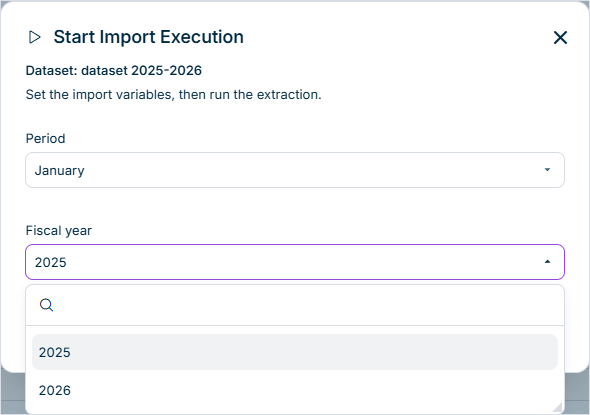
Configuration Checklist for the Microsoft Dynamics 365 Business Central (JDBC) Integration in Data Hub
The connection uses Microsoft Dynamics 365 Business Central (JDBC) Database driver Microsoft SQL Server URL jdbc:sqlserver://Microsoft SQL Server jdbc:oracle:thin:Oracle Database jdbc:postgresql:PostgreSQL User Password Authentication The source dataset uses this connection. On the General configuration Name of uploaded table Exactly one of the two extraction tabs is used: Prepared statement Input query prepared statement parameter table ?Stored procedure Stored procedure name Stored procedure parameter table
Every column of the result has a unique name.
This content was generated using AI and reviewed by Lucanet subject matter experts before publication.