An import in Data Hub extracts the data defined in a source dataset from the source system and loads it into the Lucanet solutions. You can start an import at any time and track its progress and results in the execution history of the source dataset.
If the source dataset uses variables, you can select which data to import every time you start the import, for example the data of a specific period or company. For more information, see Variables.
On the Integrations page, click the icon in the row of the source dataset you want to import.
2
Select Start import. If the source dataset uses no variables, Data Hub executes the import immediately.
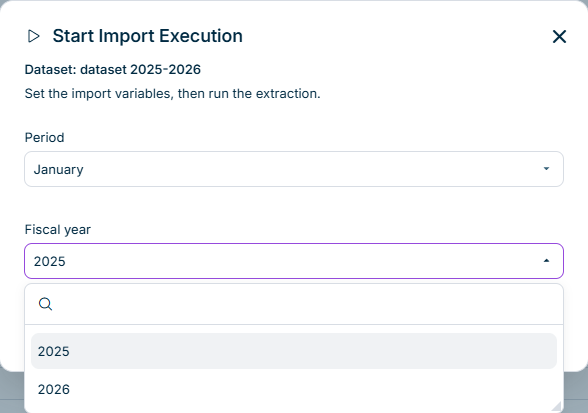
If the source dataset uses variables, the Start Import Execution dialog is displayed as follows, for example:
'Start Import Execution' dialog of a source dataset with two variables
3
In the Start Import Execution dialog, select a value for every variable of the source dataset, then click Execute.
Data Hub imports the data and records the execution in the execution history of the source dataset.
For a source dataset with variables, every combination of values is imported separately. A source dataset with the variables Period and Company imports the data of one period for one company at a time, for example. If you start the import again with the same two values, the new data replaces the data of the previous import. If you start the import for another period, the data of that period is added to the data that is already there. This way, you can update the data of a single period for a single company without importing everything again.
In Data Hub, the execution details show the results of the imports of a source dataset. To open the execution details, click the icon in the row of the source dataset and select View execution details.
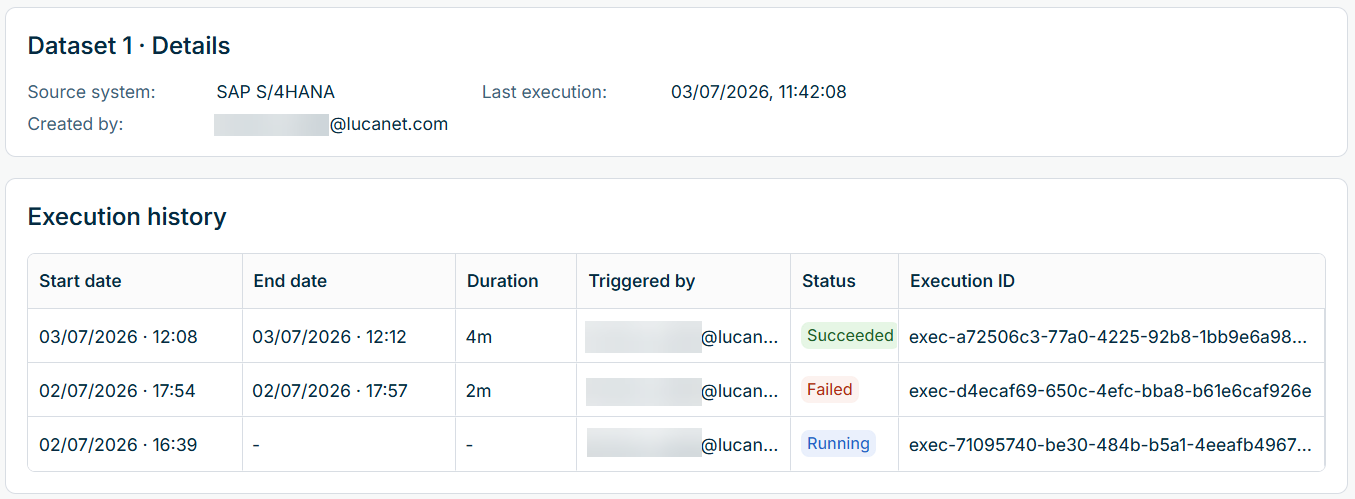
The execution details are displayed as follows, for example:
Execution details of a source dataset
The top of the page displays the source system, the user who created the source dataset, and the time of the last execution. The Execution history table below lists every import execution of the source dataset in Data Hub:
The execution log in Data Hub records the individual steps of an import. You can check which steps completed successfully and identify the step at which an import failed.
To view the execution log of an import in Data Hub:
In the Execution history table, click the icon in the row of the execution and select View execution log.
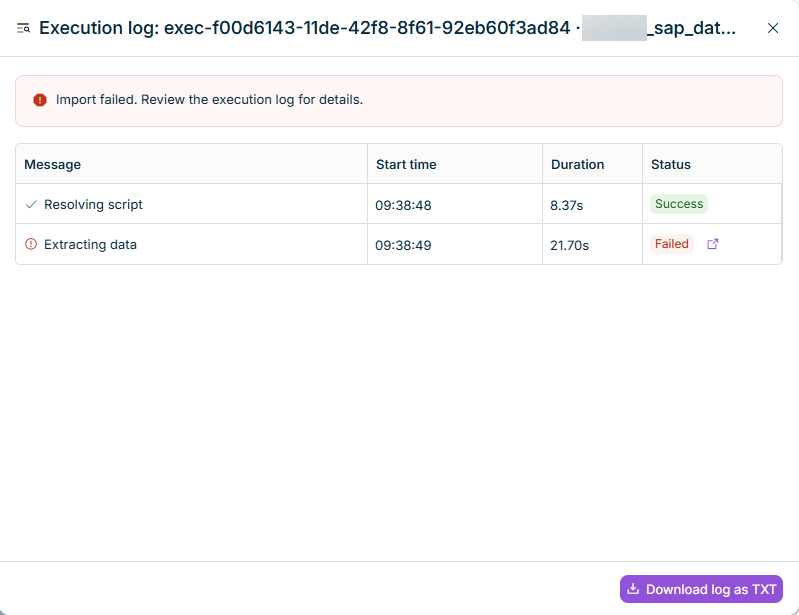
For each step, the execution log displays a message, the start time, the duration, and the status. If an import fails, Data Hub marks the steps that were still running at that point as Skipped in the execution log.
The execution log is displayed as follows, for example:
Execution log of a failed import
The execution log in Data Hub displays the status at the time you open it and does not refresh automatically. To view the current status, close the execution log and open it again.
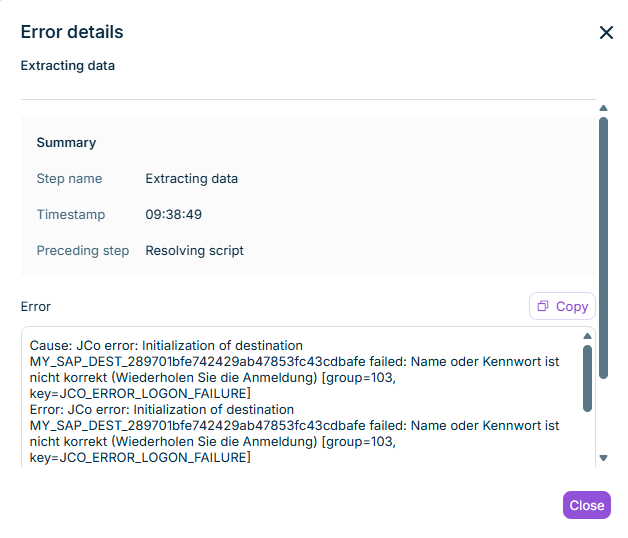
If an import step in Data Hub has the status Failed, click the icon in the Status column of the execution log to open the Error details dialog. The dialog displays the error message, the step name, the timestamp, and the preceding step. With these details, you can investigate the cause of the failure or pass the information on to Lucanet Support.
The Error details dialog is displayed as follows, for example:
To download an execution log in Data Hub, click Download log as TXT at the bottom of the execution log. The download is available after the import finishes. You can download the execution log for both successful and failed imports.
The TXT file contains the execution ID, source dataset name, overall status, and details of the individual steps, including record counts and error messages where available. The TXT file is only available in English.