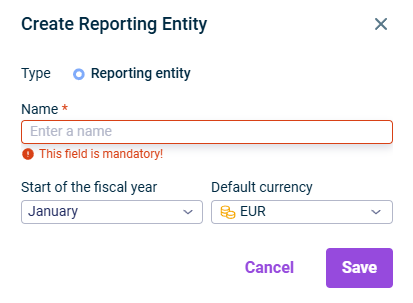
Click Edit at the top right to open the editing mode.
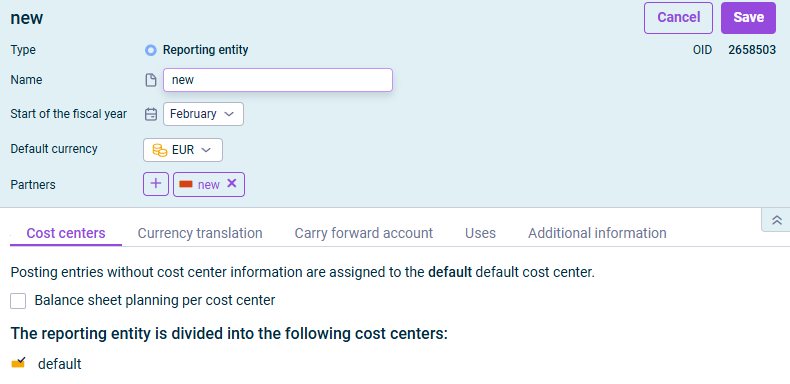
When configuring a reporting entity, the following options are available:
Option
Description
General area
- Start of the fiscal year: Allows selection of the first month of the fiscal year - Default currency: Allows selection of the currency in which transactions of the reporting entity will be executed - Partner: Partners can be assigned to reporting entities in the detail view of the respective partner (see Creating and Configuring Partners).
'Cost centers' tab
- Create default cost center: Creates a default cost center if none exists - Balance sheet planning per cost center: Accumulates planning values at the individual cost center level instead of using the default cost center
Note: The message The changes shown in red will take effect only after exporting and importing the database is displayed when adding or deleting exchange rate tables. This indicates that the changes will not take effect until the current database is re-exported and re-imported. If needed, contact your Lucanet administrator.
'Carry forward account' tab
- Allows selection of an account and transaction type for the cancellation of the carry forward when importing cumulative balances - Activate historical exchange rate translation: Allows automatic translation of historical exchange rates for the next balance import
Note: This option is only available if at least one active exchange rate table is assigned to the reporting entity.