You can create and configure partners in Consolidation & Financial Planning (CFP). Partners are used for the consolidation to add partner information to postings and data imports for the internal cost allocations.
Right-click the root folder Partner, a partner group, a folder, or an individual partner.
2
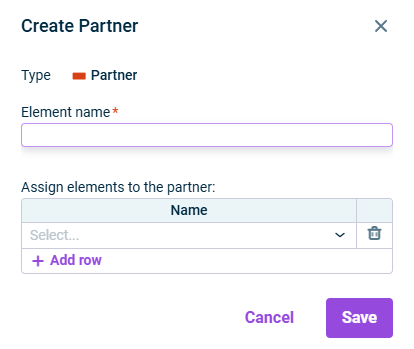
Select Create | Partner from the context menu. The Create Partner dialog is displayed:
Creating a partner
3
Specify the name of the element.
4
Assign all of the consolidation units, reporting entities, cost centers, cost center groups, or organization groups to the partner for which the postings or data imports can occur with this partner.
5
Click Save.
After creating a partner in CFP, you can configure this partner and subsequently assign additional consolidation units, reporting entities, cost centers, cost center groups, or organizational groups to the partner, as well as change the partner's name.
This content was generated using AI and reviewed by Lucanet subject matter experts before publication.