Company-specific disclosures not available in the standard taxonomy must be reported as taxonomy extensions, also referred to as extension elements. Furthermore, what are referred to as anchors must be used to specify the present taxonomy items to which the extension is semantically connected.

A taxonomy extension is permitted only if the taxonomy does not contain a suitable element and the core element of the taxonomy would result in misrepresentation.

To create an extension in XBRL Tagger:

1

Select the cells that belong to the extension.

2

Click Add Extension in the header of the document:

Shows the function bar of the document 'The Group - ESEF' with the tabs 'Text tagging' and 'Table tagging' and the buttons 'Layers', 'Add extension', and 'Row order' in Lucanet XBRL Tagger. Highlighted in red is the 'Add extension' button.
'Add Extension' button
3

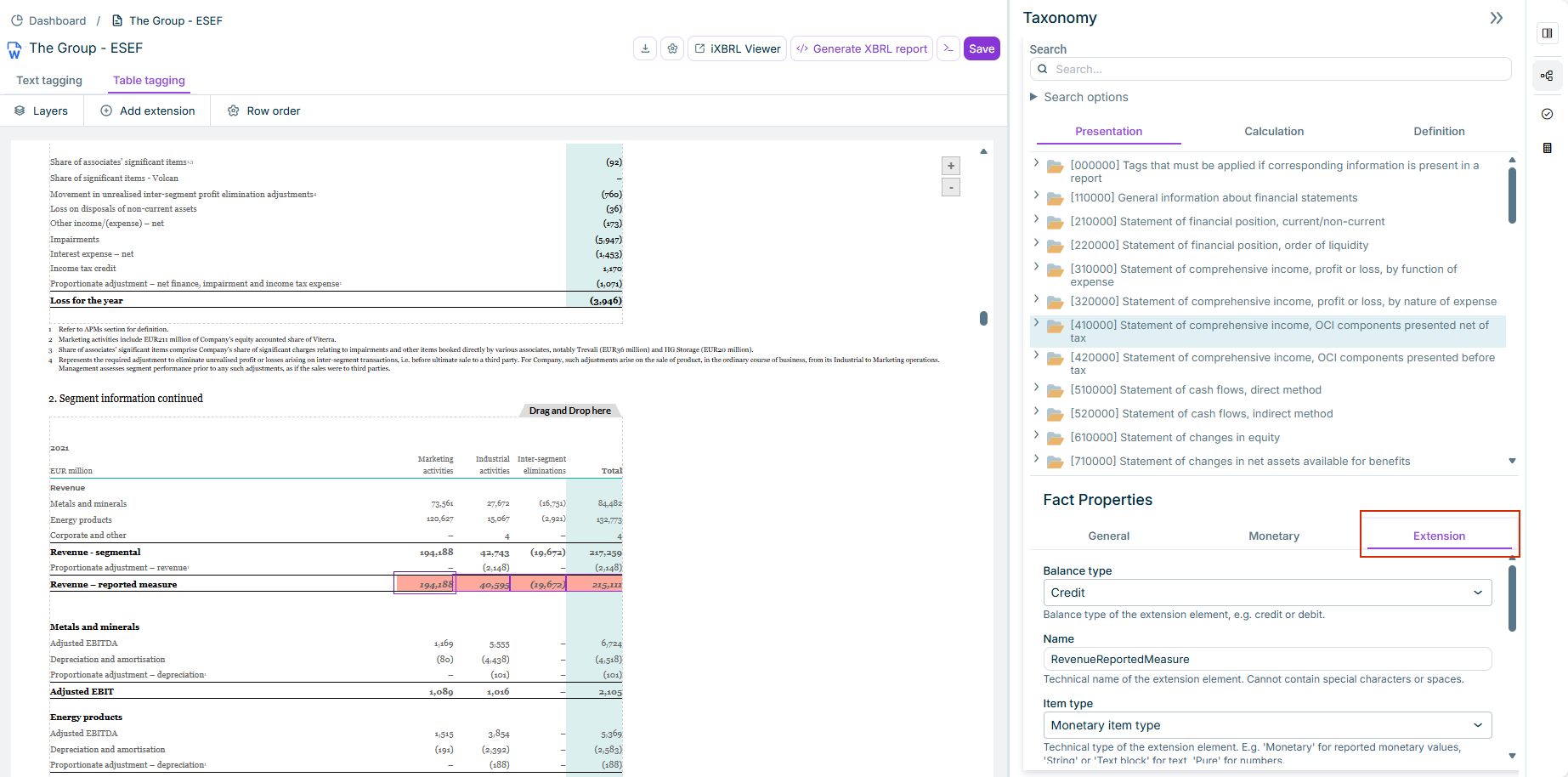
Edit the properties of the extension in the Fact Properties area:

Shows the 'Table tagging' tab with selected table cells in the document and, on the right, the 'Taxonomy' area and the 'Fact Properties' area with the tabs 'General', 'Monetary', and 'Extension' and the fields 'Balance type', 'Name', and 'Item type' in Lucanet XBRL Tagger. Highlighted in red is the 'Extension' tab.
Properties of an extension
4

Create and configure an anchor (see Adding and Configuring an Anchor).

The created extension must be linked to the core taxonomy. What are referred to as anchors are created for this purpose. There are two different types of anchors:

  • Narrow anchor: element of the core taxonomy with a narrower accounting meaning than the extension element. Any number of narrow anchors may exist.
  • Wide anchor: element of the core taxonomy with a broader accounting meaning than the extension element. Only one wide anchor may exist at a time.

You anchor an extension by inserting and configuring the respective tags in the Properties area. To anchor an extension in XBRL Tagger:

1

Select the extension you want to anchor.

2

Scroll to the very bottom of the Properties area.

3

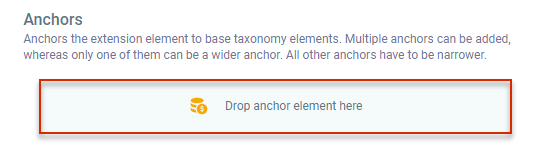
Drag the respective tag from the taxonomy and drop it onto the Drop anchor element here field.

Shows the 'Anchors' section with its description text and the field 'Drop anchor element here' in Lucanet XBRL Tagger. Highlighted in red is the 'Drop anchor element here' field.
Field used to set an 'anchor'
4

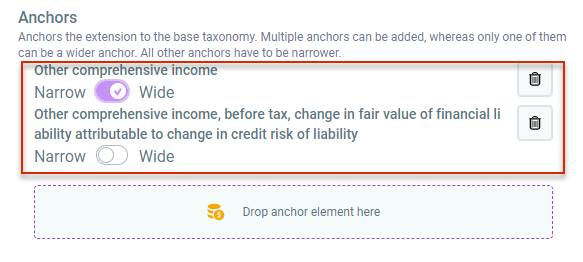
Configure the anchor by defining whether it is a narrow or wide anchor. Bring the respective slider into the corresponding position for this purpose.

Shows the 'Anchors' section with two anchors, 'Other comprehensive income' with the slider set to 'Wide' and 'Other comprehensive income, before tax, change in fair value of financial liability attributable to change in credit risk of liability' with the slider set to 'Narrow', and the field 'Drop anchor element here' in Lucanet XBRL Tagger. Highlighted in red are the two anchors with their 'Narrow'/'Wide' sliders.
Wide and narrow anchor

An extension may always only have one wide, but several narrow anchors.

This content was generated using AI and reviewed by Lucanet subject matter experts before publication.