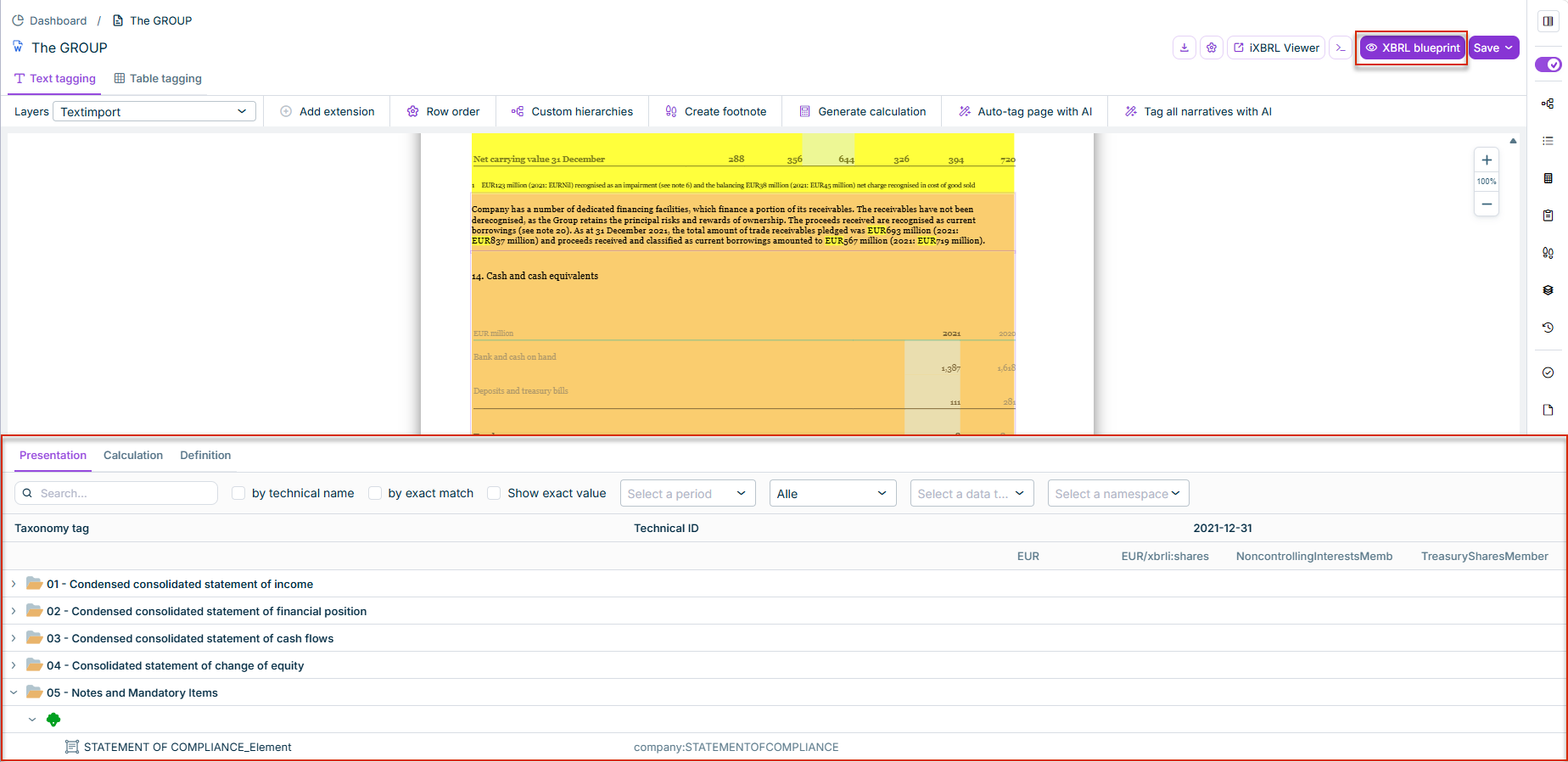
XBRL blueprint lets you inspect the structure of your extension taxonomy directly in the XBRL Tagger — live, and without generating a report package first. The function shows all tagged elements in the three linkbase trees Presentation, Calculation, and Definition, and updates automatically with every tagging change.
Click XBRL blueprint in the document toolbar to open the panel below the document view.
The XBRL blueprint button is only enabled when the active reporting requirement includes an extension taxonomy and at least one element in the document has already been tagged with an extension element. If no extension taxonomy is present, the button remains disabled.
Use the three tabs Presentation, Calculation, and Definition to switch between the three linkbase views of the extension taxonomy. Each tree shows the full hierarchy — both the extension elements and the referenced elements from the base taxonomy. Extension elements are visually distinguished from base taxonomy elements, among other things by a dedicated icon and the company's namespace prefix (e.g. company:...) instead of the base taxonomy's prefix (e.g. ifrs-full:...).
The following search and filter options are available above the tree:
A search field (Search...) to search specifically for an element.
The by technical name and by exact match checkboxes, to narrow the search to the technical name or to exact matches.
The Show exact value checkbox.
Four drop-down lists to restrict the display: Select period, a drop-down list to filter by balance, Select data type, and Select namespace.
Each element in the tree shows its taxonomy tag and its technical ID, as well as — if available — the tagged values, grouped by reporting period and unit (e.g. EUR, EUR/xbrli:shares).
The panel is generated directly from the document's current tagging state, without requiring a report package to be generated first. Every tagging change in the document is reflected in the tree immediately; no manual refresh is needed.
This content was generated using AI and reviewed by Lucanet subject matter experts before publication.