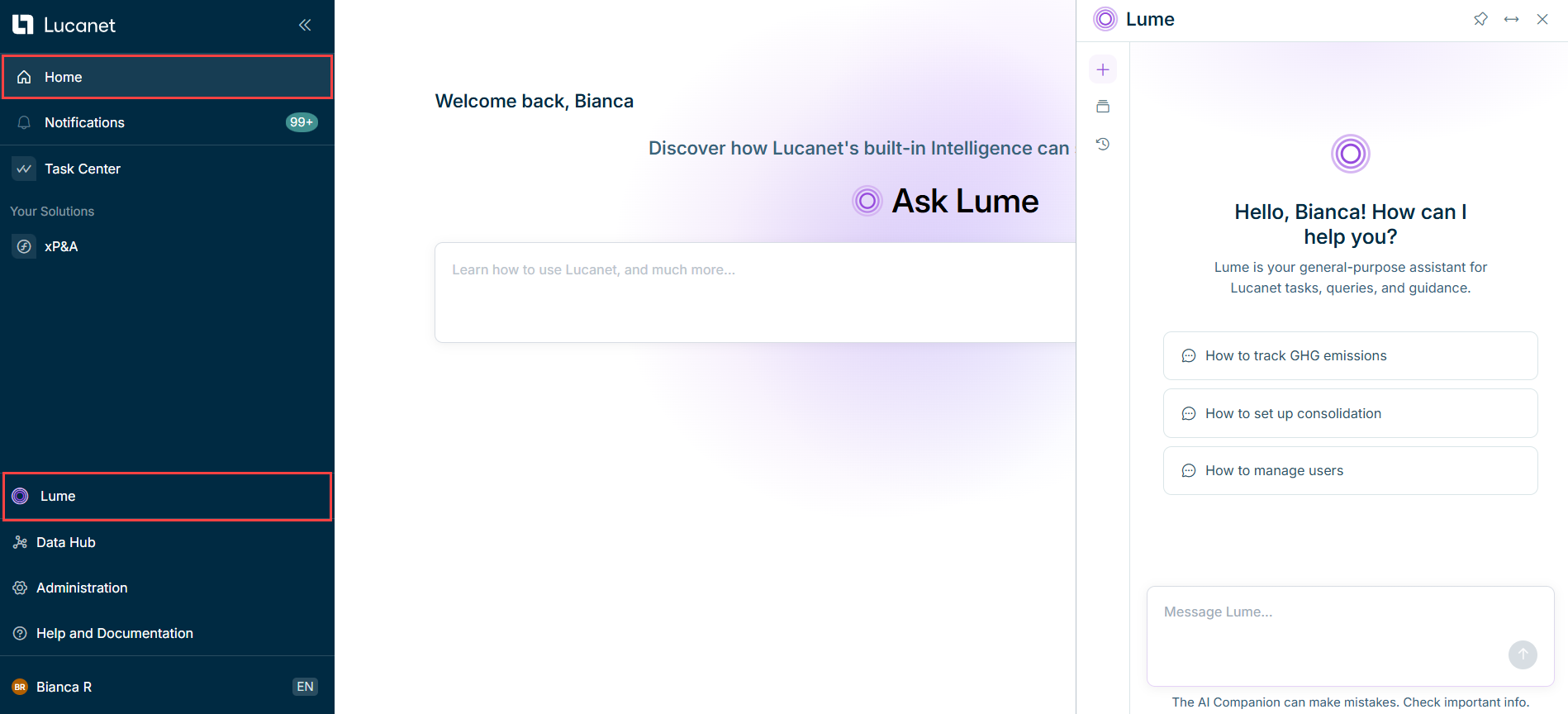
Lucanet Lume is the conversational layer to interact with the Lucanet CFO Solution Platform through a single interface.
Ask a question in plain language and Lucanet Lume handles the rest; providing instant answers or routing to the right workflow agents behind the scenes with no prompt engineering required.
You can query, instruct, and review without switching tools or leaving the workflow. It's the starting point for orchestrating everything the Intelligence Core of Lucanet provides.
Lume's capabilities depend on your license and permissions, and evolve frequently. To see what's available to you, just ask Lume: "What can you do?"
Please note that the use of Lume is limited. For more information, please speak to your Lucanet contact.
Lucanet Lume is only available if the AI features of the Lucanet CFO Solution Platform are activated. Users with the License Manager role can activate and deactivate the AI features in the Lucanet licenses workspace. For more information, see Managing Lucanet Licenses | Activating and Deactivating the AI Features.
The Lucanet Lume chat interface lets you have natural-language conversations with the Lucanet CFO Solution Platform. All conversations are saved as searchable threads so you can return to any previous discussion at any time.
Lucanet's family of agents is actively growing. The first purpose-built intelligent assistants for your most important workflows are already available, with more assistants coming to Lume soon — so you can get more done, faster. For an overview of the assistants, see Agents.
While Lume is designed to provide accurate and helpful answers, it may occasionally make mistakes. We recommend double-checking all answers and insights provided to ensure their accuracy.