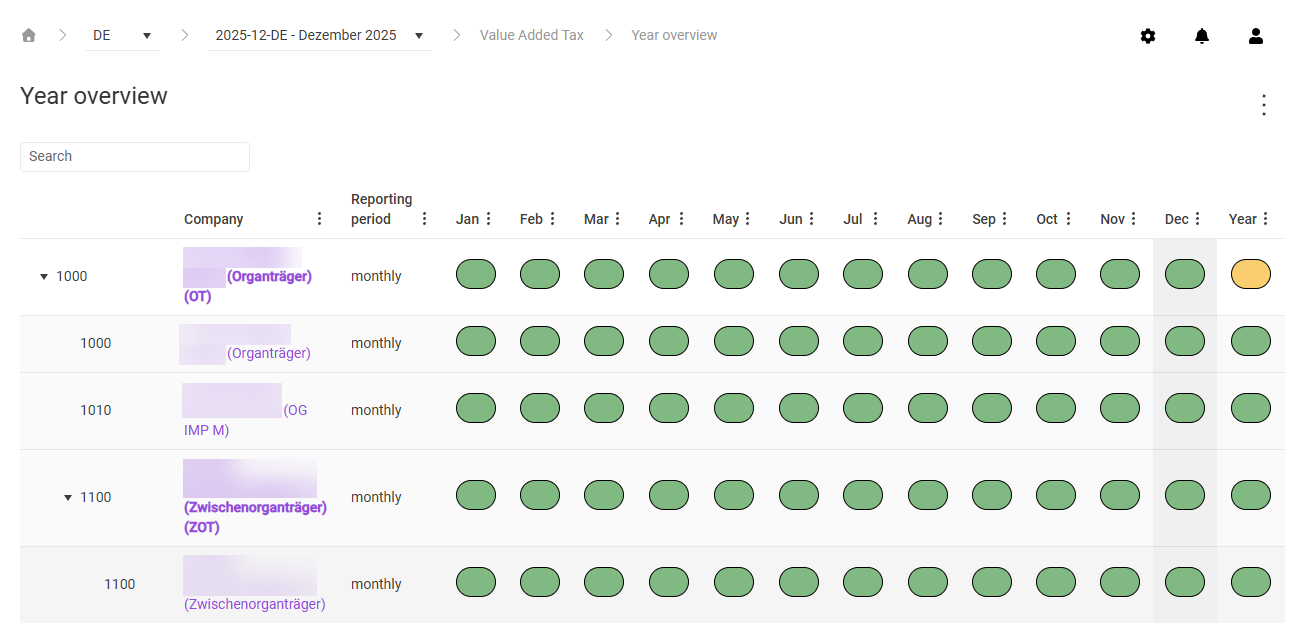
The Year overview in Lucanet VAT (Value Added Tax) shows the reporting progress of all companies over an entire year. For each company, a status indicator is displayed per period – month, quarter, or year. The overview has the same structure and the same company hierarchy as the Month overview – which companies are displayed and how navigation through the VAT group works is described there.
The key difference to the month overview is that the year overview does not contain any detail columns for import or reconciliations. Instead, it shows the current declaration status and any follow-up actions compactly for each declaration and period.
The table of the year overview in VAT shows the following columns:
Column
Description
Company
Company number and name. VAT group total rows appear in bold. Clicking the name opens the Status workspace of the company.
Reporting period
Reporting frequency of the company (for example monthly, quarterly, annual)
Jan – Dec
Status indicator of the declaration for the respective calendar month. For companies that do not report monthly, a status indicator is only displayed for the reporting month; the other months remain empty.
Year
Status indicator for the annual return period, if available
Use the Search field to filter the table by company name or number.
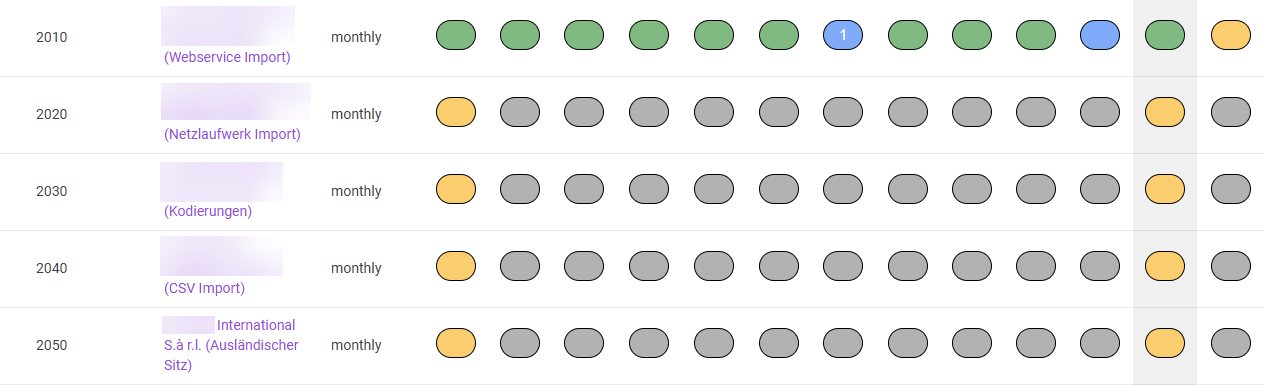
The status indicators of the year overview in VAT are color-coded and show the current processing status of the declaration. If the declaration contains one or more corrections, the number of the current correction is displayed in the status indicator. For companies that do not report monthly, a status indicator is only displayed for the respective reporting month; all other months remain empty.
Color-coded status indicators in the year overview
The colors of the status indicators in the year overview of VAT have the following meaning:
Color
Status
Meaning
Gray
Not started
Processing of the declaration has not started yet.
Yellow
In work
The declaration is being edited.
Green
Closed
The declaration has been finalized.
Blue with green border
File created
The transmission file has been downloaded (for countries without direct transmission to the tax office).
Blue with red border
Sending error
An error occurred during the technical transmission.
Blue
Sent
The declaration was sent to or submitted to the tax authorities.
Purple
Paid
The VAT liability has been paid and the payment voucher uploaded.
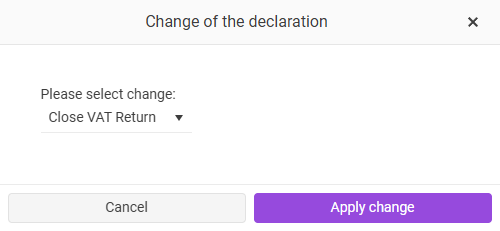
Clicking a status indicator in the year overview opens the Change of the declaration dialog.
'Change of the declaration' dialog
In the drop-down list, choose the required action and then click Apply change.
The available actions depend on the current status of the declaration (for example Close VAT Return, Open VAT Return). For more information about the possible statuses and their actions, see the Month overview.
This content was generated using AI and reviewed by Lucanet subject matter experts before publication.