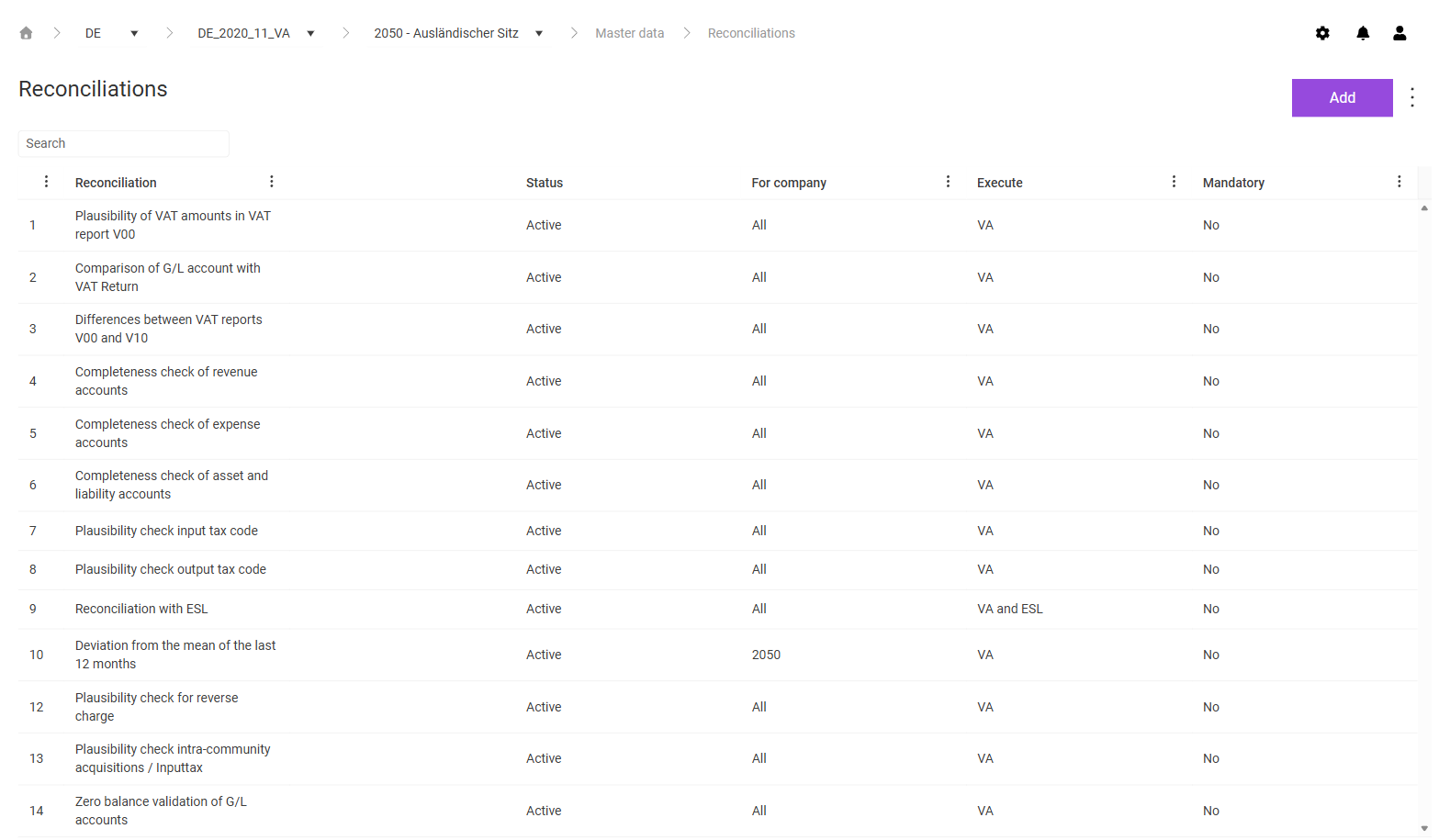
In the Reconciliations workspace in the Master data functional area in Lucanet VAT (Value Added Tax), you specify which reconciliations VAT performs for a period and a company and how these reconciliations are configured. VAT provides predefined reconciliations, for example the plausibility of VAT amounts in VAT report V00 as reconciliation 1 or the reconciliation with the European Sales List as reconciliation 9. You only perform reconciliations for which you store a configuration here in the Reconciliations workspace in the Value Added Tax functional area. For a description of the individual reconciliations, see the Editing Reconciliations 1 to 14 page.
You configure a reconciliation for all companies or for a single company.
To create the configuration of a reconciliation in VAT, proceed as follows:
1
In the breadcrumb navigation, choose the period and the company for which you want to configure the reconciliation.
2
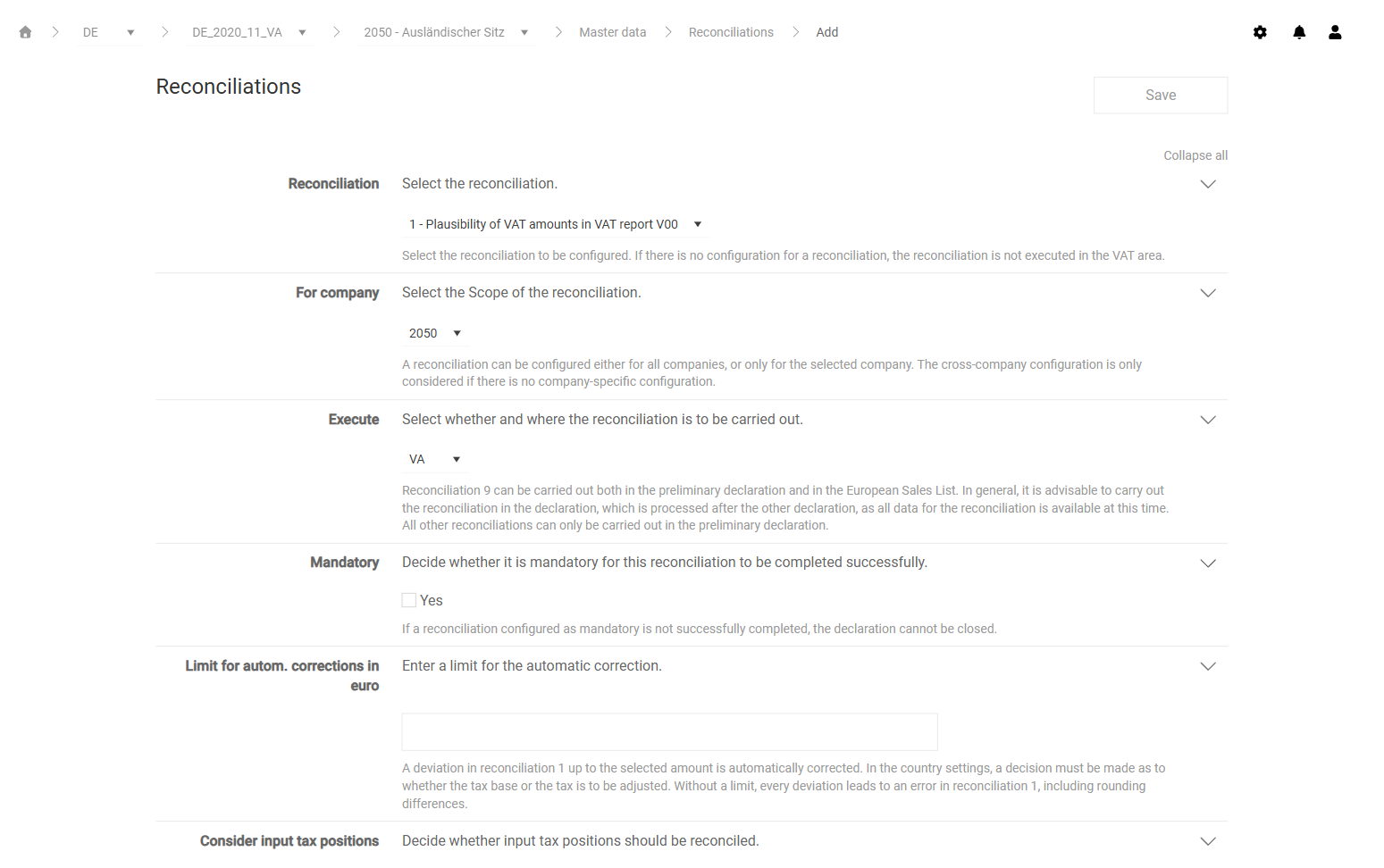
In the Reconciliations workspace, click Add. The page for configuring a reconciliation is displayed:
Page for configuring a reconciliation
3
In the Reconciliation field, choose the reconciliation that you want to configure.
4
Fill in the other fields. For a description of the fields, see the following tables.
5
Click Save.
The following fields are available for all reconciliations:
Field
Description
Reconciliation
Specifies the reconciliation that you configure. If no configuration exists for a reconciliation, VAT does not perform the reconciliation in the Value Added Tax functional area.
For company
Specifies whether the configuration applies to all companies or only to the chosen company. VAT only takes the configuration for all companies into account if no separate configuration exists for a company.
Execute
Specifies whether and in which declaration VAT performs the reconciliation. VAT performs reconciliation 9 in the preliminary VAT return, in the European Sales List, or in both declarations; VAT performs all other reconciliations only in the preliminary VAT return. As a rule, perform reconciliation 9 in the declaration that you edit second, because all data for the reconciliation is available at that point.
Mandatory
Specifies that the reconciliation must be completed successfully. If a mandatory reconciliation is not successful, you cannot close the declaration.
Depending on the chosen reconciliation, VAT displays additional fields. The following table describes the additional fields and the reconciliations for which the fields are available in VAT:
Field
Description
Available for
Tolerance limit in euro
Defines the amount up to which VAT tolerates a difference.
Reconciliations 2 to 6, 9, and 12 to 14
Tolerance limit in %
Defines the tolerance limit as a percentage.
Reconciliation 9
Limit for autom. corrections in euro
Defines the amount up to which VAT automatically corrects differences. You specify in the country settings whether VAT adjusts the base or the tax. Without a limit, every difference results in an error, including a rounding difference.
Reconciliation 1
Consider input tax positions
Specifies that VAT also reconciles the input tax positions.
Reconciliation 1
Resubmissions to no posting
Sets resubmissions that result from automatic adjustments automatically to no posting necessary.
Reconciliation 1
Hide all zero values for
Specifies that VAT hides items with zero values in the reconciliation.
In addition to the general functions, the Show standard configurations function is available via the three-dot menu (⋮) in the top right corner of the Reconciliations workspace in VAT. Use this function to display the configurations that apply to all companies in the table. To return to the configurations of the chosen company, select Show unit configurations.
This content was generated using AI and reviewed by Lucanet subject matter experts before publication.