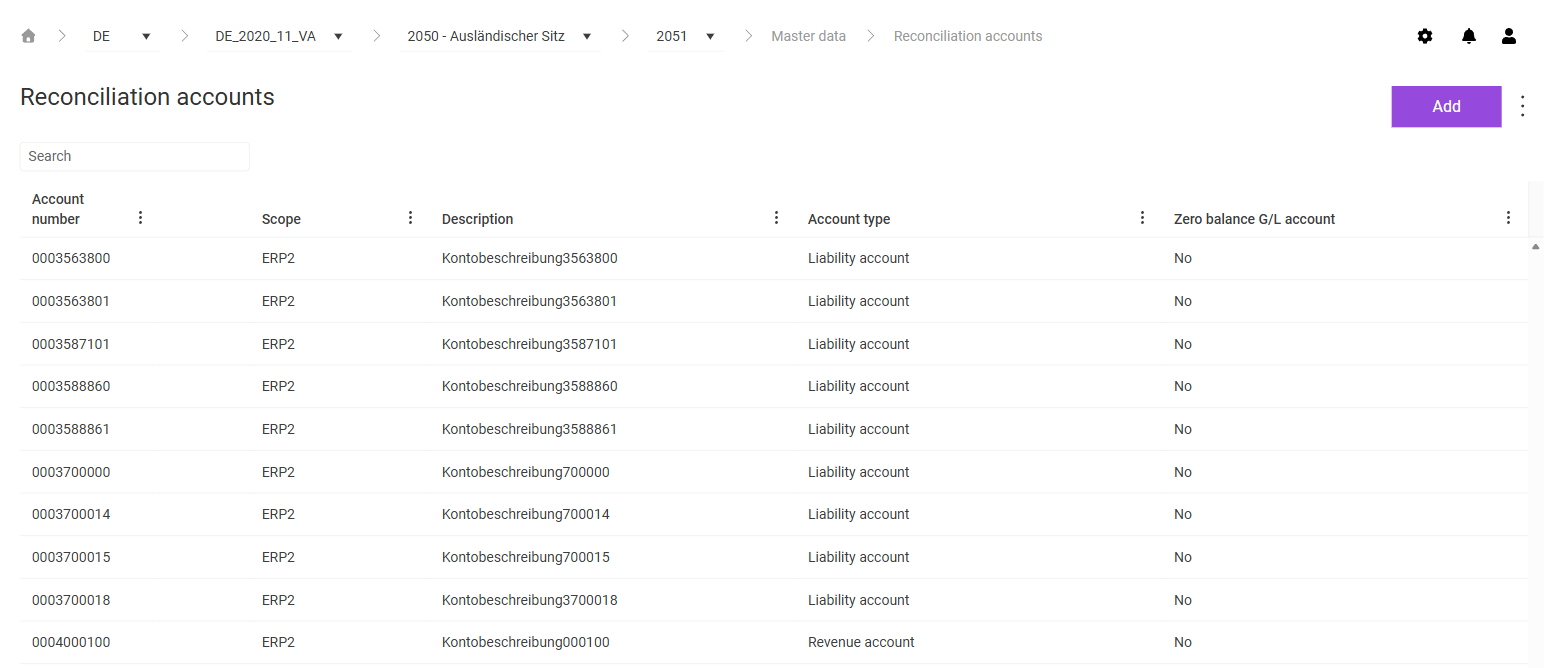
In the Reconciliation accounts workspace in Lucanet VAT (Value Added Tax), you assign the G/L accounts from the ERP system to the account types that VAT needs for the account-based reconciliations, for example for the completeness checks and the zero balance validation. The account type controls which reconciliations an account is included in. You specify which reconciliations VAT performs in the Reconciliations workspace.
You maintain the reconciliation accounts per company code and create them for a single company or for an ERP group.
To create a reconciliation account in VAT, proceed as follows:
1
In the breadcrumb navigation, choose the period, the company, and the company code for which you want to create the reconciliation account.
2
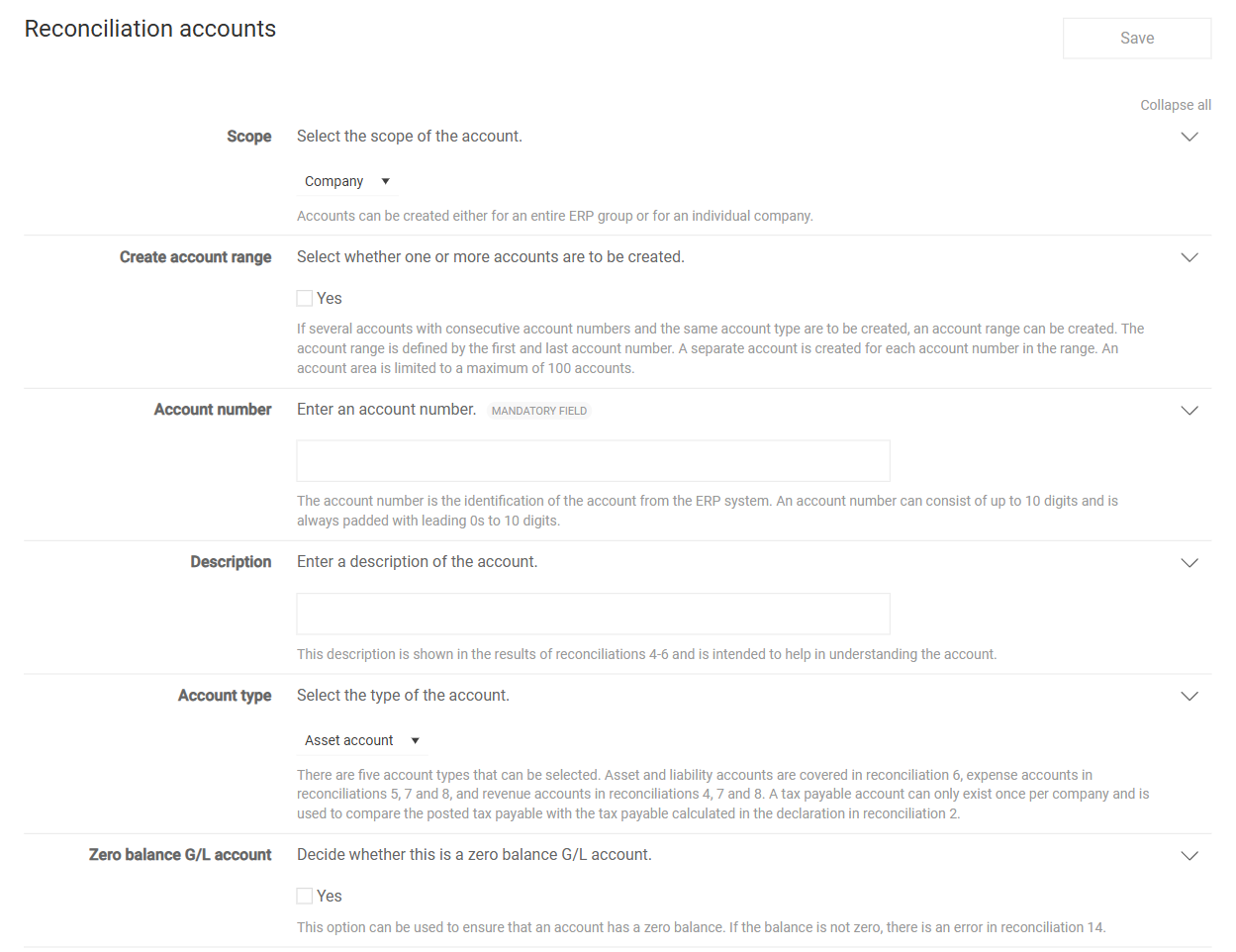
In the Reconciliation accounts workspace, click Add. The page for creating a reconciliation account is displayed:
Page for creating a reconciliation account
3
Fill in the fields. For a description of the fields, see the following table.
4
Click Save.
The following fields are available when you create a reconciliation account:
Field
Description
Scope
Specifies whether the account applies to a single company or to an ERP group.
Create account range
Creates several accounts with consecutive account numbers and the same account type as a range in one step. You define the range via the first and the last account number. A range comprises a maximum of 100 accounts.
Account number
Specifies the account number from the ERP system. The account number consists of up to 10 digits; VAT pads the account number with leading zeros to 10 digits. The field is mandatory.
Description
Describes the account. VAT displays the description in the result of reconciliations 4 to 6.
Account type
Specifies the type of the account and thus which reconciliations the account is included in: - Asset account and Liability account: Reconciliation 6. - Expense account: Reconciliations 5, 7, and 8. - Revenue account: Reconciliations 4, 7, and 8. - Tax payable account: Reconciliation 2, in which VAT compares the posted VAT payable with the calculated VAT payable. You only create one tax payable account per company.
Zero balance G/L account
Marks an account whose balance must be zero. If the balance differs, reconciliation 14 reports an error.
For an existing reconciliation account in VAT, you can only edit the description and the Zero balance G/L account field. To do so, click the account in the Reconciliation accounts workspace, adjust the fields, and click Save.
In addition to the general functions, the following functions are available via the three-dot menu (⋮) in the top right corner of the Reconciliation accounts workspace in VAT:
Function
Description
Delete reconciliation accounts
Deletes the chosen reconciliation accounts.
Import from CSV-file
Imports reconciliation accounts from a CSV file.
Export of reconciliation accounts
Exports the reconciliation accounts to a file.
This content was generated using AI and reviewed by Lucanet subject matter experts before publication.