In the Companies workspace in Lucanet VAT (Value Added Tax), you create the companies that take part in the VAT reporting. When you create a company in VAT, you specify the following:

  • a unique ID and a name
  • the type of VAT group member, for example standalone or part of a VAT group
  • the reporting period

Optionally, you can take over the master data of an existing company from another period.

After you have created the company, you maintain all reporting-relevant data in the detail view of the company, for example the address data, the interfaces for the import, and the details for the European Sales List.

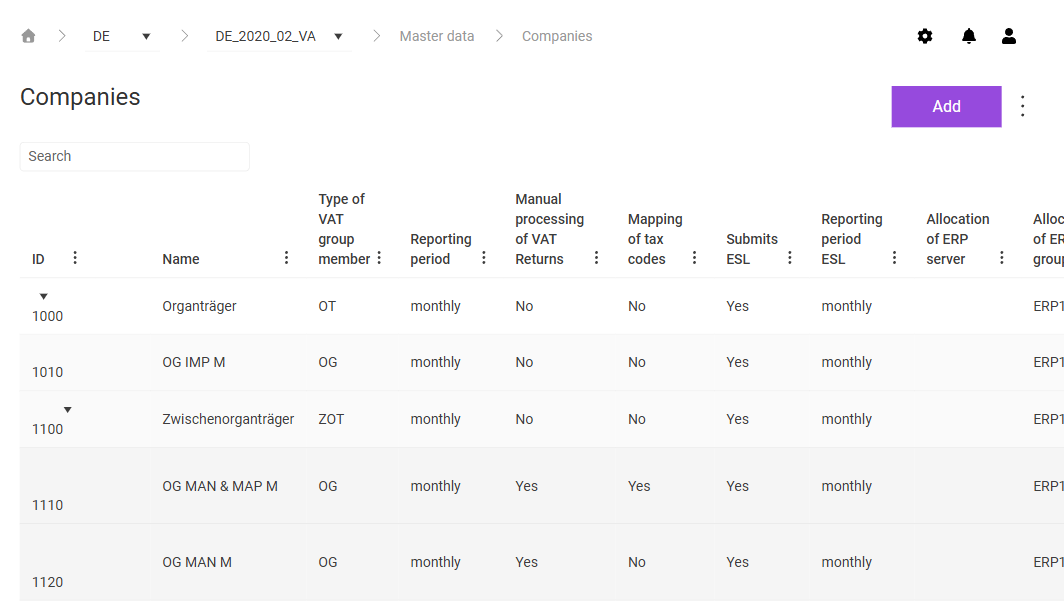
The Companies workspace can be found under VAT | Master data | Companies and is displayed as follows, for example:

Shows the 'Companies' workspace in VAT for the period 'DE_2020_02_VA' with the 'Search' field, the 'Add' button, the three-dot icon, and the columns 'ID', 'Name', 'Type of VAT group member', 'Reporting period', 'Manual processing of VAT Returns', 'Mapping of tax codes', 'Submits ESL', 'Reporting period ESL', and 'Allocation of ERP server'. The table shows, for example, the representative VAT group member '1000' with the type of VAT group member 'OT', below it the consolidated VAT group member '1100' with the type of VAT group member 'ZOT', and several VAT group members with the type of VAT group member 'OG'.
'Companies' workspace

Proceed as follows to create a company in VAT:

1

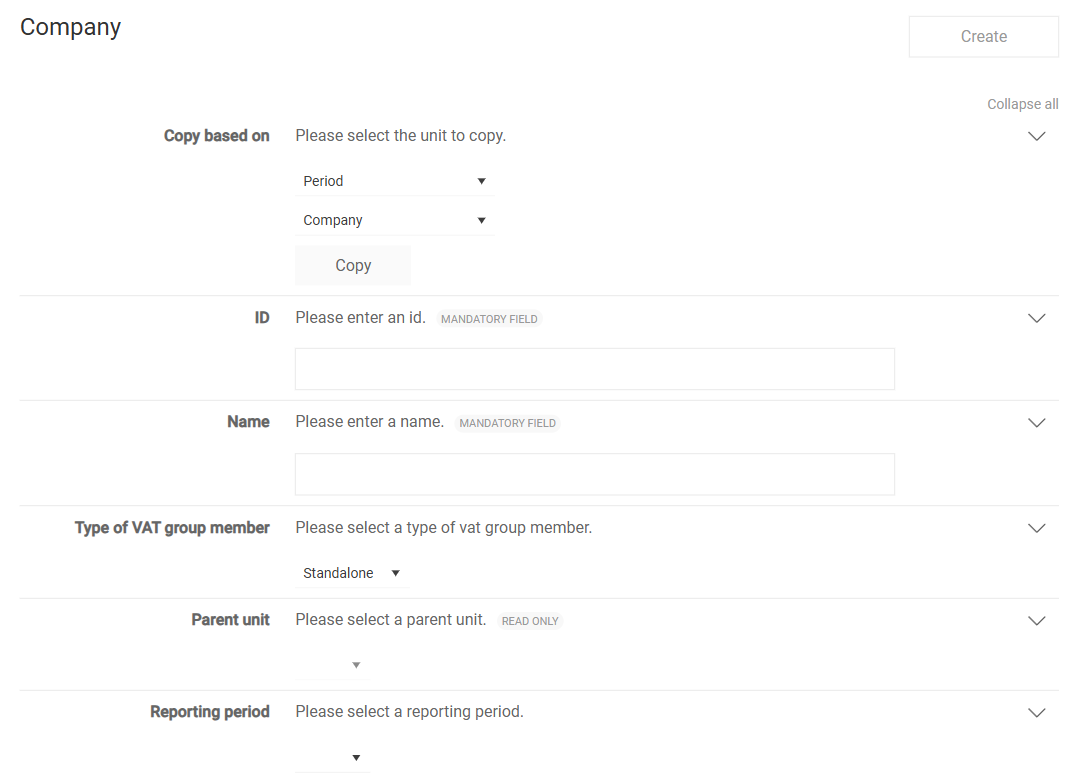
In the Companies workspace, click Add. The page for creating a company is displayed:

Shows the page for creating a company in VAT with the 'Create' button and the fields 'Copy based on' with the 'Period' and 'Company' drop-down lists and the 'Copy' button, 'ID', 'Name', 'Type of VAT group member' with the value 'Standalone', 'Parent unit' marked as 'Read only', and 'Reporting period'. The 'ID' and 'Name' fields are marked as mandatory.
Page for creating a company
2

Fill in the fields. For a description of the fields, see the following table.

3

Click Create. The detail view of the company is displayed. Maintain the further data of the company there, as described in the section Editing a Company in VAT.

The following fields are available when you create a company:

FieldDescription
Copy based onTakes over the master data of an existing company. Choose the period and the company whose data you want to copy, and click Copy. The company must exist in the chosen period. You then adjust the copied values as needed.
IDSpecifies the unique identifier of the company. You assign the ID once and cannot change the ID afterwards. Use the same company number that you also use for this company in other systems. The field is mandatory.
NameSpecifies the full name of the company including the legal form, for example GmbH or AG. VAT transmits the name to the tax office in the reporting files. The name must therefore match the actual company name. The field is mandatory.
Type of VAT group memberDetermines the role of the company within a VAT group. For a description of the types of VAT group member, see the table below this table.
Parent unitAssigns the company to a superordinate company in the VAT group structure. Only representative VAT group members and consolidated VAT group members are available for selection. VAT activates the field if you choose VAT group member, Consolidated VAT group member, or Company subdivision as the type of VAT group member. For Standalone and Representative VAT group member, the field is deactivated, because these companies do not have a superordinate company.
Reporting periodSpecifies the reporting period in which the company submits its VAT declarations. If the due dates of the company differ from the German standard due dates, for example for foreign reporting deadlines or after exceeding turnover thresholds, specify individual due dates in the Due dates VAT Return workspace.

The type of VAT group member determines the role of the company in the VAT group:

Type of VAT group memberMeaning
StandaloneThe company submits its VAT declarations independently.
VAT group memberThe company is part of a VAT group. In the Parent unit field, assign the company to the related representative VAT group member. Create the representative VAT group member in the same period beforehand.
Representative VAT group memberThe company is the superordinate unit of a VAT group. The representative VAT group member submits the preliminary VAT returns and annual returns with the cumulated values of all companies of the VAT group.
Consolidated VAT group memberVAT consolidates the data of the assigned VAT group members before VAT transfers the data to the representative VAT group member. In the Parent unit field, assign the consolidated VAT group member to the superordinate representative VAT group member. Create the representative VAT group member in the same period beforehand.
Company subdivisionMaps companies that consist of several company codes or that are managed in several SAP systems. Each company subdivision maps one company code; VAT cumulates several company subdivisions in the superordinate representative VAT group member or consolidated VAT group member into one legal entity. In contrast to the VAT group member, the company subdivision enables you to submit the European Sales List consolidated per legal entity.

To edit an existing company, click the company in the Companies workspace. The detail view of the company is displayed. The detail view is divided into several areas in which you maintain the reporting-relevant data of the company. The following sections describe the areas.

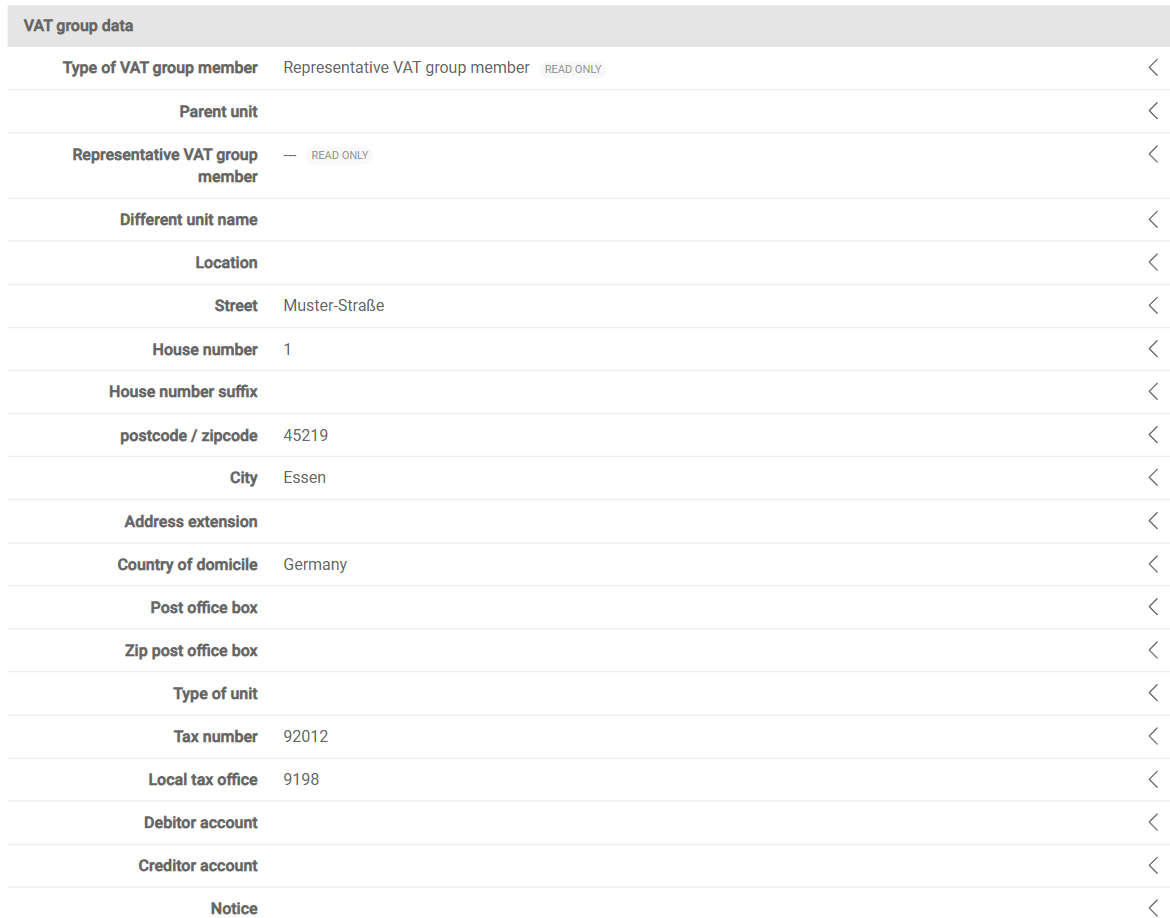
In the VAT group data area, you maintain the VAT organizational data as well as the address and financial data of the company. VAT needs these details, among other things, for the electronic transmission of the tax declarations to the tax office.

Shows the 'VAT group data' area of the detail view of a company in VAT with the fields 'Type of VAT group member' with the value 'Representative VAT group member', 'Parent unit', 'Representative VAT group member', 'Different unit name', 'Location', 'Street', 'House number', 'House number suffix', 'postcode / zipcode', 'City', 'Address extension', 'Country of domicile', 'Post office box', 'Zip post office box', 'Type of unit', 'Tax number', 'Local tax office', 'Debitor account', 'Creditor account', and 'Notice'.
'VAT group data' area

The following fields are available in the VAT group data area of the company in VAT:

FieldDescription
Type of VAT group memberDisplays the type of VAT group member that you chose when you created the company, for example Standalone or Representative VAT group member. The field is read-only.
Parent unitDisplays the assigned superordinate company. The field is only active for the types of VAT group member VAT group member, Consolidated VAT group member, and Company subdivision.
Representative VAT group memberDisplays the representative VAT group member of the VAT group structure. VAT derives the value automatically from the assignment. The field is read-only.
Different unit nameSpecifies a company name that differs from the name of the company.
LocationSpecifies the location of the registered office.
Street, House number, House number suffix, postcode / zipcode, City, Address extension, Country of domicile, Post office box, Zip post office boxSpecify the address data of the company.
Type of unitSpecifies the type of company, for example corporation or partnership.
Tax numberSpecifies the tax number of the company at the local tax office.
Local tax officeSpecifies the tax office that is responsible for the company. VAT extends the tax office number to four digits for the ELSTER tax number format and assigns the tax office number by federal state.
Debitor accountSpecifies the account number of the company as a debtor at the tax office.
Creditor accountSpecifies the account number of the company as a creditor at the tax office.
NoticeRecords internal notes on the company as free text.

In the ERP system type area, you link the company to the connected ERP system. The assignment is the prerequisite for the automated data exchange between the ERP system and VAT. In the ERP system type area in VAT, you specify the following:

  • ERP Server: the ERP server via which the company is connected. You configure the available servers in the connection parameters, which you access via the gear icon in the top right corner.
  • ERP Group: the ERP group that the company belongs to. Use the ERP group to combine several companies into one logical unit, for example to maintain tax codes or reconciliation accounts jointly for all companies of the group.
Shows the 'ERP system type' area of the detail view of a company in VAT with the fields 'ERP Server' and 'ERP Group' with the value 'ERP1'.
'ERP system type' area

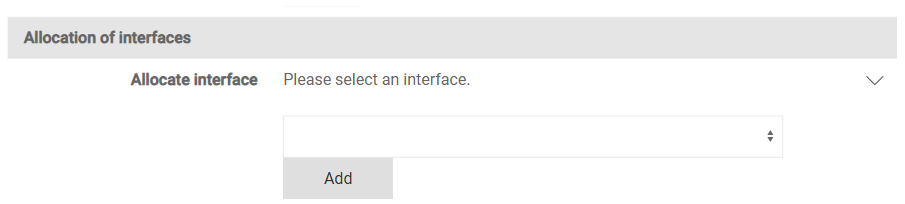
In the Allocation of interfaces area, you specify the interfaces via which the company imports data into VAT or exports data. To do so, choose an interface in the Allocate interface drop-down list and click Add. You can assign several interfaces to one company. You configure the available interfaces in the Interface configuration workspace, which you access via the gear icon in the top right corner. For more information, see the Interfaces for Lucanet VAT on the Platform page.

Shows the 'Allocation of interfaces' area of the detail view of a company in VAT with the 'Allocate interface' drop-down list and the 'Add' button.
'Allocation of interfaces' area

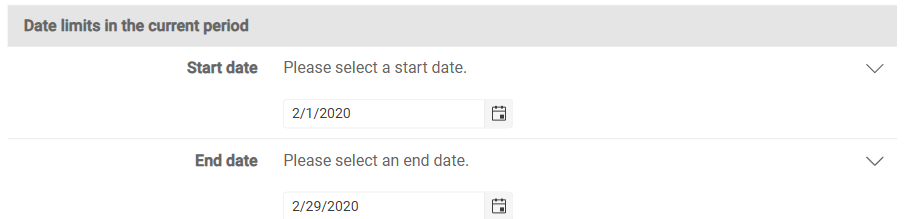
In the Date limits in the current period area, you record the exact day on which a VAT group member joins or leaves the VAT group in VAT. In the Start date and End date fields, you specify the start date and the end date of the reporting period of the company within the period. VAT automatically prefills the fields with the start and the end of the period.

Adjust the date values if the company did not join the VAT group on the first day of the month or did not leave the VAT group on the last day of the month. VAT takes the adjusted date limits into account when creating the annual return.

Shows the 'Date limits in the current period' area of the detail view of a company in VAT with the date fields 'Start date' with the value '2/1/2020' and 'End date' with the value '2/29/2020'.
'Date limits in the current period' area

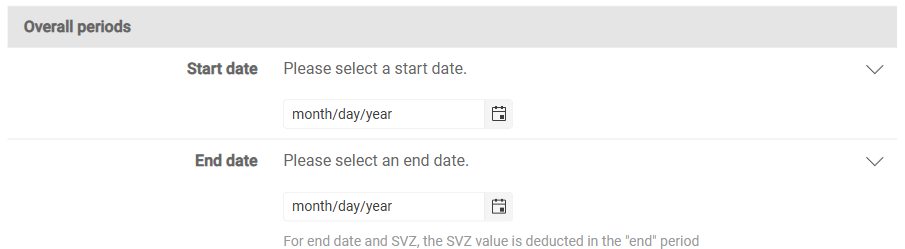
In the Overall periods area, you specify a time span that extends beyond the limits of a single period. You need the time span if VAT is to cumulate or delimit values across several periods. In the Start date and End date fields, you specify the start date and the end date of the time span across periods. If you enter an end date and the company makes a special prepayment, VAT deducts the value of the special prepayment in the period of the end date.

Shows the 'Overall periods' area of the detail view of a company in VAT with the empty date fields 'Start date' and 'End date' in the date format month/day/year.
'Overall periods' area

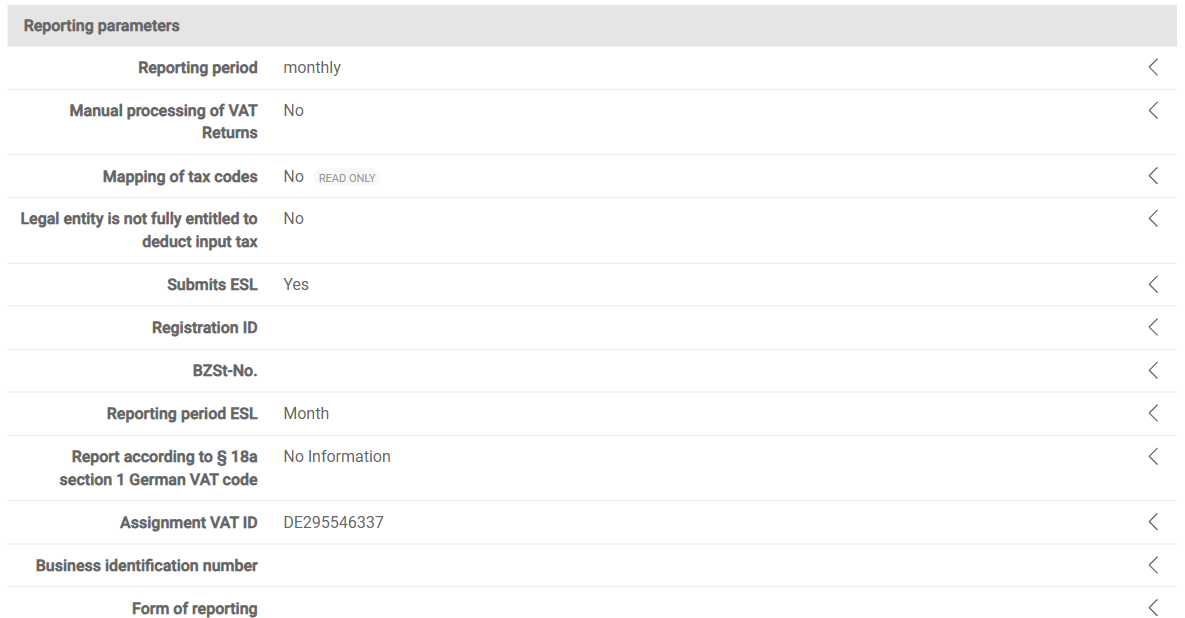
In the Reporting parameters area, you maintain the tax parameters of the company that VAT needs to create and transmit the VAT declarations and the European Sales List.

Shows the 'Reporting parameters' area of the detail view of a company in VAT with the fields 'Reporting period' with the value 'monthly', 'Manual processing of VAT Returns', 'Mapping of tax codes' marked as 'Read only', 'Legal entity is not fully entitled to deduct input tax', 'Submits ESL' with the value 'Yes', 'Registration ID', 'BZSt-No.', 'Reporting period ESL' with the value 'Month', 'Report according to § 18a section 1 German VAT code' with the value 'No Information', 'Assignment VAT ID', 'Business identification number', and 'Form of reporting'.
'Reporting parameters' area

The following fields are available in the Reporting parameters area of the company in VAT:

FieldDescription
Reporting periodSpecifies the frequency at which the company submits its VAT declarations, for example monthly, quarterly, or annually.
Manual processing of VAT ReturnsSpecifies that you enter the VAT declarations of the company manually instead of importing them via an interface. If the option is activated, VAT hides the Import workspace in the Value Added Tax functional area for the company.
Mapping of tax codesDisplays whether a tax code mapping is stored for the company. The mapping assigns the tax codes of the ERP system to the fields of the declaration form. The field is read-only.
Legal entity is not fully entitled to deduct input taxSpecifies that the company can only claim a limited input tax deduction. The option affects the calculation of the deductible input tax in the declarations.
Submits ESLSpecifies that the company submits a European Sales List. VAT only displays the European Sales List functional area for the company if the option is activated.
Registration IDSpecifies the registration identifier of the company, for example for the registration with electronic reporting systems.
BZSt-No.Specifies the number of the company at the German Federal Central Tax Office. VAT needs the number, among other things, for the European Sales List and the VAT ID check.
Reporting period ESLSpecifies the frequency at which the company submits the European Sales List. The frequency can differ from the reporting period of the preliminary VAT return.
Report according to § 18a section 1 German VAT codeDetermines the submission mode of the European Sales List:
- No Information: Default setting.
- Report according to § 18a section 1 German VAT code: The company declares that the company will submit the European Sales List monthly in the future, although a quarterly submission would be possible. The declaration is binding until revoked, for at least 12 months.
- Revocation of report according to § 18a section 1 German VAT code: The company revokes the monthly submission and returns to the quarterly submission. The revocation is permitted at the earliest after 12 months and only in a quarter month.
Assignment VAT IDAssigns the VAT ID to the company. Via Add, you assign several VAT IDs, for example for registrations in different EU member states.
Business identification numberAssigns the business identification number to the company. Via Add, you assign several numbers.
Form of reportingDetermines the method that VAT uses to calculate the VAT for the company.

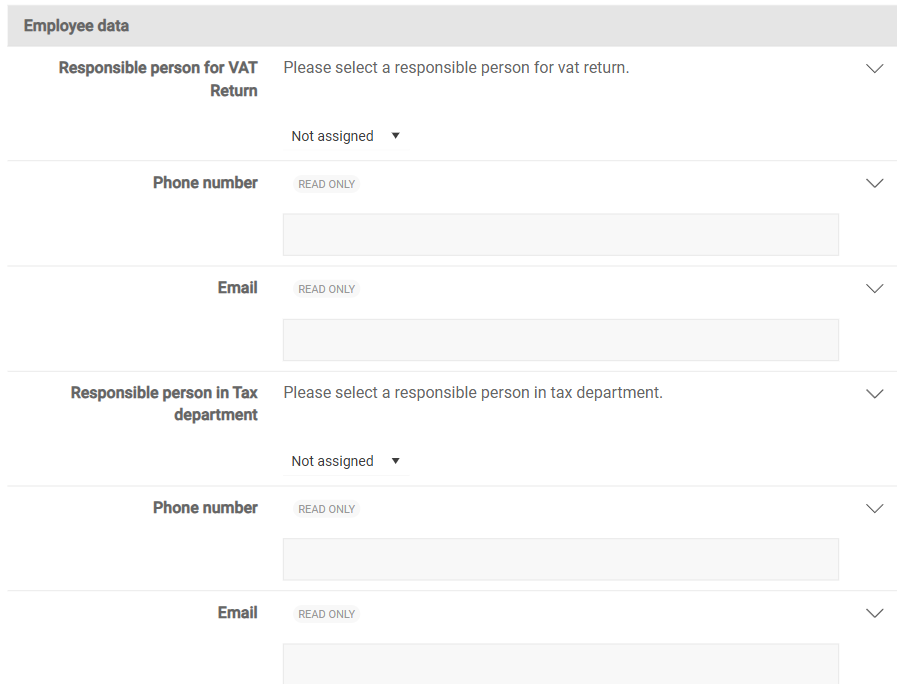
In the Employee data area, you store the contact persons for the preliminary VAT return and in the tax department of the company. The contact details serve the internal assignment of responsibilities and the communication in case of queries.

Shows the 'Employee data' area of the detail view of a company in VAT with the drop-down lists 'Responsible person for VAT Return' and 'Responsible person in Tax department' with the value 'Not assigned', each followed by the fields 'Phone number' and 'Email' marked as 'Read only'.
'Employee data' area

The following fields are available in the Employee data area of the company in VAT:

FieldDescription
Responsible person for VAT ReturnSpecifies the person who is responsible for the preliminary VAT return of the company. You manage the persons available for selection in the settings under User.
Phone number, EmailContact details of the person who is responsible for the preliminary VAT return. VAT takes over the values automatically from the user data. The fields are read-only.
Responsible person in Tax departmentSpecifies the responsible person in the tax department. The responsible person in the tax department is the superordinate contact person for tax questions about the company.
Phone number, EmailContact details of the responsible person in the tax department. VAT takes over the values automatically from the user data. The fields are read-only.

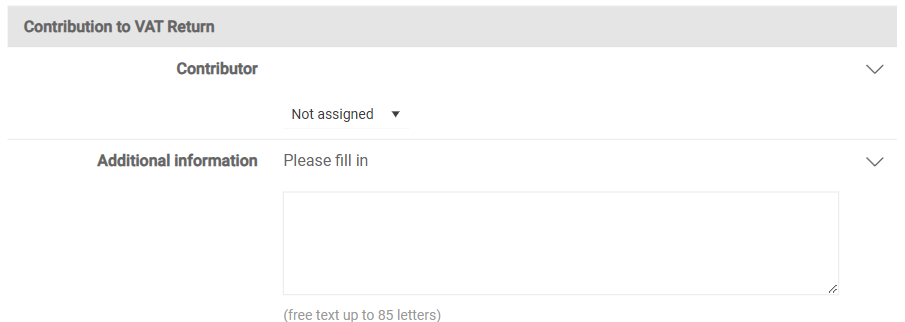
In the Contribution to VAT Return area, you document the contact person and additional information for the collaboration in preparing the tax return. In the Contribution to VAT Return area in VAT, you specify the following:

  • Contributor: the person who contributes to the preparation of the tax return or who is available for queries.
  • Additional information: additional notes on the tax return as free text with up to 85 characters.
Shows the 'Contribution to VAT Return' area of the detail view of a company in VAT with the 'Contributor' drop-down list with the value 'Not assigned' and the 'Additional information' free-text field for up to 85 characters.
'Contribution to VAT Return' area

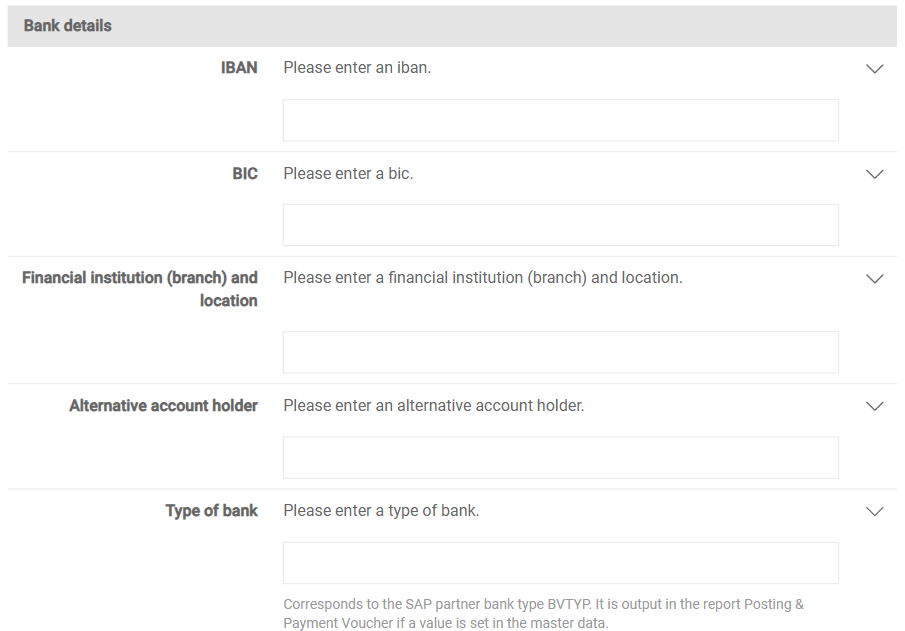
In the Bank details area, you store the account data of the company. VAT uses these details, among other things, in the Posting & Payment Voucher report.

Shows the 'Bank details' area of the detail view of a company in VAT with the fields 'IBAN', 'BIC', 'Financial institution (branch) and location', 'Alternative account holder', and 'Type of bank'.
'Bank details' area

The following fields are available in the Bank details area of the company in VAT:

FieldDescription
IBANSpecifies the international bank account number of the company.
BICSpecifies the Bank Identifier Code of the financial institution.
Financial institution (branch) and locationSpecifies the name of the financial institution or the branch including the location.
Alternative account holderSpecifies the name of the account holder if the name of the account holder differs from the name of the company.
Type of bankSpecifies the bank type of the company. The bank type corresponds to the SAP partner bank type BVTYP. VAT outputs the bank type in the Posting & Payment Voucher report if you have stored a value.

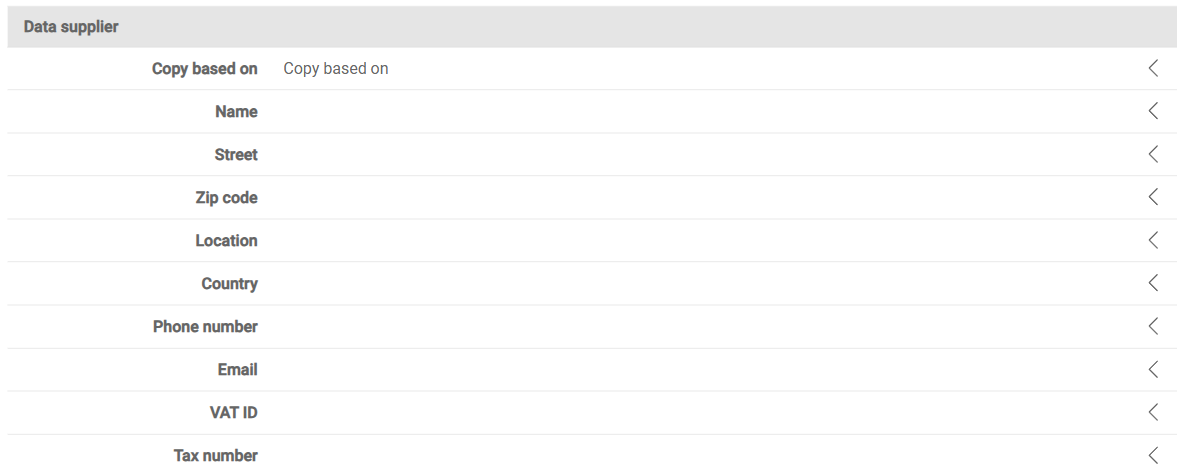
In the Data supplier area, you record the contact and identification data of the person or office that transmits the tax-relevant data to the tax office. VAT transfers these details to the electronic reporting files as sender information.

Shows the 'Data supplier' area of the detail view of a company in VAT with the fields 'Copy based on', 'Name', 'Street', 'Zip code', 'Location', 'Country', 'Phone number', 'Email', 'VAT ID', and 'Tax number'.
'Data supplier' area

The following fields are available in the Data supplier area of the company in VAT:

FieldDescription
Copy based onTakes over the data supplier details from an existing configuration. Click Copy to take over the values.
NameSpecifies the name of the data supplier.
Street, Zip code, Location, CountrySpecify the address of the data supplier.
Phone numberSpecifies the phone number of the data supplier for queries from the tax office.
EmailSpecifies the e-mail address of the data supplier.
VAT IDSpecifies the VAT identification number of the data supplier.
Tax numberSpecifies the tax number of the data supplier at the local tax office.

In addition to the general functions, the following functions are available in the three-dot menu (⋮) in the top right corner of the Companies workspace in VAT:

FunctionDescription
Show archivedDisplays only the archived companies in the table. To return to the active companies, select Show active.
ChangelogDownloads the change history of the companies as an Excel file.
Show / Hide columnsDisplays or hides individual columns of the table.
Master data importImports master data of companies from a file to create or update several companies at once.

This content was generated using AI and reviewed by Lucanet subject matter experts before publication.