The My forms workspace is the central place for managing tax reports in Tax Services. Here, you can create, edit, and transmit tax forms to German tax authorities.

The workspace is divided into three tabs:

  • Drafts
  • Forms
  • Transmitted

To open a form from one of these overview tabs, click the form.

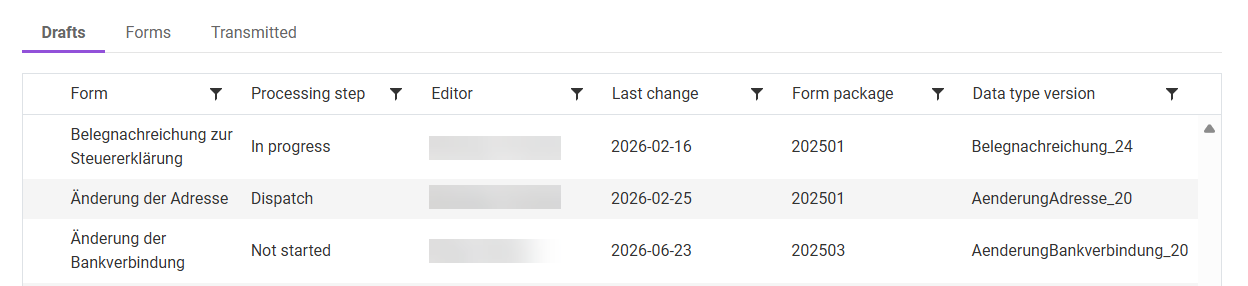
The Drafts tab shows all forms of the selected unit that are in progress and have not yet been transmitted.

Shows the 'Drafts' tab.
'Drafts' tab

The Drafts tab contains the following information:

  • Current processing step
  • Editor
  • Date of the last change
  • Form package version
  • Data type version

Drafts can be opened with a click and then edited. The system automatically locks the forms during editing. Locked forms are highlighted with gray hatching in the overview.

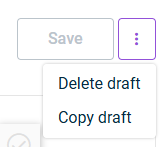
In addition, drafts can be copied or deleted via the tab's three-dot menu:

Shows the three-dot menu of the 'Drafts' tab with the copy and delete options.
Three-dot menu of the 'Drafts' tab

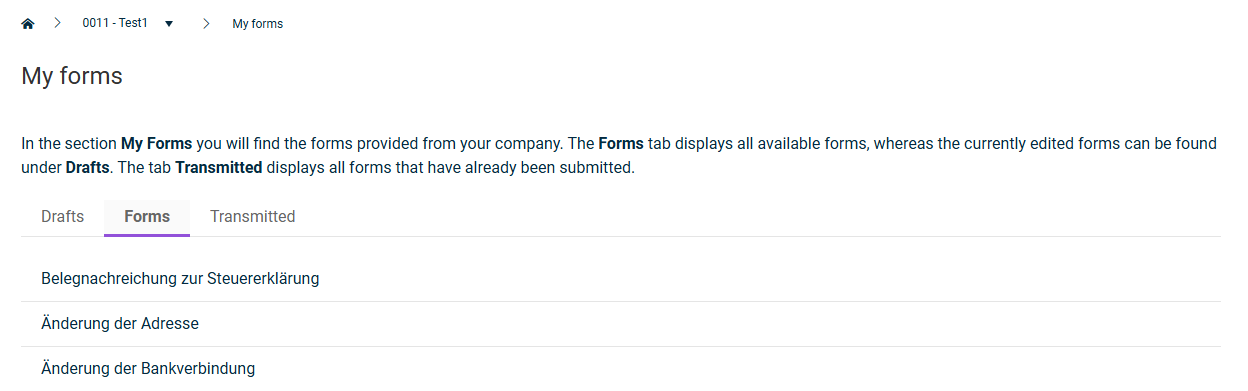
The Forms tab shows available form templates from which you create new forms.

Shows the 'Forms' tab.
'Forms' tab

The following form templates are available:

  • Änderung der Bankverbindung (change of bank details)
  • Änderung der Adresse (change of address)
  • Belegnachreichungen zur Steuererklärung (subsequent submission of documents for the tax return)

How to create a new form is described in Creating a Form.

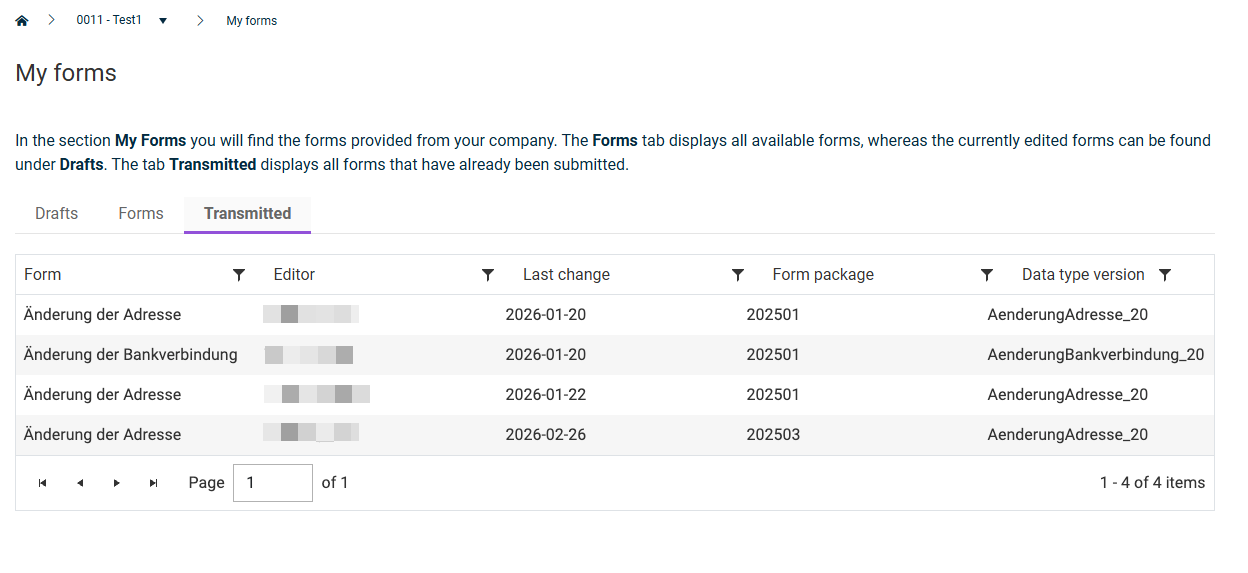
The Transmitted tab shows all reports that have already been successfully transmitted to the tax authority in read-only mode.

Shows the 'Forms' tab.
'Transmitted' tab
  • Transmitted forms can no longer be edited. This overview supports the documentation and traceability of your tax reports.

  • You can check the transmission results and the tax authority's confirmation in the form overview.

  • You can still copy transmitted forms.

  • Completed forms are subject to a statutory retention obligation of 10 years. You can only delete a form after this period has expired.

Last updated on Aug 24, 2023