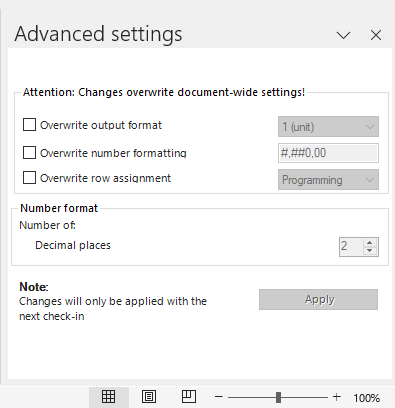
In the Advanced settings of an Excel file, you can overwrite the Output format and Number formatting settings that are valid for all documents.

The advanced settings in an Excel file overwrite the settings defined in the Configure Document workspace.

The advanced settings of an Excel file can be opened and configured from the Excel ribbon. Proceed as follows:

1

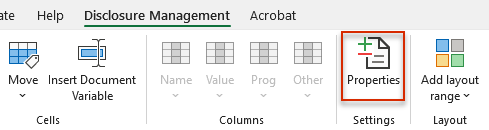
Click Maintain properties in the Excel ribbon.

Opening advanced settings from the Excel ribbon
2

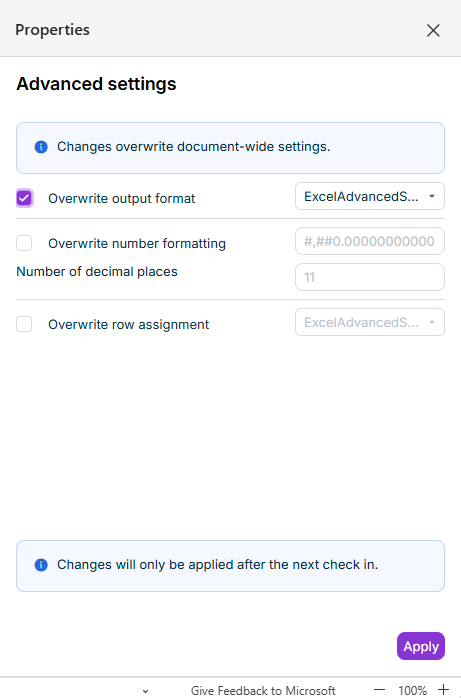
The Advanced Settings dialog is displayed in MS Excel:

Advanced settings of an Excel file
3

Configure the desired settings (see Configuring Advanced Settings) and then click Apply.

The following options are available in the advanced settings:

The output format of the Excel file can be set in the drop-down list (e.g. Million).

Defines the formatting for values in the file and the number of decimal places used by Disclosure Management in its calculations.

When you activate the Overwrite number formatting check box, the option Decimal places in the Number formatting area will be unlocked and can be edited.

The preview will be adjusted as soon as you change the settings in the Number formatting area:

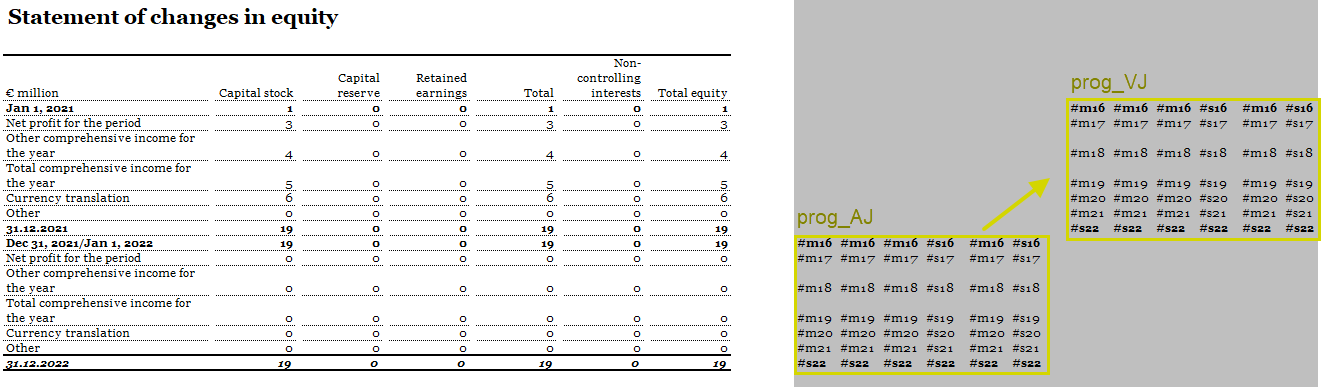
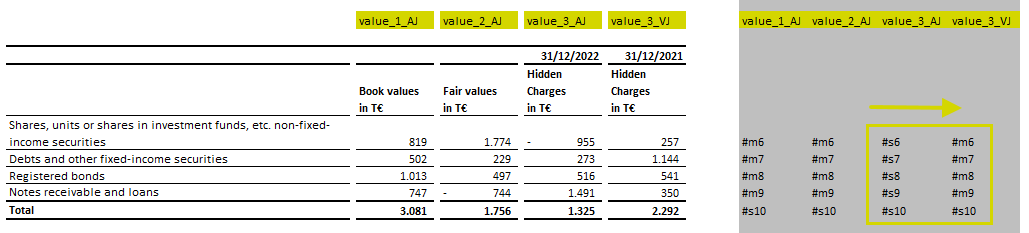
Disclosure Management recognizes the connection between periods and their values based on the set row assignment ( revenue from the current year and revenue from the previous year, for example).

The Row assignment is responsible for ensuring that periods (such as periods in the current year and the corresponding periods in the previous year) are displayed correctly in the Data View.

The following row assignments are available:

  • Programming: When the Programming row assignment is selected, Disclosure Management searches for identical programming, e.g. same accounts in the current and previous year. This type of row assignment properly matches the current to the previous year, especially when programming schedules in which the current period and the period being used for comparison are located in different rows.