= > < <> >= <= ( ) AND OR IF + - / * LM LAST_MONTH |
Video — https://player.vimeo.com/video/859429411?muted=false&autoplay=false&loop=false&playsinline=true&controls=true&portrait=false&byline=false&title=false
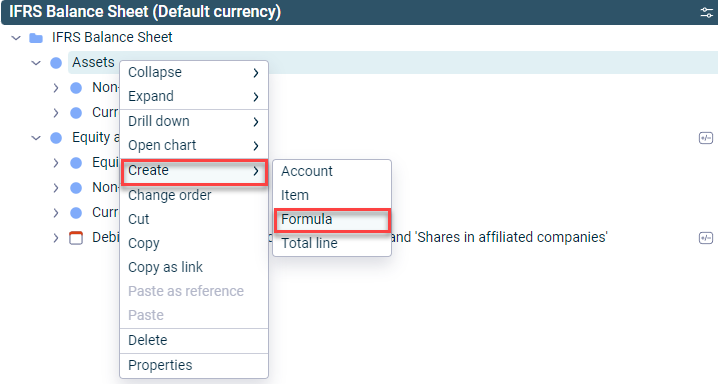
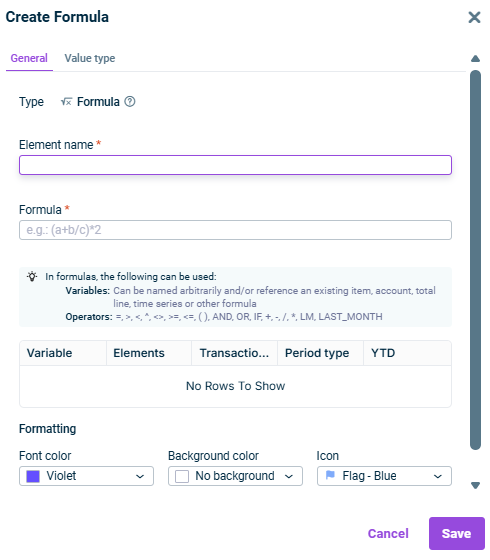
- Start balance of the period: The balance at the beginning of the period is used. - End balance of the period: The balance at the end of the period is used. - Transaction figure of the period: The transaction figure of the period is used. - Transaction/balance mode set by user — If the button  | |
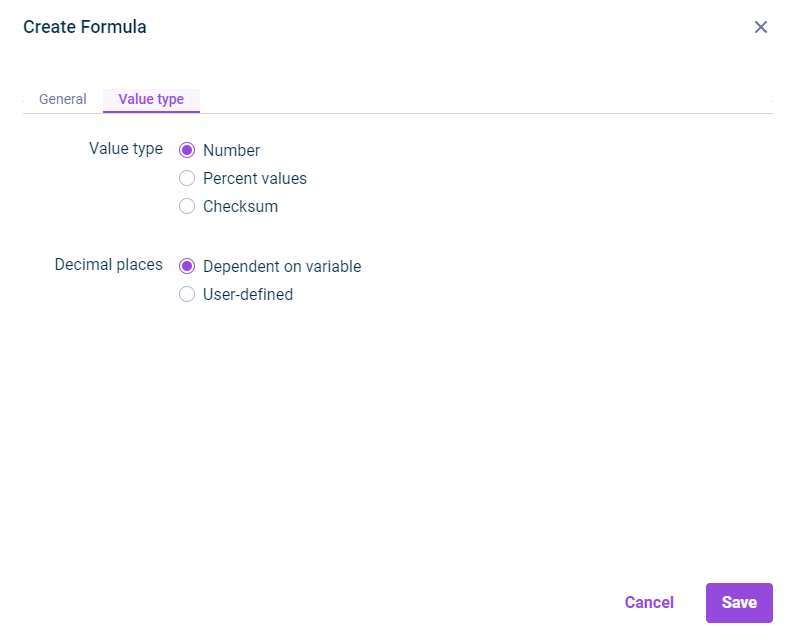
Number Percent values Checksum

Dependent on variable
User-defined
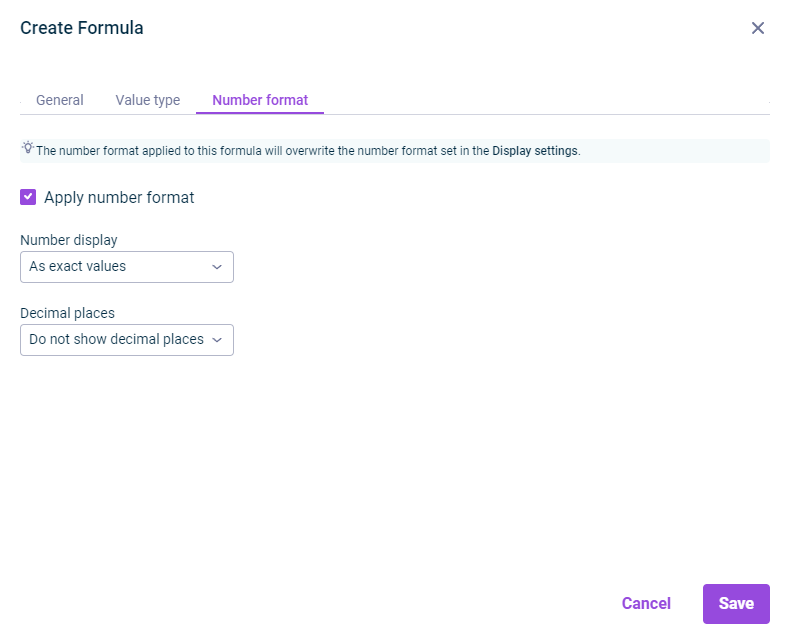

Video — https://player.vimeo.com/video/859378540?muted=false&autoplay=false&loop=false&playsinline=true&controls=true&portrait=false&byline=false&title=false
This content was generated using AI and reviewed by Lucanet subject matter experts before publication.