If you have defined an internal company loan, all configuration settings of the selected, i.e. drawn-down, loan are transferred to the new loan. Internal company loans cannot be copied or transferred to journals with another data level. Alternatively, you can create a new planning data level based on the data level containing the loan in order to transfer the loan to another data level. When deleting, internal company loans are not deleted on both sides, i.e. on the borrower and the lender side but only on the side where the loan element was deleted, i.e. on the borrower or the lender side. An intercompany issued loan can only have one corresponding received loan configured in the database.
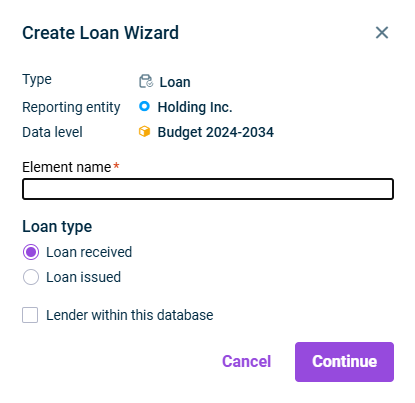
Loan issued Loan received: Activate the check box Lender within this database In the Lender In the Loan Loans issued
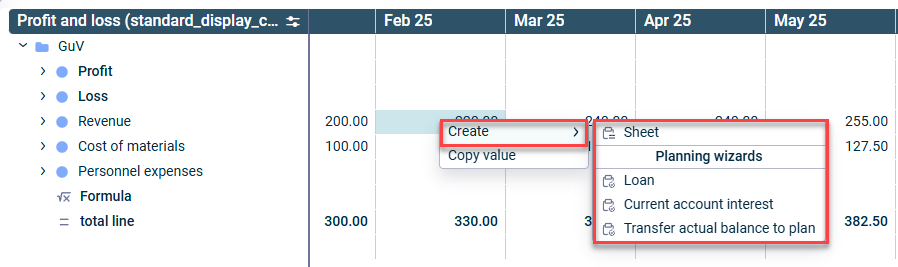
Loan issued Loan received: Activate the check box Lender within this database In the Lender In the Loan Loans issued
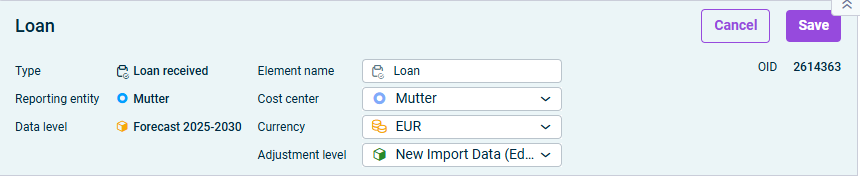
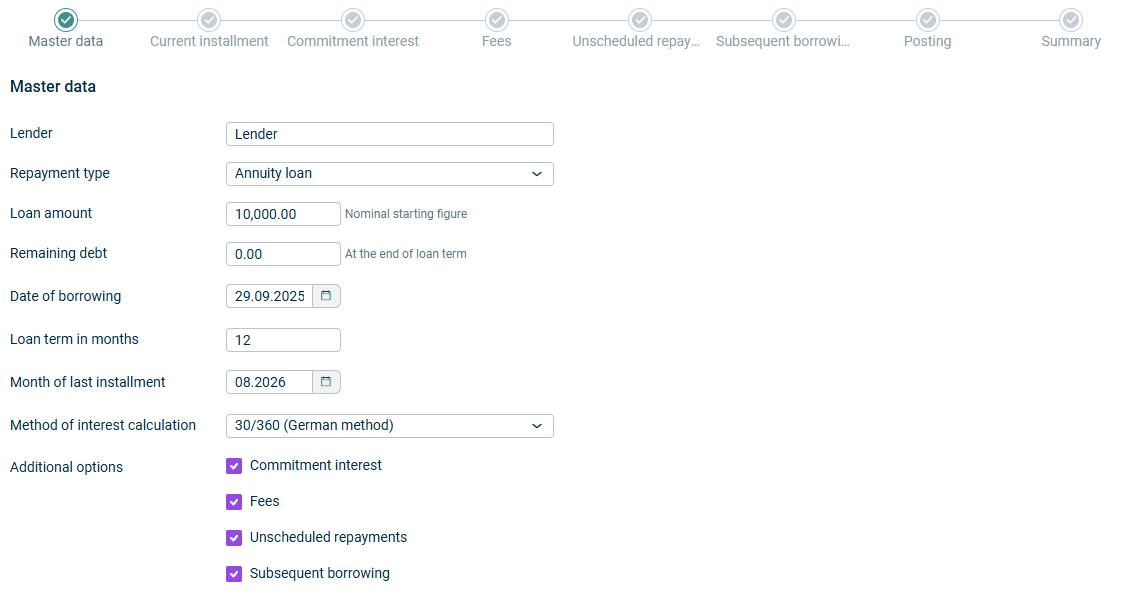
- - | |
If If | |
- - - - | |
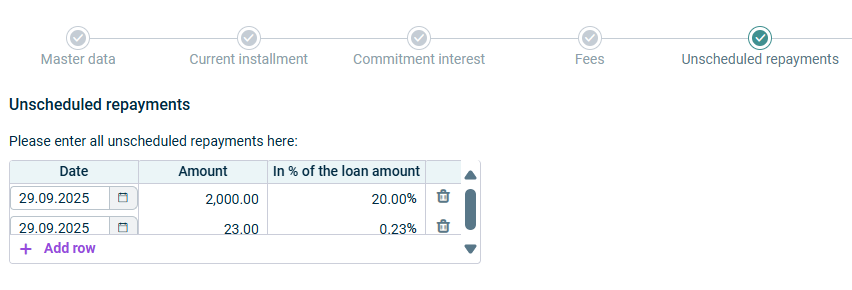
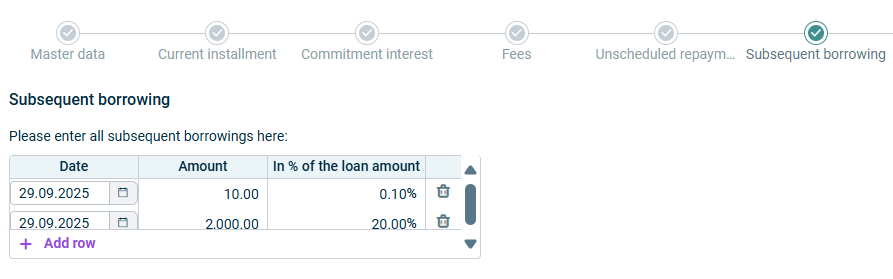
- - - - Once activated, the corresponding step will be displayed on the user interface. |
- | |
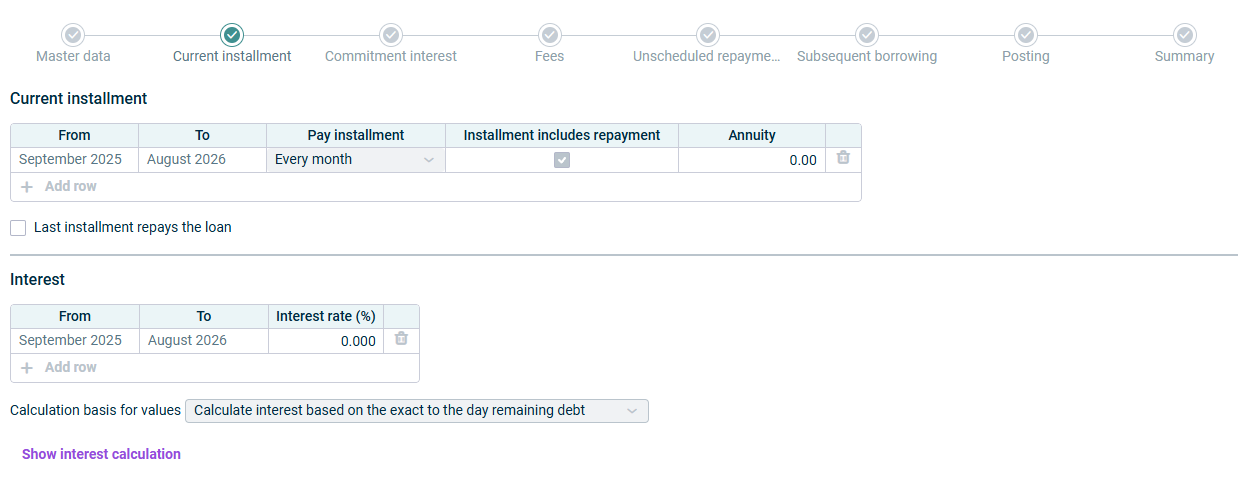
- Choose | |
- Deactivate the check box if only interest should be paid with each installment. | |
- Specify the repayment amount per installment | |
- Select the day in the month on which the repayment should be posted | |
- Enter the repayment amount - Keep the |
- | |
- Add additional rows if the interest rate should be different for one or more time periods of the payment period. | |
- Calculate interest based on the exact to the day remaining debt - Calculate interest based on the remaining debt at the end of the month - Calculate interest based on the remaining debt at the start of the month | |
- No, accrue calculated interest until the repayment - Yes, add the calculated interest to the payment of the remaining debt |
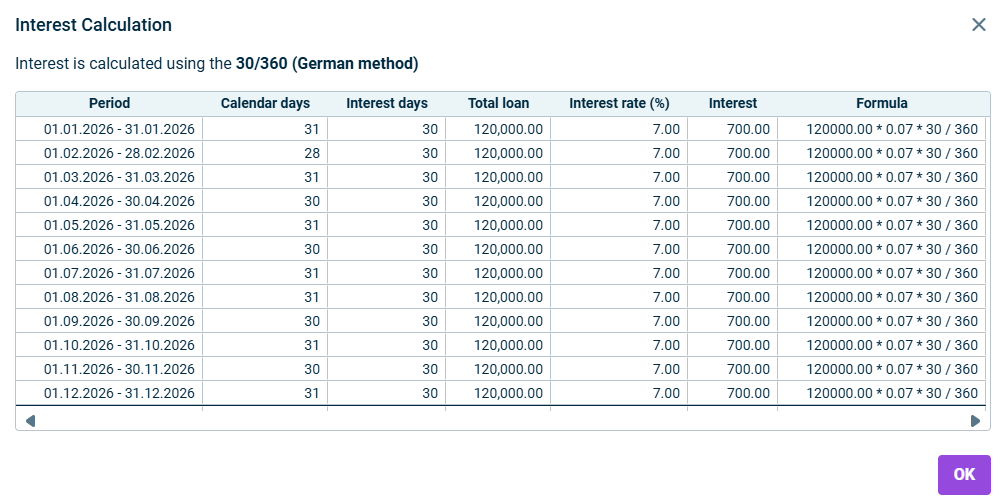
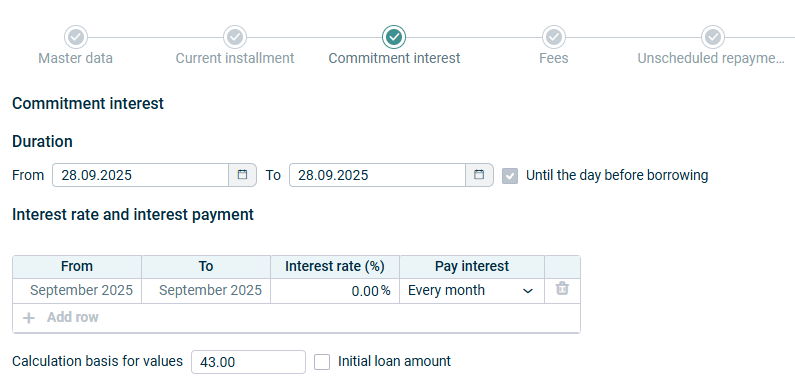
The dates are prefilled depending on the dates defined in the | |
You can add additional rows if the interest rate and/or the payment modalities should be different for one or more time periods of the payment period. | |
- You can select a date of payment on a - Choose | |
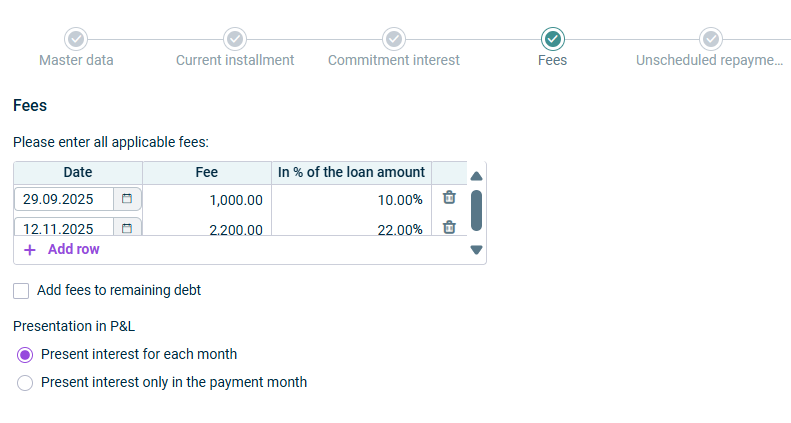
- - |
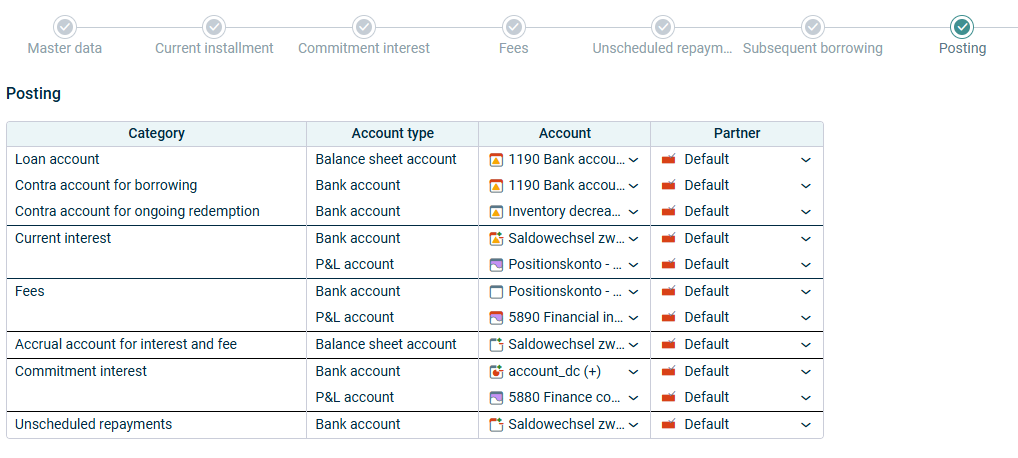
This account is selected right from when the loan is created, but can be changed at any time in the configuration. | |
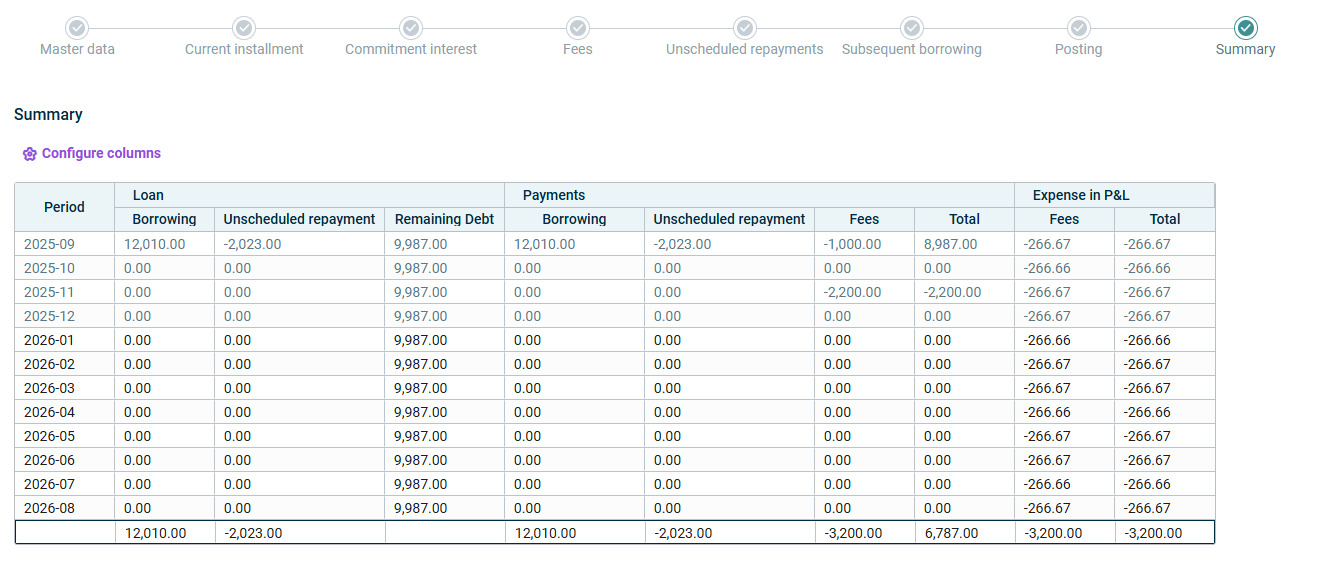
This content was generated using AI and reviewed by Lucanet subject matter experts before publication.
Last updated on May 1, 2026