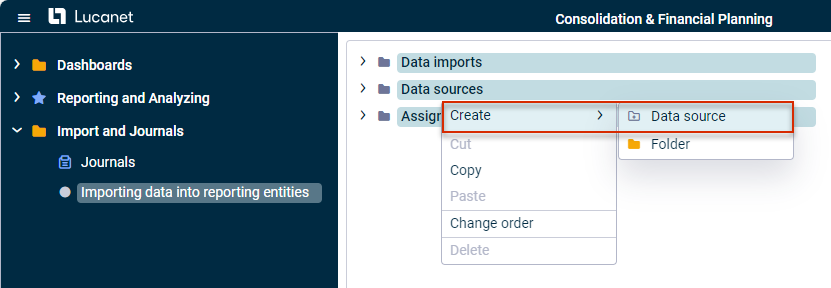
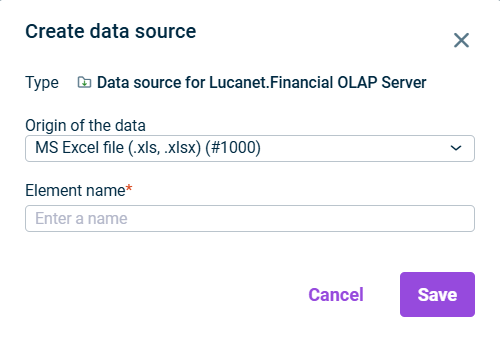
To import data from various sources into the current Lucanet database, a data source must first be created. Depending on the origin of the data, different data source types are available.
Data sources for Lucanet can be created in the Data Sources root folder. Depending on the origin of the data, different data source types are available. The configuration options vary depending on the selected type.
The following data source types are available:
Data source
Description
MS Excel file (.xls, .xlsx) (#1000)
Used for importing data from Excel files (e.g. Excel reporting packages)
Provision via script (#2075)
Used to import data via a script
Lucanet.Financial Warehouse (#2068)
Used to import data from Lucanet.Financial Warehouse