Every data import can be finalized in order to prevent it from being changed or deleted.

To finalize a data import:

1

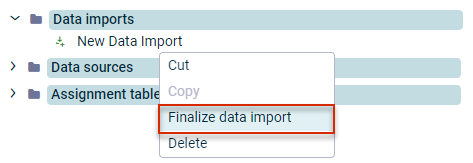
In the tree view, right-click the name of the desired data import and choose Finalize data import from the context menu.

Finalizing a data import

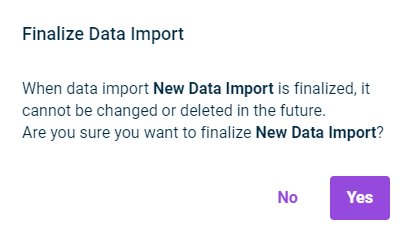
The following message is displayed:

Confirmation dialog for finalizing an import
2

Click Yes.

The data import is finalized and indicated as finalized in the tree view via the icon.

Postings created by data imports can be undone using the cancellation postings in Lucanet.Financial Client.

Last updated on Aug 16, 2023