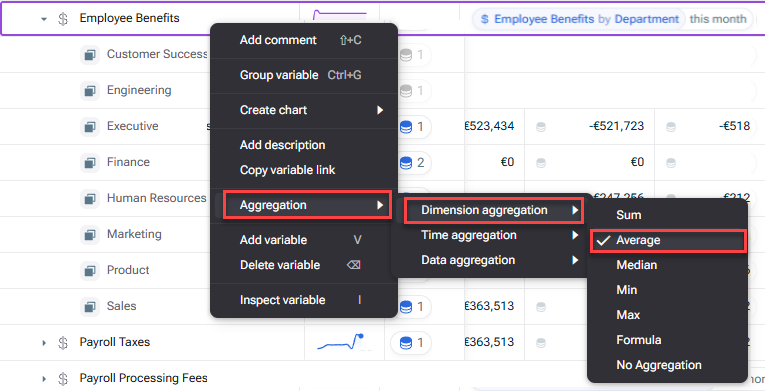
No Aggregation Average Min and Max Median
Formula A good example of this is to think of gross margin across two different centres: Profit Centre A - $100K in Net Sales, $90K in Costs - Gross margin is 10% Profit Centre B - $1M in Net sales, $500k in Costs - Gross margin is 50%
By default, xP&A will display the Gross Margin Net Sales Costs Net Sales Sum Gross Margin A common way around this is to use the Average Gross Margin Profit Centre B Profit Centre A Logically - the way to do this calculation appropriately would be to add the sales and costs of both profit centres, and then apply the calculation. This is what the Formula Formula aggregation calculates a total by applying the variable's formula to the aggregated input values. For example, total Gross Margin % is calculated from total Gross Profit divided by total Net Sales, rather than by adding or averaging the individual percentages.
This content was generated using AI and reviewed by Lucanet subject matter experts before publication.