After generating an XBRL report, the results of the generation are displayed in the Dashboard in the right-hand panel on the Result document sets tab.

For all documents for which a result document has already been generated at least once, information about the generation is displayed in the right-hand panel on the Result document sets tab. Additional functions are available on the tab (see Functions for Result Documents).

To display the Result document sets tab, select in the document overview a document for which a report has already been generated. The Result document sets tab is displayed as follows, for example:
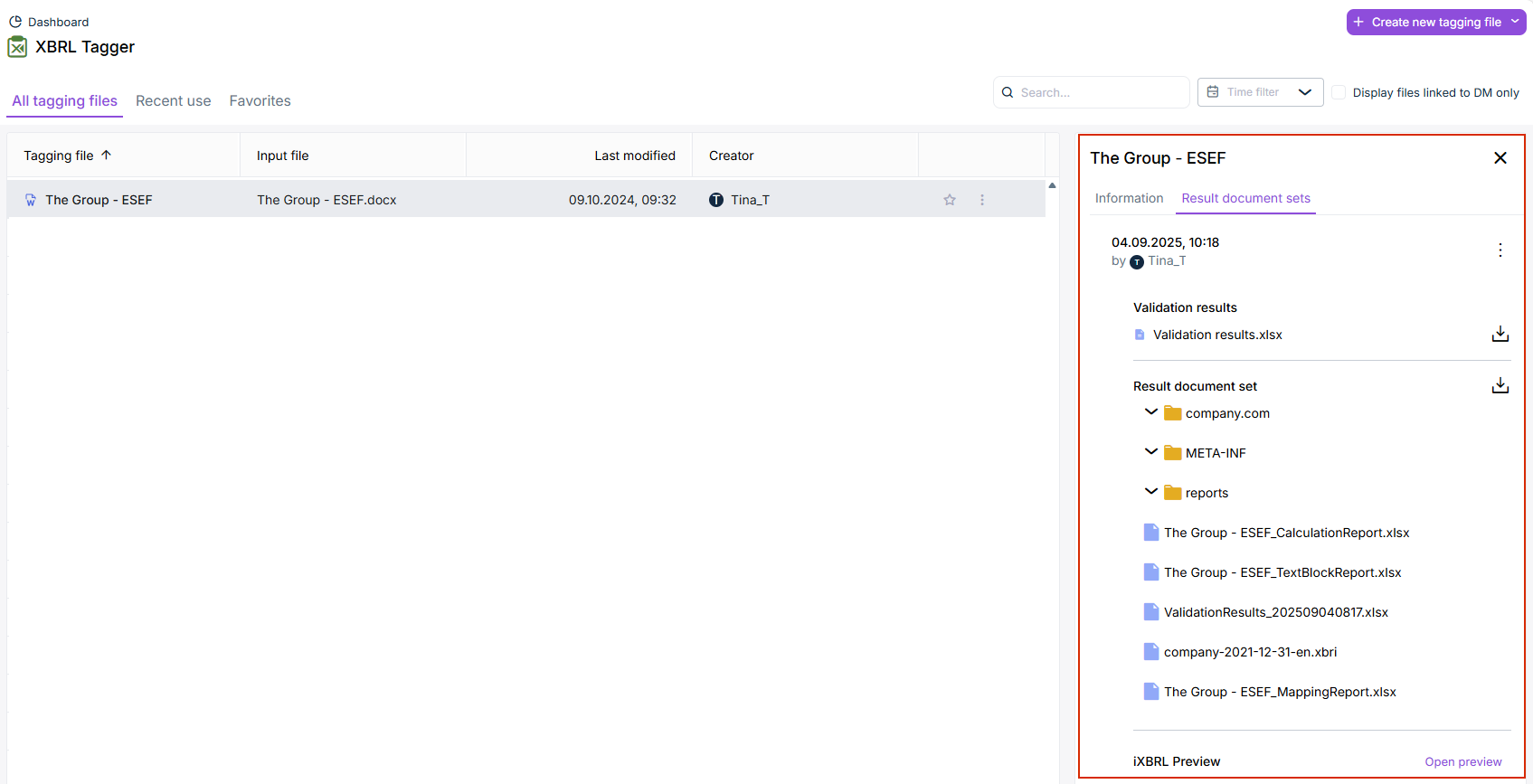
Workspace 'Result documents'. A row is marked for a result document. The ' Result document sets' area is displayed next to the document list.
Result document sets

The validation results and the generated files are displayed on the Result document sets tab. The following functions are available:

Opens a menu with the following menu commands:

  • Download result document set
  • Download result report
  • Rename this version
  • Delete

Downloads the respective document, or the entire result document set (as a ZIP file).

Opens the preview in the iXBRL Viewer workspace (see iXBRL Viewer).