All changes made between when the component was created the calculated values were saved in the database for the first time remain in place All calculated saved values archived All recorded component events (e.g. modifications or revaluations) will be deleted All postings deleted A corresponding contra entry with the opposite plus/minus sign will be created for each exported posting. The posting date for this reversal posting Component reversal Once the reversal is complete, the component is free to be edited as normal again. Reversals cannot be undone
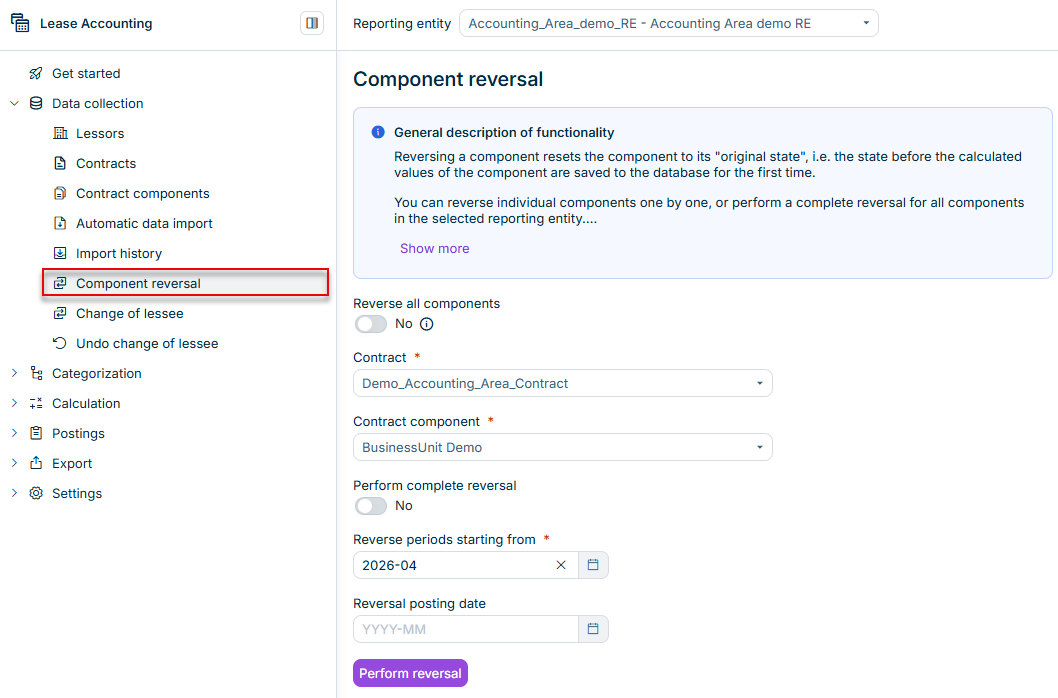
If you want to reverse all reversible components in the selected reporting entity at once, activate the Reverse all components Contract Contract component Perform complete reversal If you want to reverse individual components, select the contract contract component
If you want to reverse all periods, activate the option Perform complete reversal reversal posting date If you want to reverse only from a specific period onwards, leave the option Perform complete reversal Reverse periods starting from reversal posting date
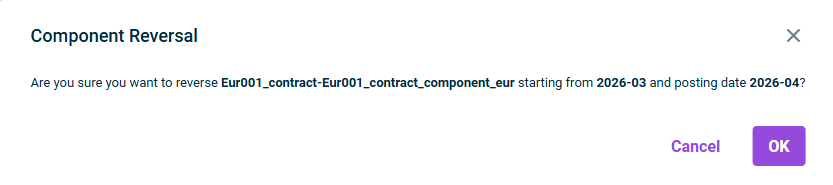
If you activated the Reverse all components If you switch to another workspace during configuration, any unsaved changes made to your configuration will be lost.
This content was generated using AI and reviewed by Lucanet subject matter experts before publication.