In Lucanet Lease Accounting, an asset class is a group of assets that have similar characteristics and are subject to the same accounting treatment. This classification helps to make the structuring and management of lease components more efficient. Different asset classes can have different effects on financial indicators. For instance, buildings may have a longer depreciation period than vehicles.
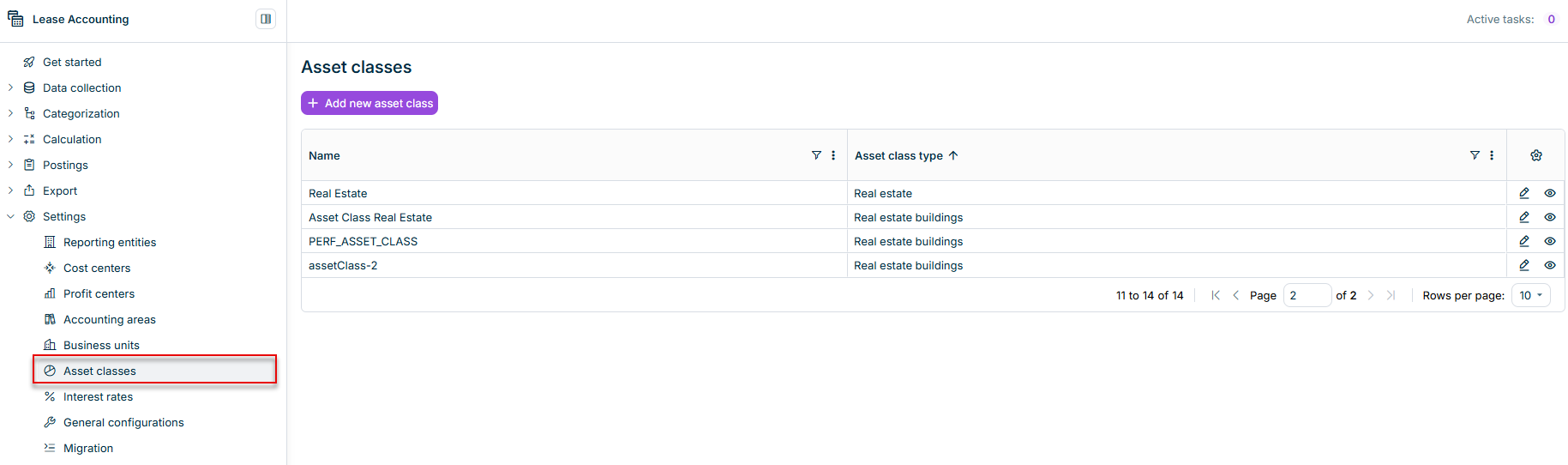
To provide a basis for accounting for leases, asset classes are created and edited in the workspace of the same name.
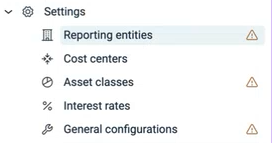
Until at least one asset class exists, a warning icon appears next to Asset classes in the Settings menu. The icon disappears once you create your first asset class.
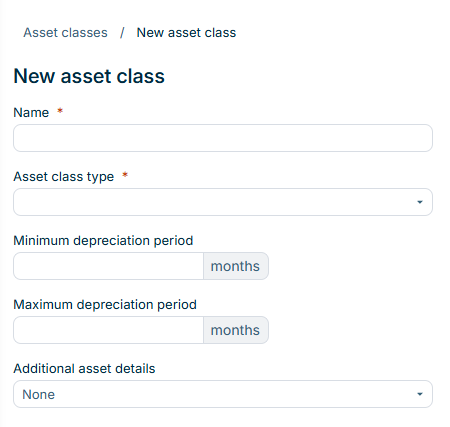
When configuring an asset class in Lease Accounting, the following options are available:
Option
Description
Name
Asset class name
Asset class type
Type that is going to be assigned to the asset class
Notes: • The most common asset class types preconfigured in Lease Accounting are available for selection. In addition, the types Additional asset class type 1 to Additional asset class type 20 are available. Use these types to classify asset classes for which no preconfigured type exists. • The asset class type is a label used for classification, grouping, and reporting, and it determines which accounts of the transaction plan apply to the asset class. Depreciation and all other measurement settings are configured on the asset class itself. • If the transaction plan contains no accounts for the selected asset class type, the warning Asset class type not covered by the transaction plan is displayed as soon as you select the type. Lease Accounting then creates no postings for components of this asset class, but you can still save the asset class. After you add the asset class type to the transaction plan, Lease Accounting creates the postings the next time you save postings (see General Configurations in Lease Accounting). • You can select the required type in the drop-down list or search for it using the Search box.
Minimum depreciation period
Minimum depreciation period that will apply to the asset class, in months
Maximum depreciation period
Maximum depreciation period that will apply to the asset class, in months
Additional asset details
Specifies whether components of this asset class collect asset-specific details in the component form: • None — components of this asset class collect no asset-specific details. • Car fleet — the Car fleet tab is displayed in the component form to record vehicle details. • Real estate — the Real estate tab is displayed in the component form to record property details.