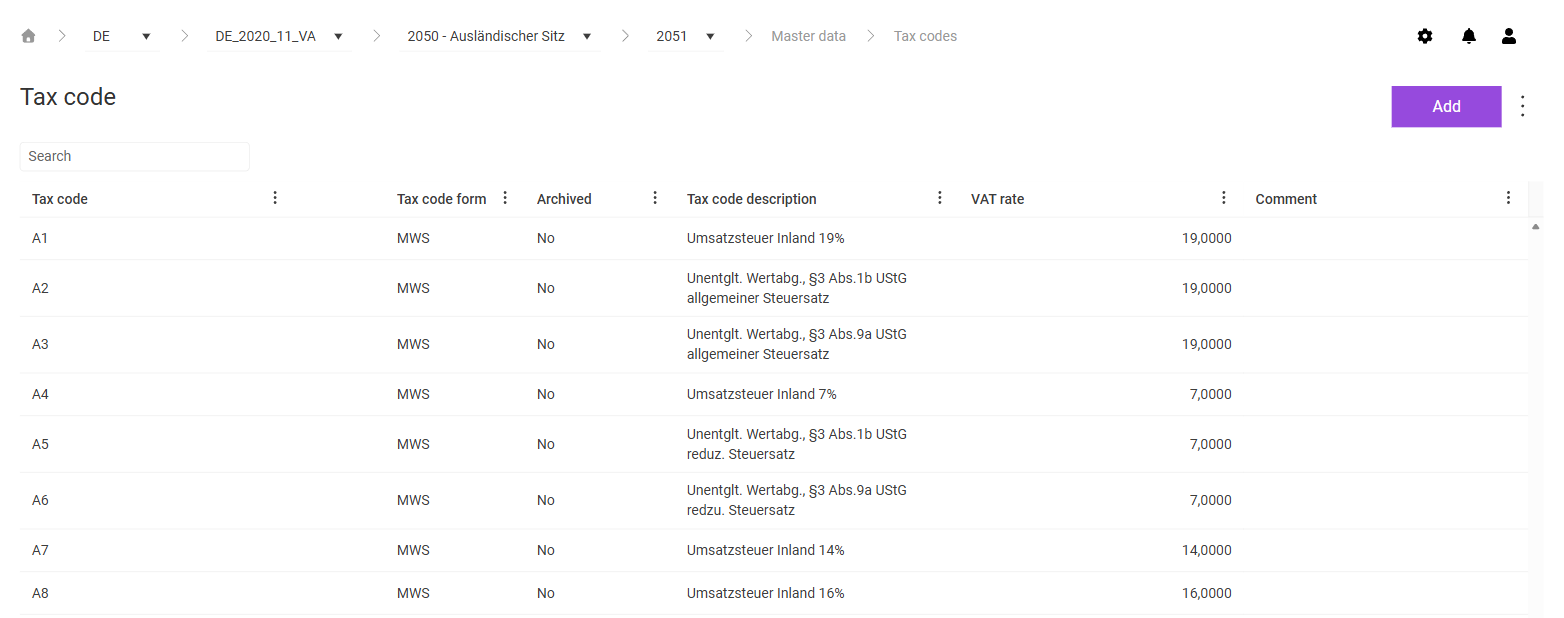
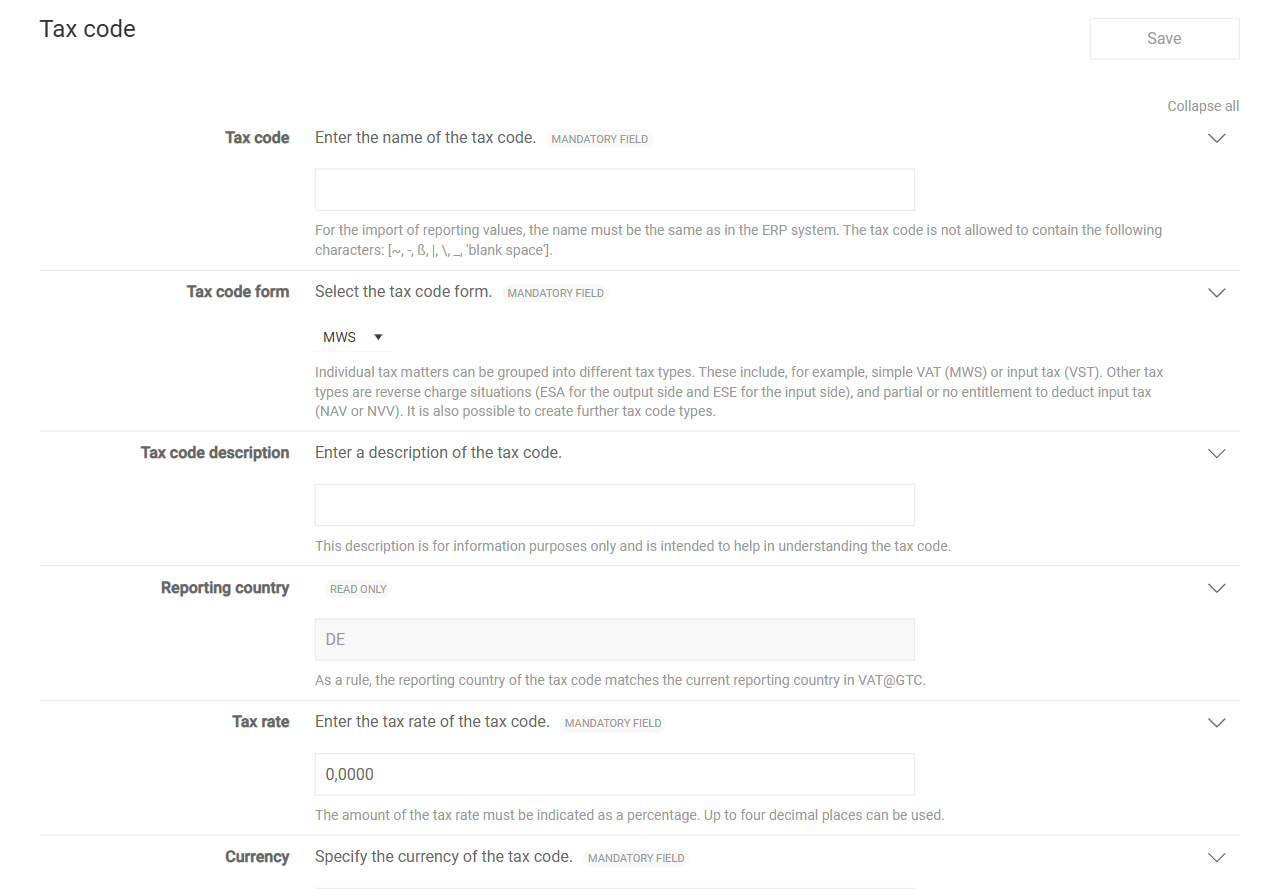
| Tax code | Specifies the designation of the tax code. For VAT to import the declaration values, the designation must match the tax code in the ERP system exactly. The characters ~, -, ß, |, \, and _ as well as spaces are not permitted. The field is mandatory. |
| Tax code form | Assigns the tax code to a tax code form, for example MWS for output tax, VST for input tax, ESA and ESE for the output side and the input side of reverse charge transactions, or NAV and NVV for the limited or missing input tax deduction. You create further forms in the Tax code form workspace. The field is mandatory. |
| Tax code description | Describes the tax code. The description is for information purposes only and makes the tax code easier to understand. |
| Reporting country | Displays the reporting country of the tax code. As a rule, the reporting country matches the reporting country currently chosen in VAT. The field is read-only. |
| Tax rate | Specifies the tax rate of the tax code as a percentage with up to four decimal places. The field is mandatory. |
| Currency | Specifies the currency of the tax code as a three-character ISO 4217 code, for example EUR. As a rule, the currency matches the currency of the reporting country. Only letters are permitted. The field is mandatory. |
| Input tax refund | Indicates that the tax code is relevant for an input tax refund application abroad. The information is for information purposes only. |
| Deactivate tax code for import | Deactivates the tax code for the import, for example if the tax code is outdated or may only be used in certain companies. If an import contains declaration values for a deactivated tax code, VAT does not complete the import. Manual corrections are still possible. |
| Comment | Comment field for the tax code, for example for a processing note. The comment is for information purposes only. |
| Reporting date in following month | Specifies that VAT only takes the tax code into account in the following period. VAT then uses the imported values for resubmissions in the following month instead of changing the declaration of the current month. |
| Input tax rate in % | Specifies the percentage at which the input tax of the tax code is deductible. The information is only relevant for the Excel import of the declaration values with only one import value. |
| Used when only one import value | Specifies which value VAT uses if there is only one import value: Net base amount, Gross base amount, or Tax amount. VAT calculates the remaining values based on the tax rate and, where applicable, the input tax rate. |
| Tax Issue Type | Optionally assigns the tax code to a tax issue type. |