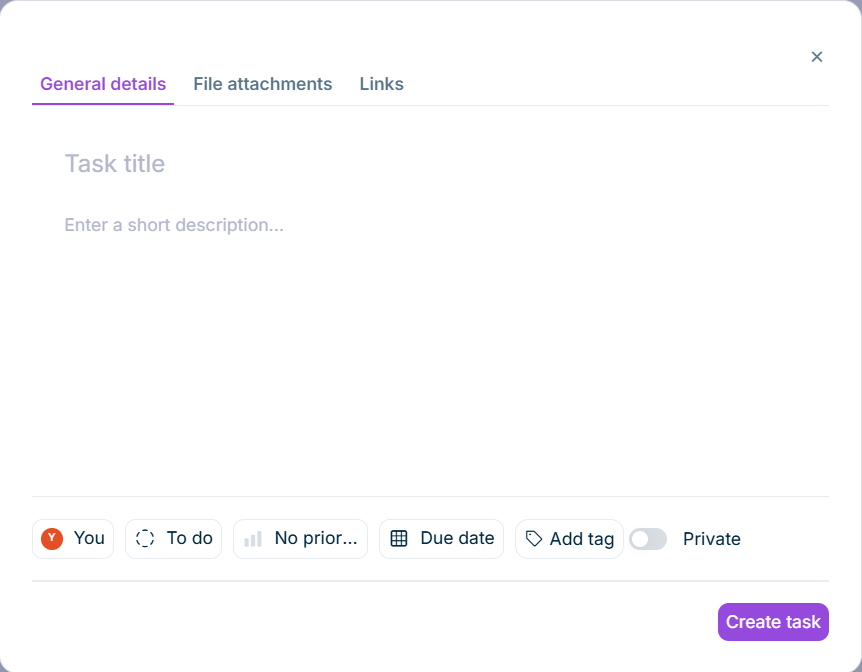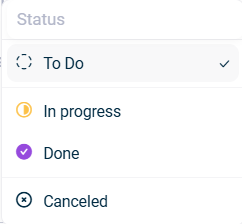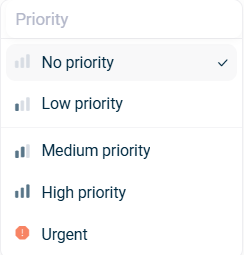
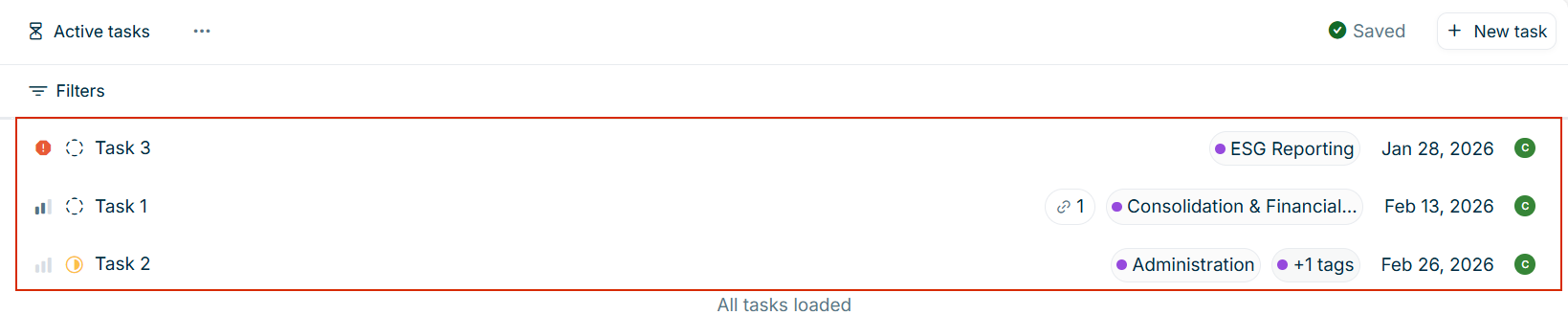

: Labelled with the respective priority icon (seePriority for details)Creating a Task : Labelled with the respective status icon (seeStatus for details)Creating a Task : The title of the taskTitle : Displayed if a link is attached to the taskLink : Displayed if tags have been added to the taskTags : The due date for the taskDue date : Displayed as an icon. When you hover over the icon, the user’s name is displayed.Assignee

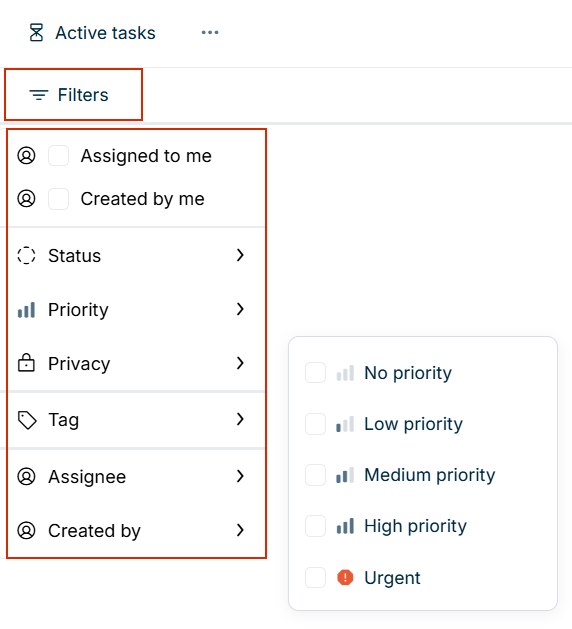
: Displays only tasks that are assigned to youAssigned to me : Displays only tasks that you have createdCreated by me : Filter by task statusStatus : Filter by priority levelPriority : Filter by public or private tasksPrivacy : Filter by specific tagsTag : Filter by assigned userAssignee : Filter by the user who created the taskCreated by


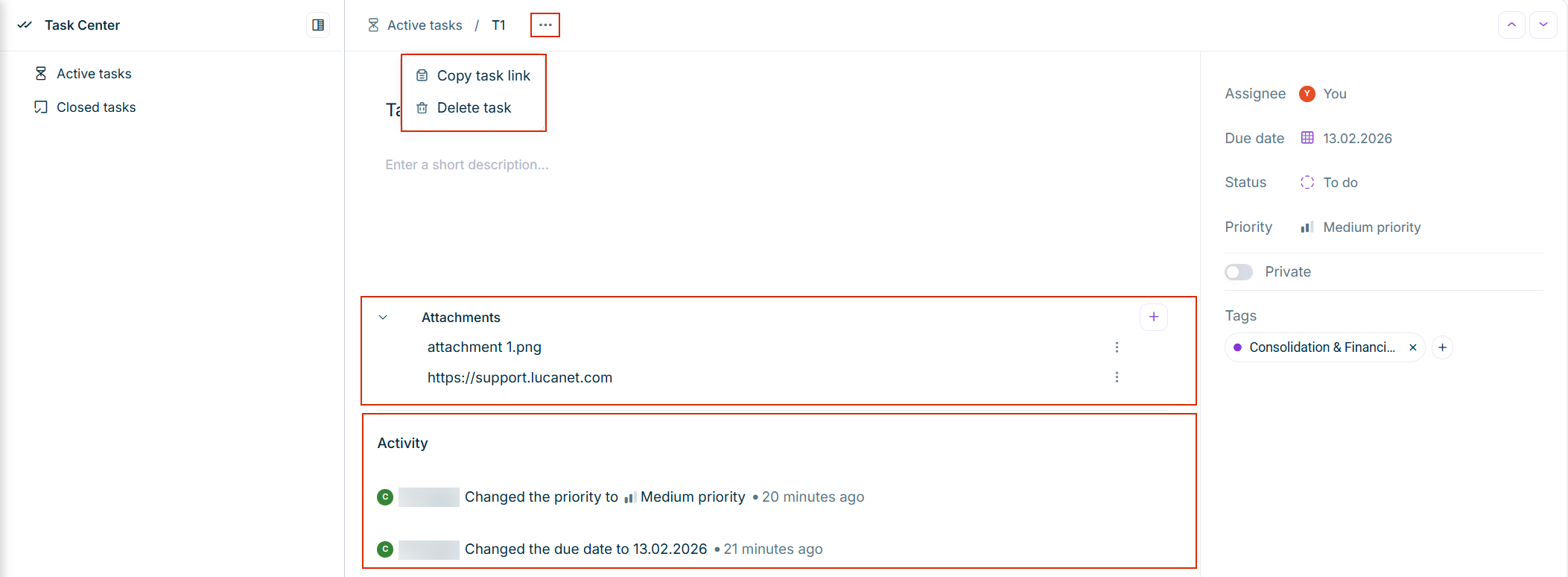
are visible and editable by all users.Public tasks are visible and editable only by the task creator, the assigned user, and platform administrators.Private tasks

![]()
![]()

![]()
![]()
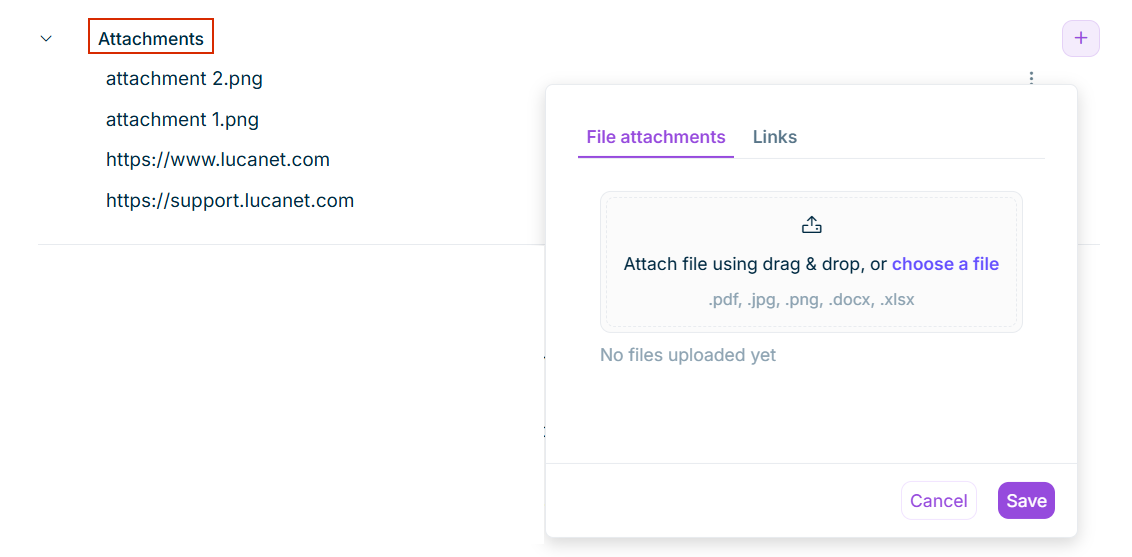
: Opens the link in a new browser tabOpen : Allows you to modify the URLEdit : Deletes the link from the taskRemove
Last updated on Aug 16, 2023