To create a data source as the basis for importing data from a source system or a source file into Disclosure Management, a connection to the data source must first be defined in the Import Management area.

The following connection types are available:

  • Connection for importing from a file (in CSV or XLSX format)
  • Connection for importing from a Lucanet database
  • Connection for importing from Lucanet ESG reporting
The Import Management functional area is only activated for users who have been assigned the Global Administrator role in Disclosure Management role management, as only this user role is authorized to manage imports (ImportData). For additional information about roles in Disclosure Management, see Creating and Editing User Roles for Disclosure Management.

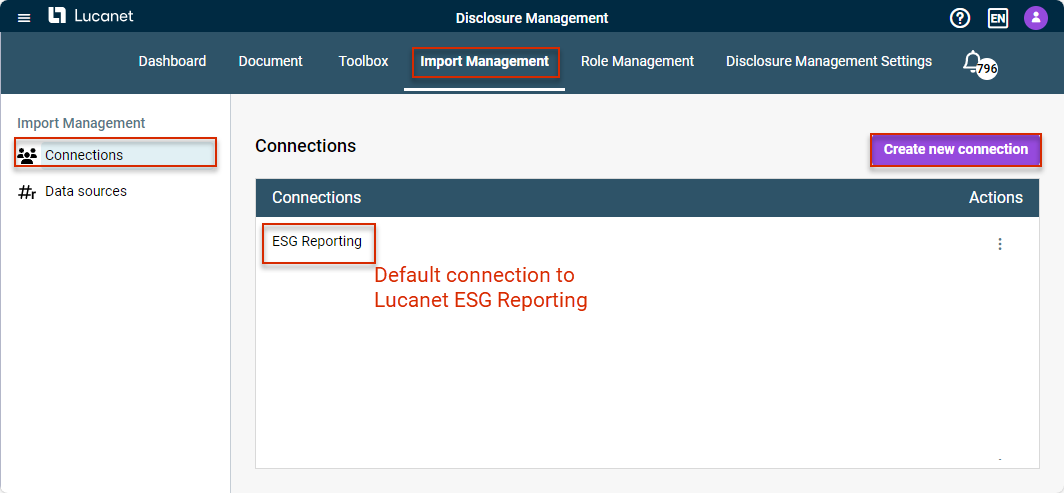
Connections to data sources are created and configured in Disclosure Management Import Management:

Displays the functional area Import Management and the workspace Connections. The button to create a new connection is highlighted in red.
Create a connection to the data source

To create a new connection:

1

Click in the function bar on Import Management and then in the overview on Connections to open the workspace.

2

Click Create New Connection.

3

Configure the connection (see Configuring Connection to a Data Source).

An overview of all connections already created is displayed under Connections. You can use the three dots icon to:

  • Select and edit existing connections
  • Delete connections

By default, a connection for the import from Lucanet ESG Reporting is already created in the overview, which cannot be configured further and which can be used by all users who have licensed Lucanet ESG Reporting.

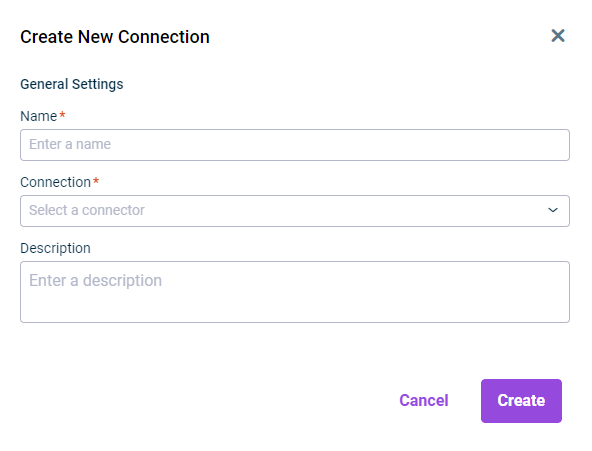
Displays the input fields for configuring the general settings of a connection to a data source
General settings for a data source connection
OptionDescription
NameName of the connection
ConnectionSelect the connection type: Import from file (used to import data from an Excel and/or CSV file); Import from Lucanet database (used to import data from a Lucanet database).
DescriptionOptional description for the connection

No connection type is available for Import from Lucanet ESG Reporting. A default connection has already been created for the connection to this Lucanet solution, which cannot be configured separately, and which can be used by all users who have licensed Lucanet ESG Reporting.

The connection-specific settings depend on which connection type you have selected in the general settings.

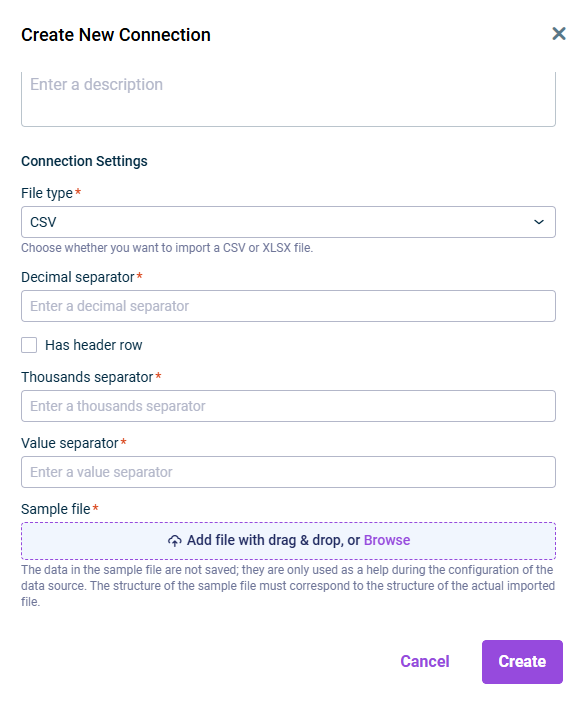
Displays the input fields for configuring the specific settings for a connection to a CSV file
Specific settings for a CSV file connection
OptionDescription
File typeThe file type to be imported. Select CSV and configure the displayed fields.
Decimal separatorSeparator used in the CSV file to indicate decimal values.
Has header rowActivate this check box if the first row of the CSV file is a header row.
Thousands separatorSeparator used in the CSV file to indicate thousand values.
Separator for valuesSeparator used in the CSV file to separate values.
Sample fileUsed to upload a sample file. The data in the sample file is not saved; it is only used as an aid when configuring the data source. The structure of the sample file must match the structure of the file actually imported.
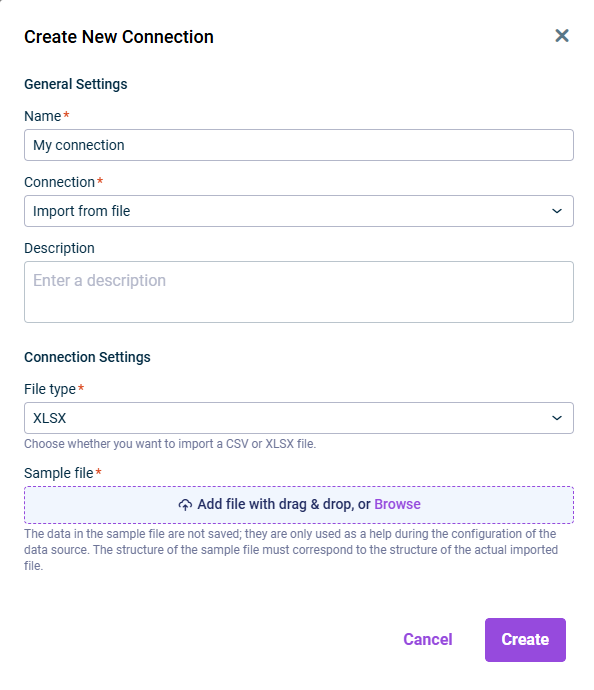
Displays the input fields for configuring the specific settings for a connection to a XLS file
Specific settings for an XLSX file connection
OptionDescription
File typeThe file type to be imported. Choose XLS.
Sample fileUsed to upload a sample file. The data in the sample file is not saved – the file is only used as an aid when configuring the data source. The structure of the sample file must match the structure of the file actually imported.
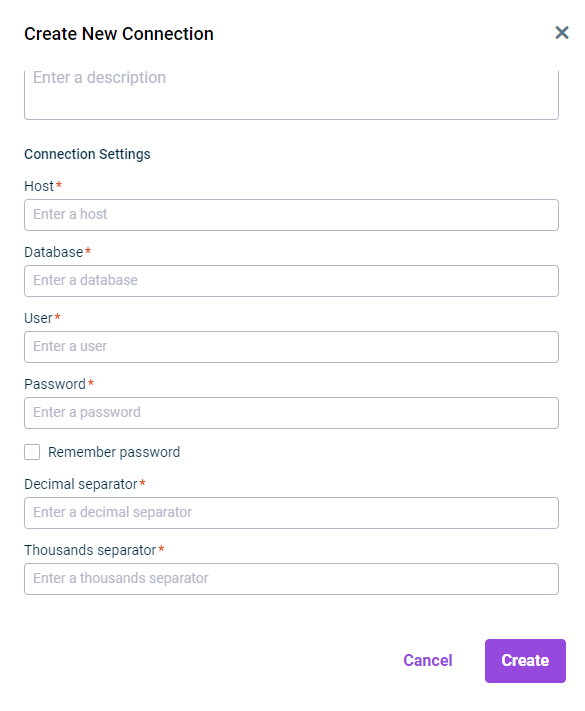
Displays the input fields for configuring the specific settings for a connection to a Lucanet database
Specific settings for a Lucanet database connection
OptionDescription
HostHost of the Lucanet database to which the connection is to be established.
DatabaseName of the Lucanet database to which the connection is to be established.
User and passwordAccess data of the user for accessing the Lucanet database.
Remember passwordActivate this check box if you want the system to save the entered access data.
Decimal separatorSeparator used in the Lucanet database to indicate decimal values.
Thousands separatorSeparator used in the Lucanet database file to indicate thousand values.
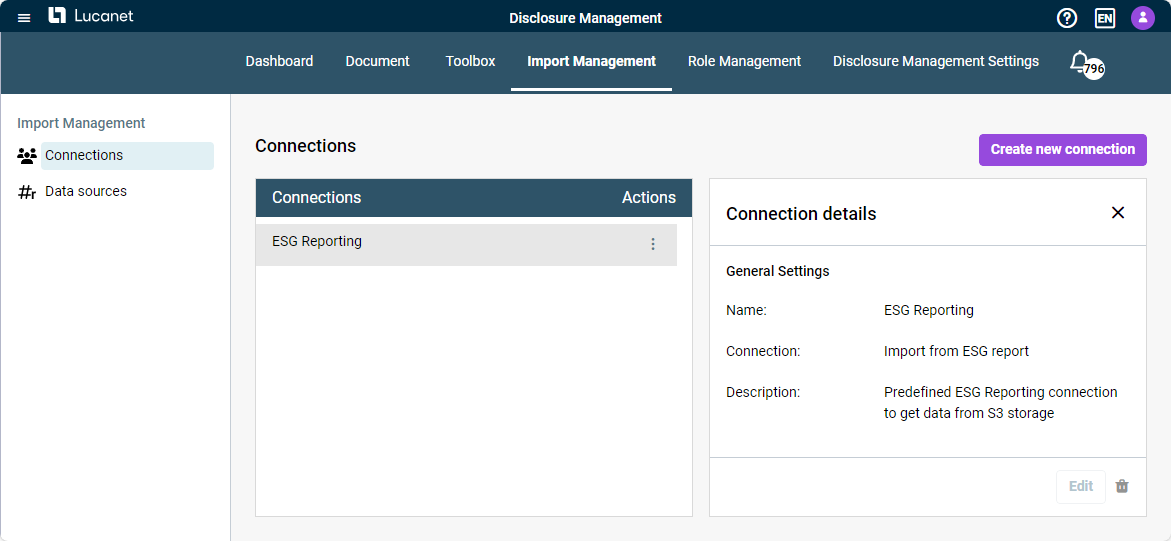
Shows the default connection for importing from Lucanet ESG Reporting, which is created by default and cannot be edited.
Default connection 'ESG-Reporting'

No connection type is available for import from Lucanet ESG Reporting. A default connection ESG Reporting has already been created for the connection to this Lucanet solution, which cannot be configured separately, and which can be used by all users who have licensed Lucanet ESG Reporting.

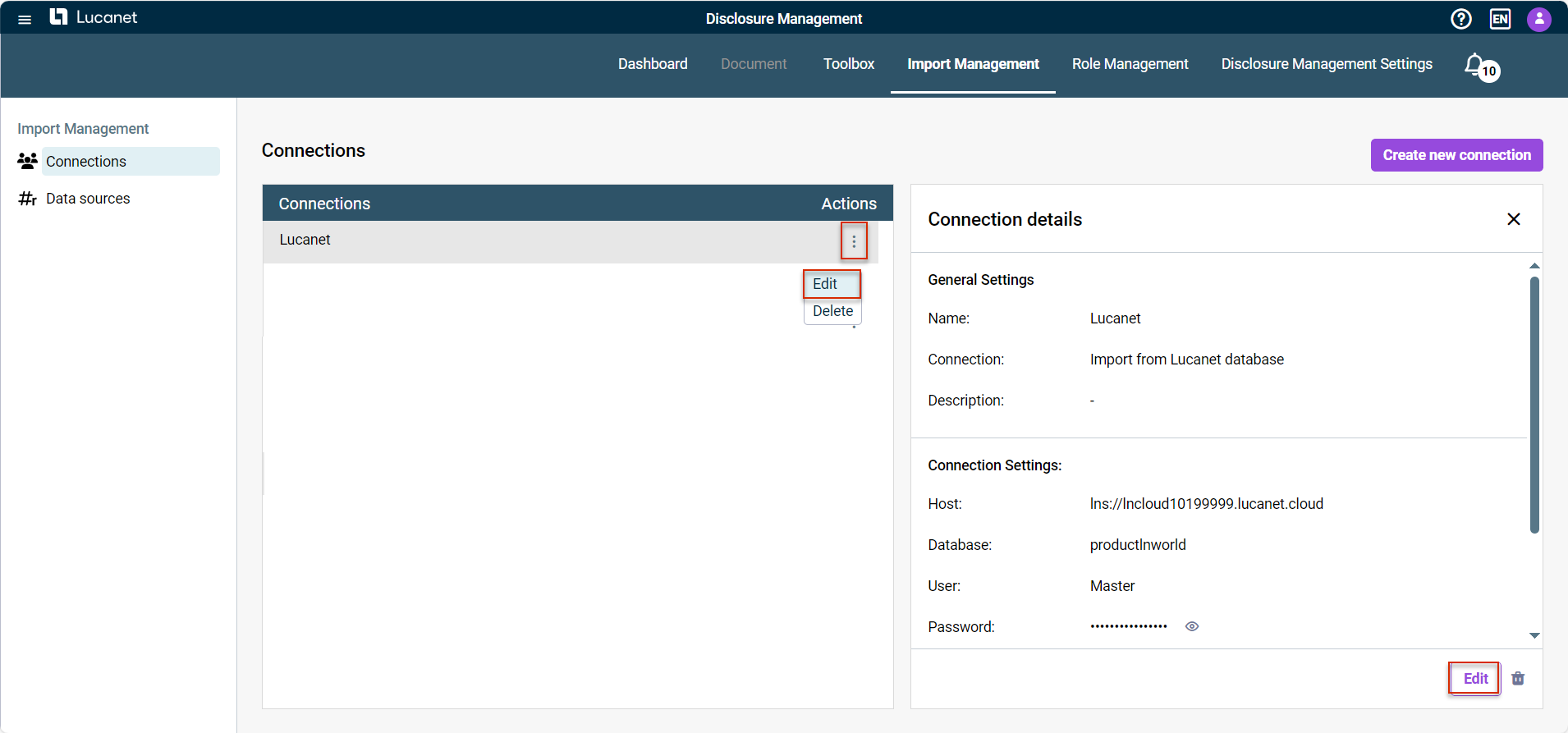
An existing connection can be edited via the context menu of the three dots icon or via the Edit button:

Detail view of the 'Lucanet' connection. The button and the context menu for editing the connection are outlined in red.
Edit an existing connection