For items and accounts, a drill down can be used to define how subordinate items or postings are displayed.

To execute a drill down for an item or account:

1

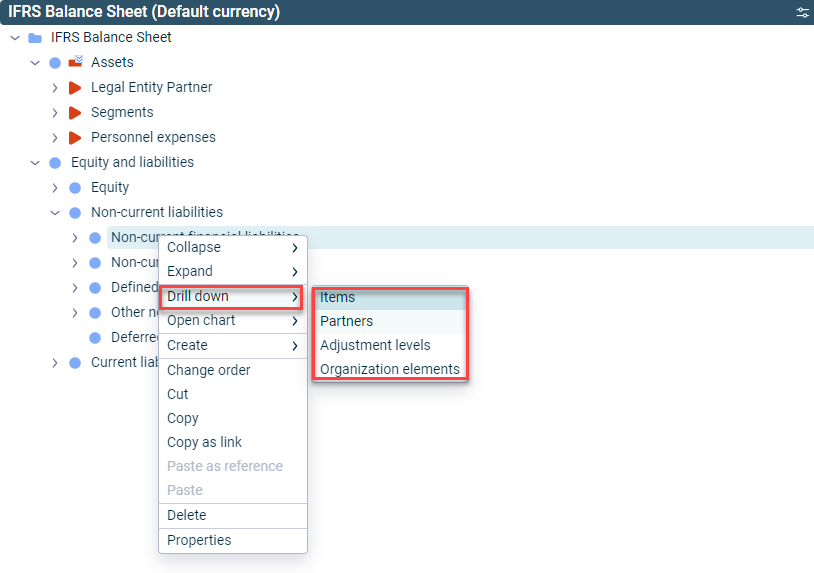
Right-click the desired item or account and choose Drill down from the context menu.

2

Choose the desired drill down.

Context menu for the drill down for an item
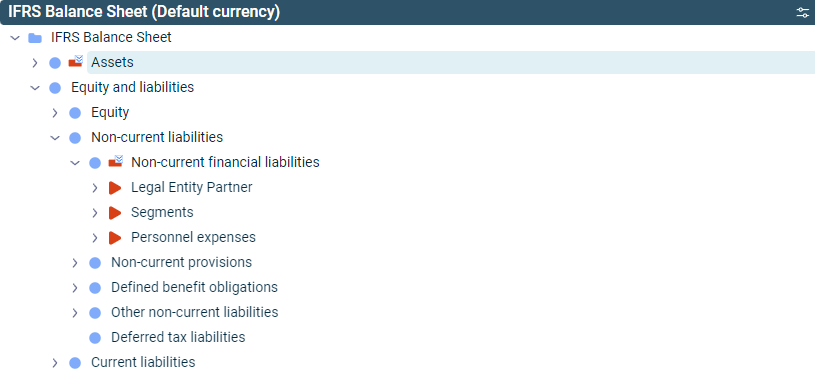
Result of the drill down for an item by partners

Depending on the element, the following drill downs are available:

Drill DownDescriptionAvailability
By itemsDefault drill down for items. All sub-items are displayed.Items only
By organization elementsDefault drill down for accounts. The display depends on which organization element is selected in the dimension bar.Accounts only
By adjustment levelsThe drill down by adjustment levels is displayed.Only if an adjustment level group is selected in the dimension bar
By partnersDisplays all partners for which postings have been made under the item.Only if at least one user-defined partner has been defined

The drill down by partners is only available if at least one user-defined partner has been defined.

When drilling down by partner, adjustment level or organization element, the default elements, such as the default cost center, are checked as displayed below: .