Regardless of the selected language, you can configure the date and number format as well as the display of negative numbers in the Lucanet CFO Solution Platform. The settings apply to the display of values in ledgers and schedules.

To open the formatting preferences, click the user account area at the bottom of the main menu and select Formatting preferences from the account menu.
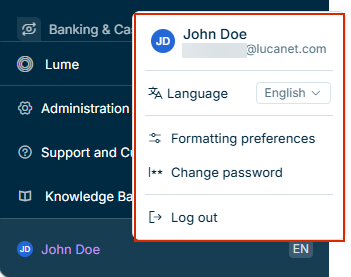
User Account area at the bottom of the main menu with the Account Menu open, showing user name, e-mail address, language selector, formatting preferences, change password, and log out options
User acount area and the account menu

For more information, see Configuring the Date and Number Format.

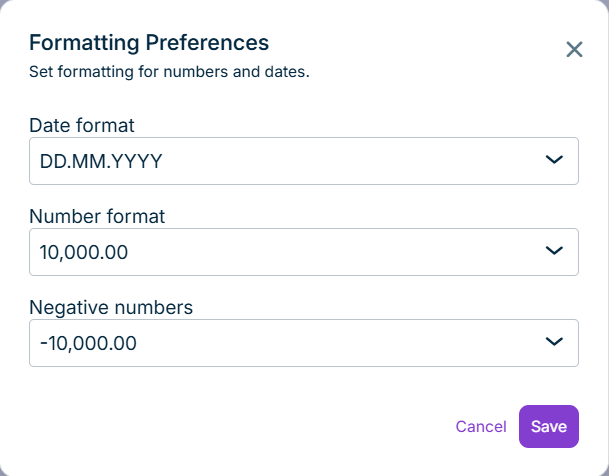
In the Formatting Preferences dialog, you can configure the formatting for numbers and dates:

The 'Formatting Preferemces' dialog is displayed. In this dialog formattings for numbers and data are defined.
'Formatting Preferences' dialog
OptionDescription
Date formatDefines how the date is displayed
Number formatDefines how numbers are displayed
Negative numbersDefines how negative numbers are displayed