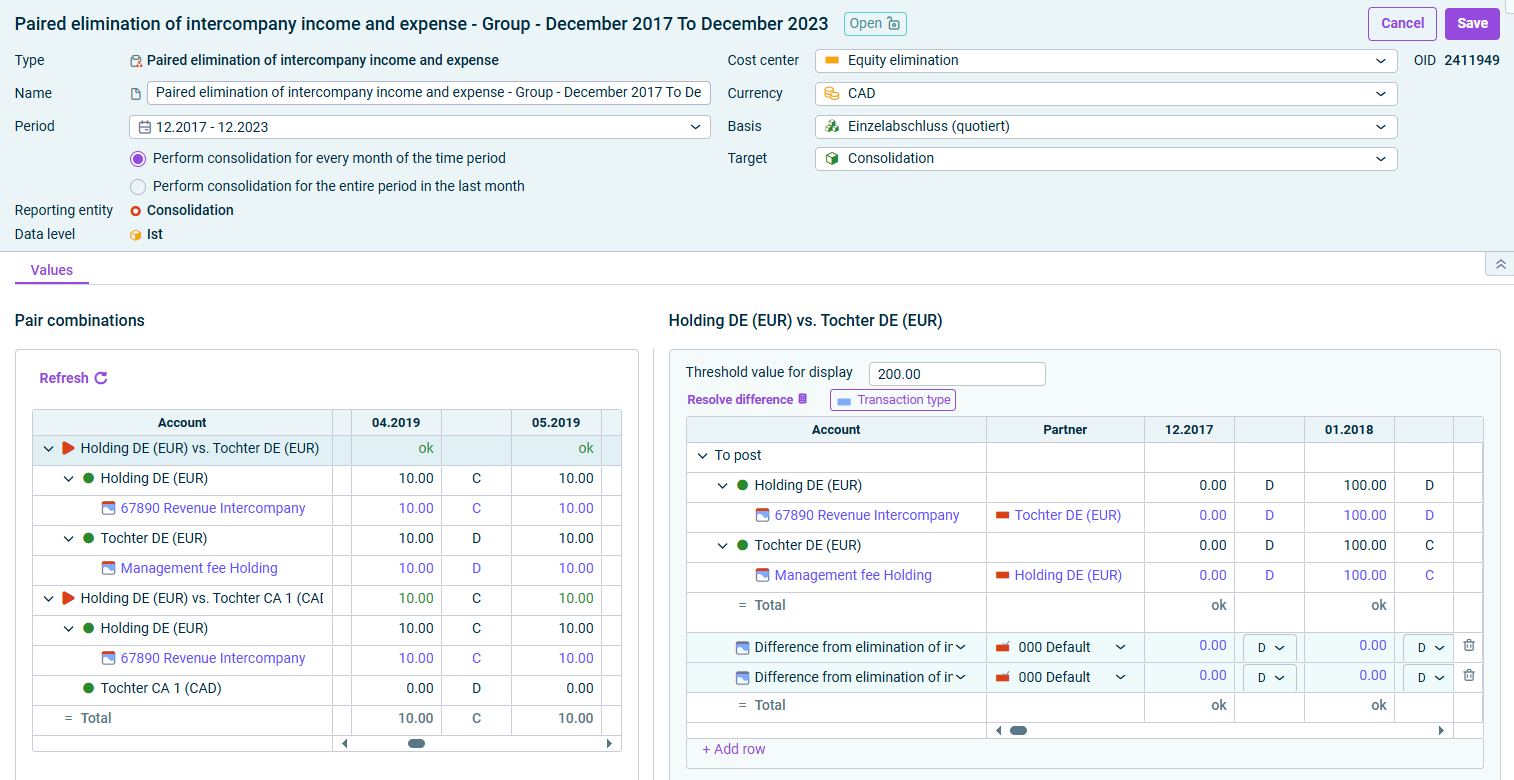
If the income corresponds to the expenses within the combined pair, the value is displayed in green. If there is a difference, it is displayed in red or green – according to the definition of the threshold value. To obtain detailed information, click the arrow in front of the desired pair combination or item.
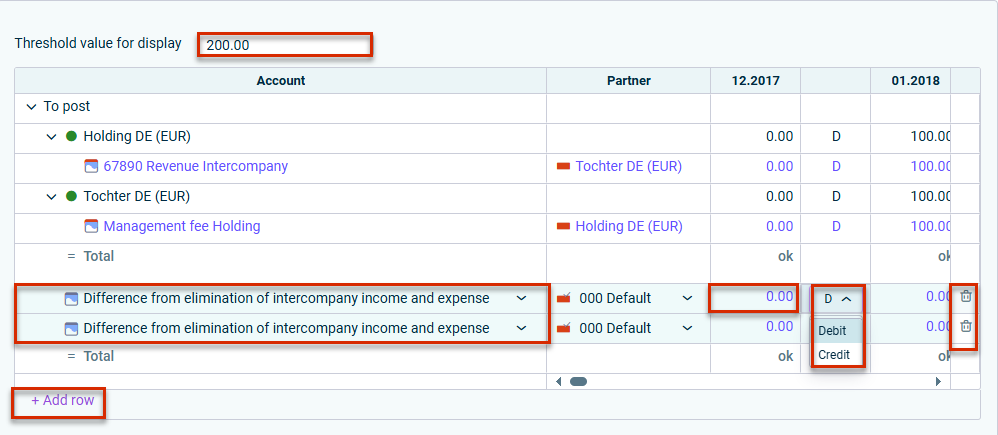
Click the displayed difference account to change it. Click + Add Row Change the amounts to be posted to the difference account by clicking the respective amount. Select Debit Credit If necessary, click the trash can icon
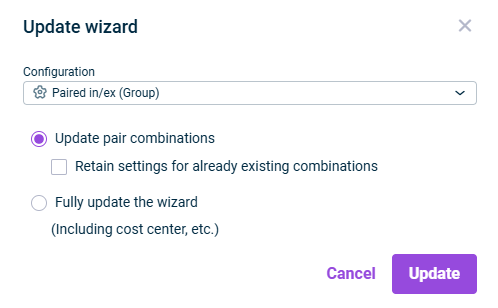
Update pair combinations
Fully update the wizard
This content was generated using AI and reviewed by Lucanet subject matter experts before publication.
Last updated on Jul 20, 2026