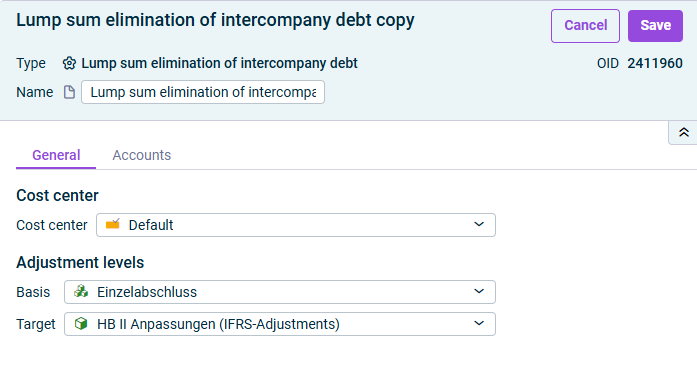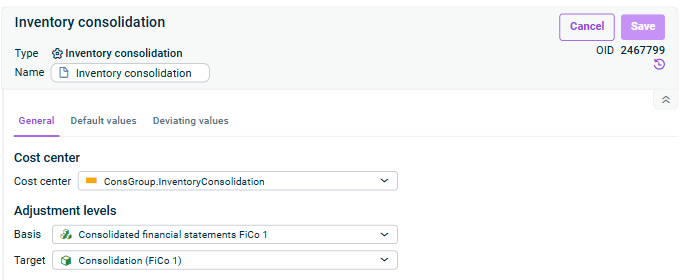
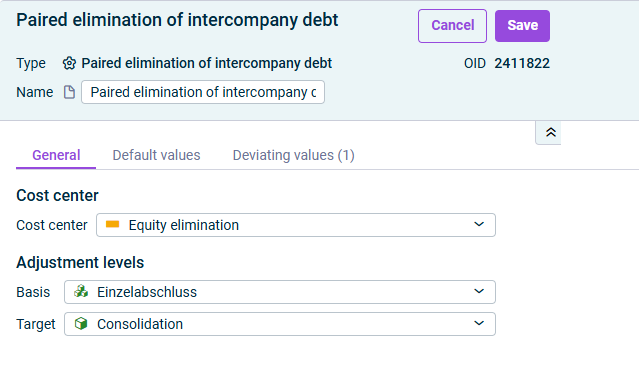

: Cost center for the postingsCost center
: Adjustment level with the data for the generation of the consolidation postingsBasis : Adjustment level on which postings are to be madeTarget

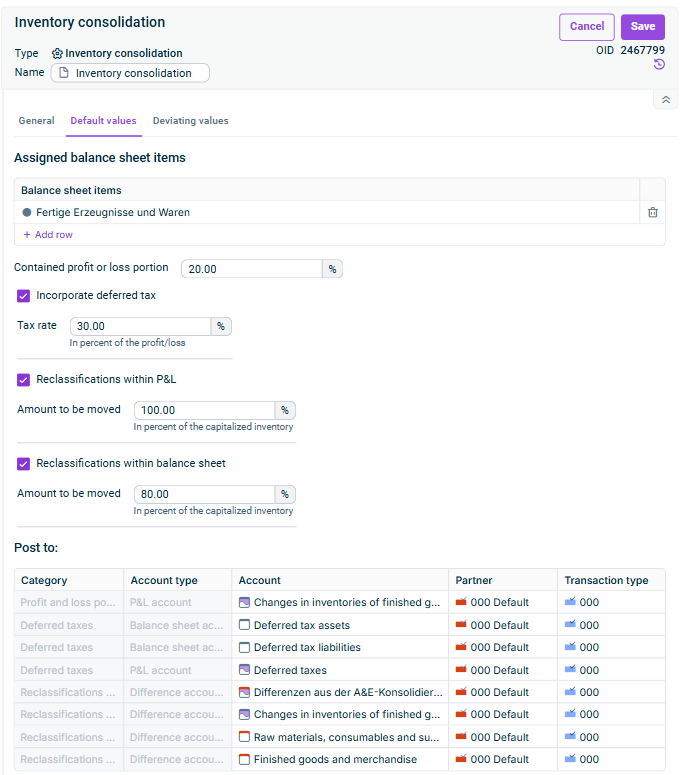
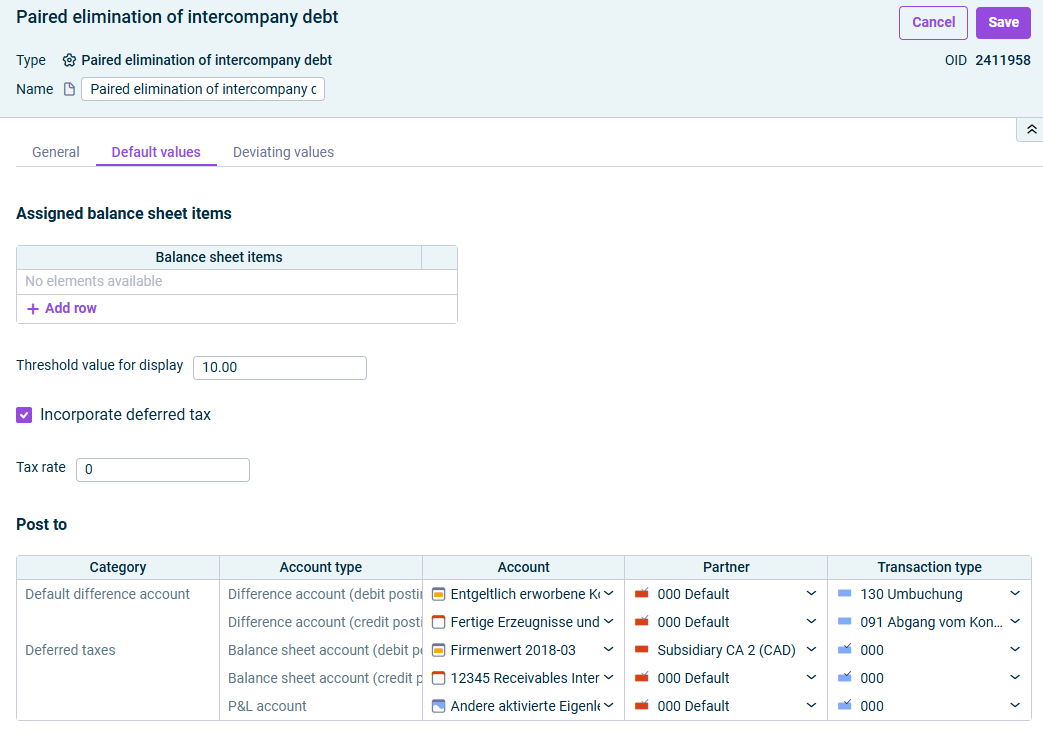
: Balance sheet items to be consolidated.Balance sheet items
Click to add balance sheet items.+ Add row : If a difference exceeds the entered value, the difference is displayed in red.Threshold value for display : Activate the check box if deferred tax should be incorporated.Incorporate deferred tax : Tax rate for deferred tax. Displayed when theTax rate (in percent of the profit/loss) check box is activated.Include deferred taxes
CategoryAccount ( : Default difference accounts to be used to clear the arising differencesDefault difference account) (CategoryAccount ): Accounts on which the deferred taxes are to be presented. The rowDeferred tax is only displayed when the check boxDeferred tax is activated.Incorporate deferred tax If necessary, add andPartners for each category for the postings.Transaction types

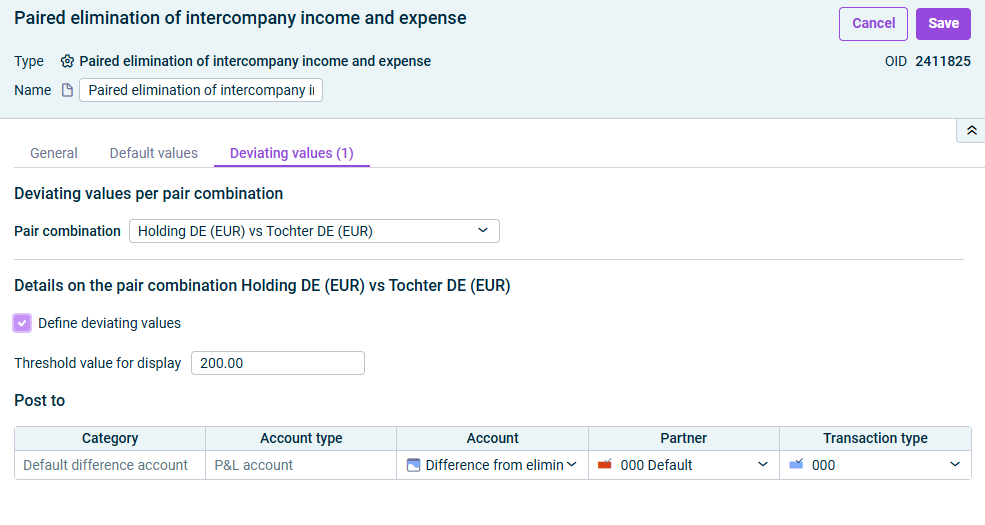
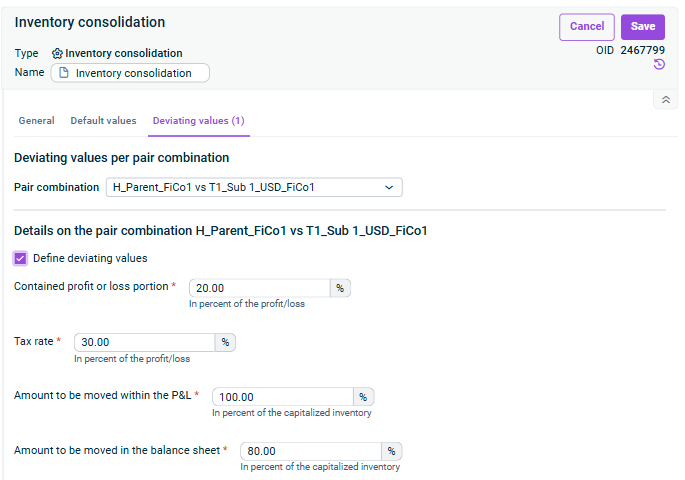
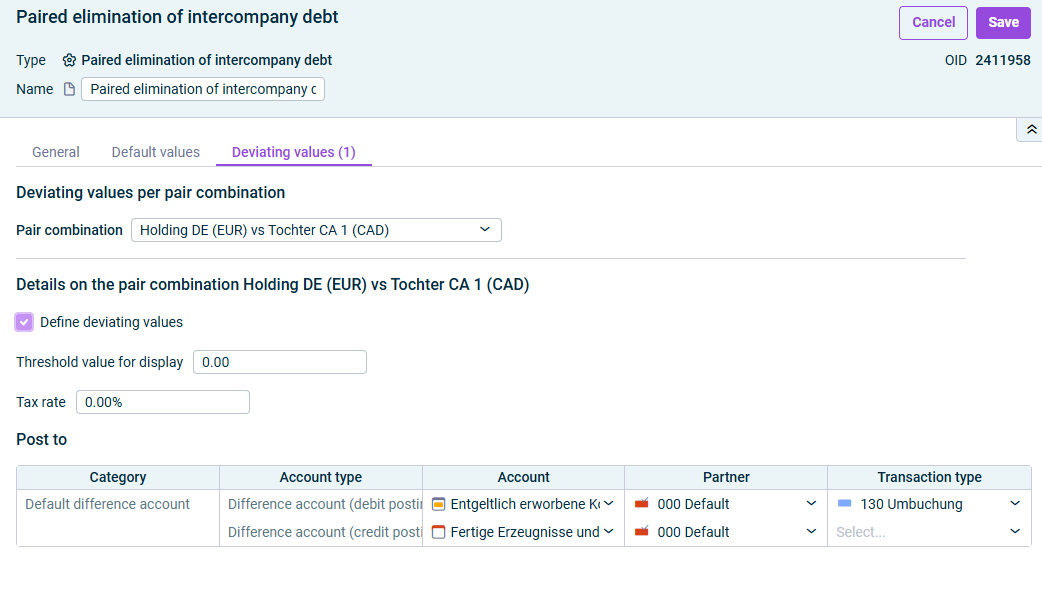
: Select the desired pair combination you want to configure.Pair combination
: Activate the check box if deviating values are to be taken into account for the selected pair combinationDefine deviating values : If a difference exceeds the value entered for the elimination of intercompany debt, the difference is displayed in a red font.Threshold value for the display : Tax rate for deferred tax. Displayed when theTax rate (in percent of the profit/loss) option is activated.Incorporate deferred tax
CategoryAccount ( : Default difference accounts to be used to clear the arising differences for the selected pair combinations.Default difference account) (CategoryAccount ): Accounts on which the deferred taxes are to be presented. TheDeferred tax row is displayed when the optionDeferred taxes is activated.Incorporate deferred tax If necessary, add andPartners for each category for the postings.Transaction types

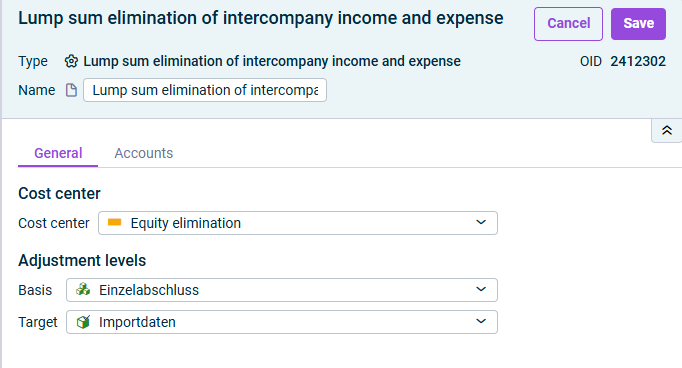
: Cost center for the postingsCost center
: Adjustment level with the data for the generation of the consolidation postingsBasis : Adjustment level on which postings are to be madeTarget

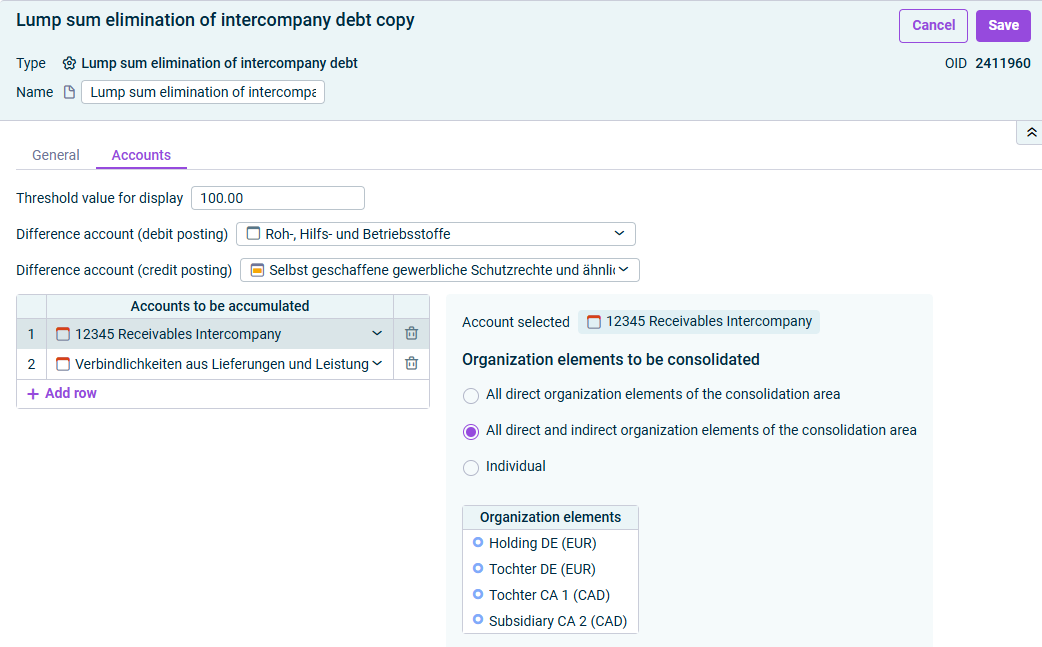
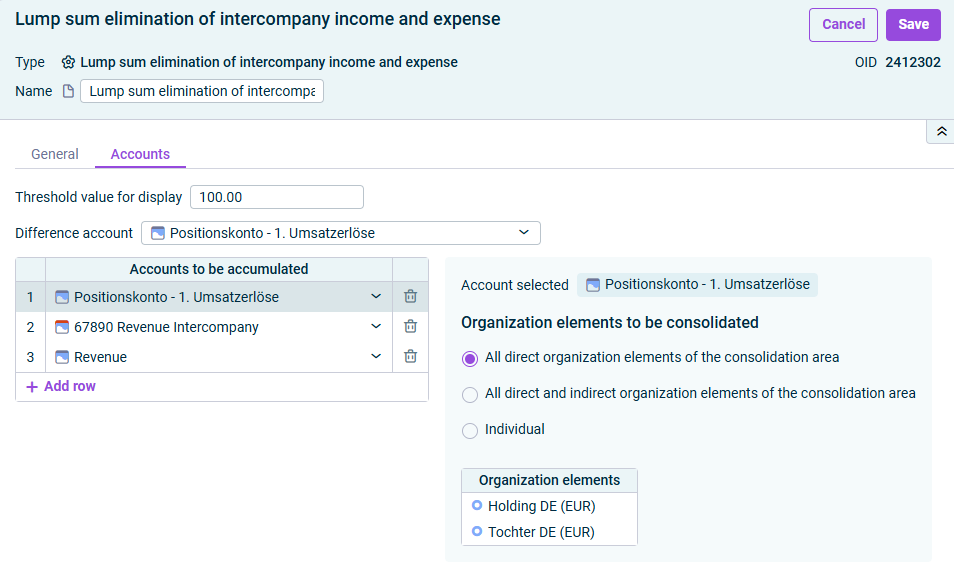
: If a difference exceeds the entered value, the difference is displayed in red.Threshold value for display : Accounts for postings in debit and credit to which any arising differences are to be postedDifference account (debit posting/credit posting) : Select an account to be accumulated and specify the organization elements to be consolidated in the details window. The following options are available:Accounts to be accumulated , to consolidate only those consolidation units that are directly assigned to the consolidation area (excluding sub-groups).All direct organization elements of the consolidation area , to consolidate also consolidation units in subordinate consolidation areas (including sub-groups; see sectionAll direct and indirect organization elements of the consolidation area ).Creating and Configuring Consolidation Areas , to compile the consolidation units to be consolidated in theIndividual list.Organization elements

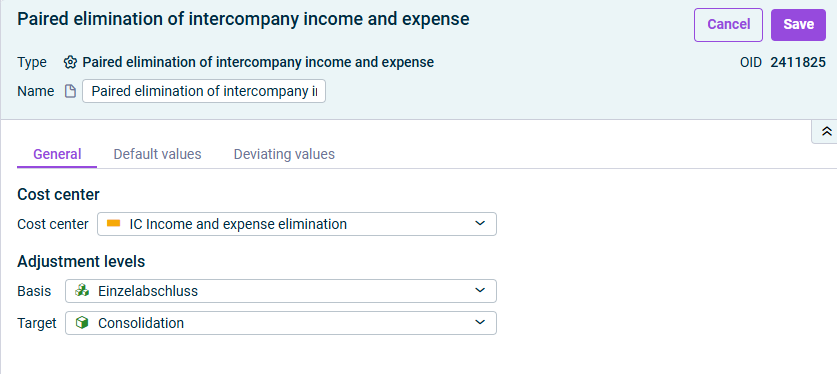
: Cost center for the postingsCost center
: Adjustment level with the data for the generation of the consolidation postings.Basis : Adjustment level on which postings are to be madeTarget

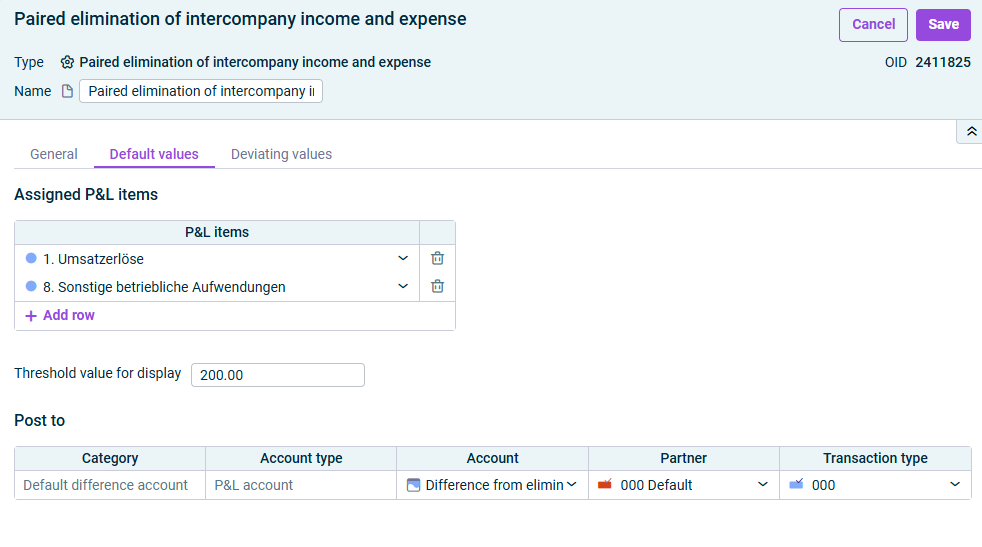
: P&L items to be consolidated. ClickP&L items to add P&L items+ Add row : If a difference exceeds the entered value, the difference is displayed in red.Threshold value for display
: In theAccount column, specify the default difference account to which any differences should be posted.Account Add andPartner if necessary.Transaction type

: Select the desired pair combination you want to configure.Pair combination
: Activate the check box if deviating values are to be taken into account for the selected pair combinationDefine deviating values : Threshold value for the display. If a difference exceeds the value entered for the elimination of intercompany debt, the difference is displayed in a red font.Threshold value : Tax rate for deferred tax. Displayed when theTax rate (in percent of the profit/loss) option is activated.Incorporate deferred tax
: In theAccount column, specify a deviating default difference account for the selected pair combination.Account Add andPartner if necessary.Transaction type

: Cost center for the postingsCost center
: Adjustment level with the data for the generation of the consolidation postingsBasis : Adjustment level on which postings are to be madeTarget

: If a difference exceeds the entered value, the difference is displayed in red.Threshold value for display : Account to which the arising differences are to be postedDifference account : Select an account to be accumulated and specify the organization elements to be consolidated in the details window. The following options are available:Accounts to be accumulated , to consolidate only those consolidation units that are directly assigned to the consolidation area (excluding sub-groups).All direct organization elements of the consolidation area , to consolidate also consolidation units in subordinate consolidation areas (including sub-groups; see sectionAll direct and indirect organization elements of the consolidation area ).Creating and Configuring Consolidation Areas , to compile the consolidation units to be consolidated in theIndividual list.Organization elements

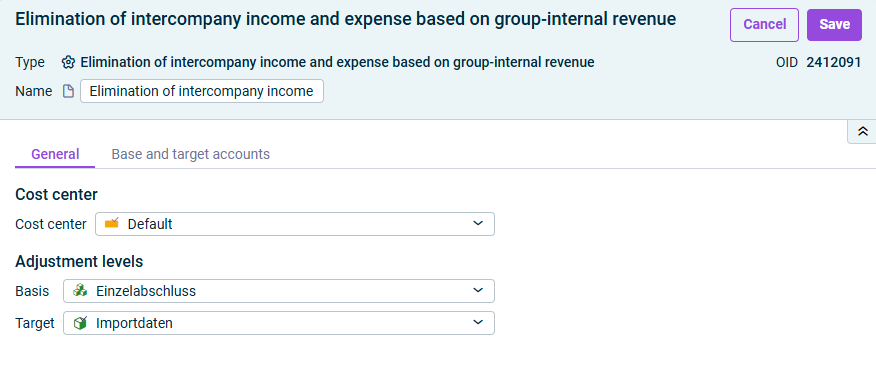
: Cost center for the postingsCost center
: Adjustment level with the data for the generation of the consolidation postingsBasis : Adjustment level on which postings are to be madeTarget

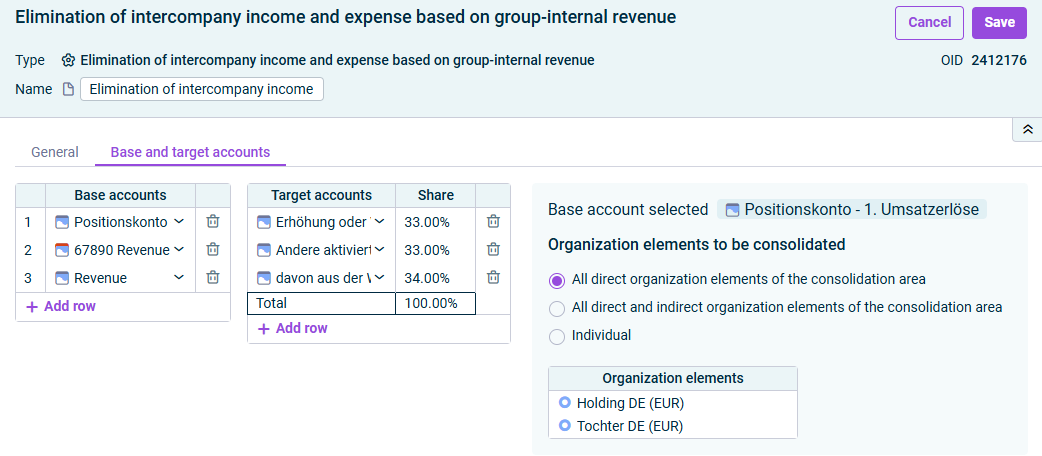
: Accounts for the calculation of group-internal revenueBase accounts : Accounts for the contra entryTarget accounts : Percentage share of the target accountShare
: Only those consolidation units that are directly assigned to the consolidation area (excluding sub-groups) are consolidated.All direct organization elements of the consolidation area : Consolidation units in subordinate consolidation areas are also consolidated (including sub-groups; seeAll direct and indirect organization elements of the consolidation area ).Creating and Configuring Consolidation Areas : Individual selection of the consolidation units in theIndividual list.Organization elements
Last updated on Aug 16, 2023