The Lump sum elimination of intercompany income and expense wizard enables the wizard-assisted elimination of expenses and income between affiliated companies. This involves offsetting accounts previously defined in the Consolidation areas workspace against one another on a lump sum basis.
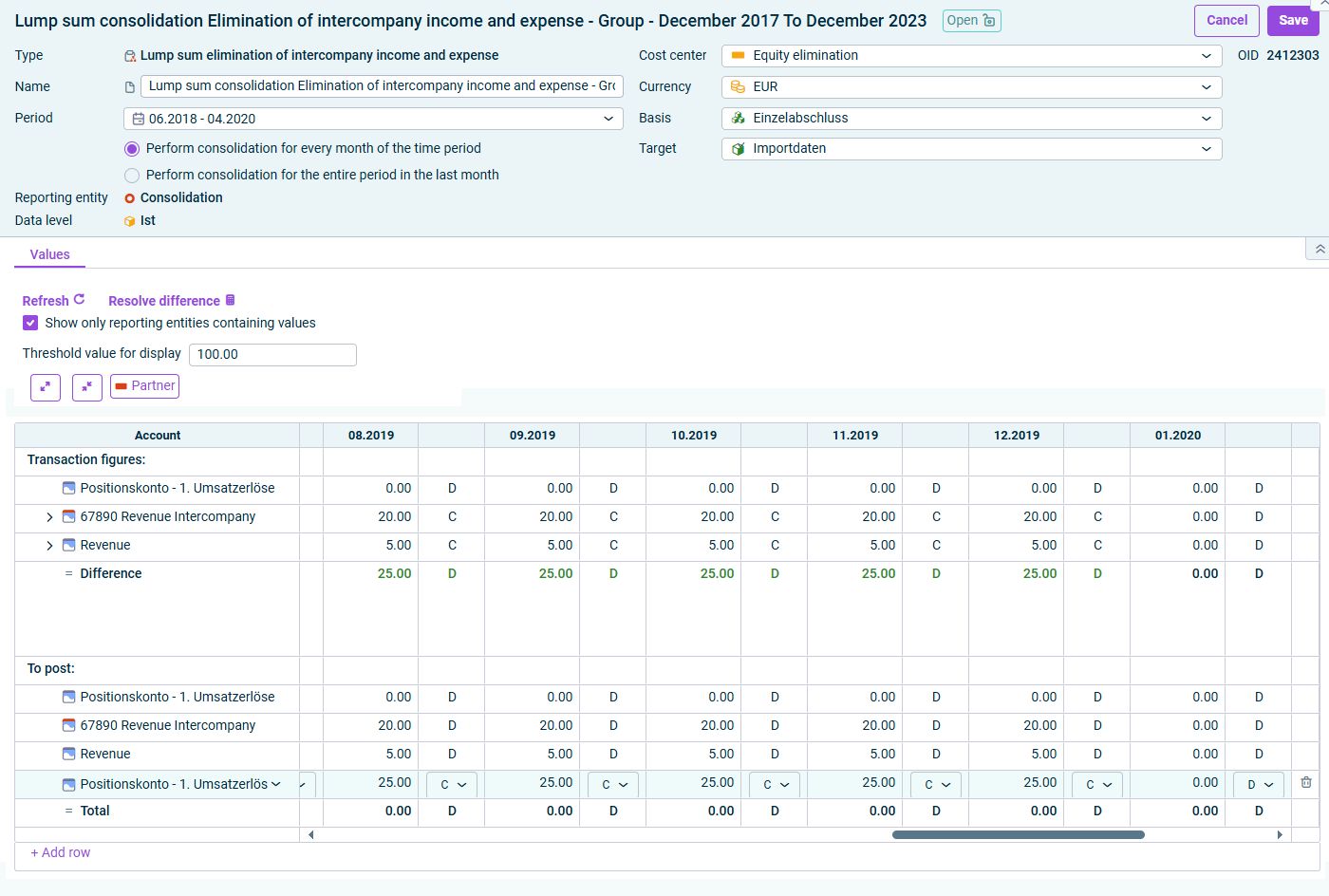
The wizard for lump sum elimination of intercompany income and expense is displayed as follows, for example:
Wizard for lump sum elimination of intercompany income and expense
The following options must be configured in the Lump sum elimination of intercompany income and expense wizard:
The accounts for the lump sum elimination of intercompany income and expense are displayed on the Values tab:
Option
Description
Refresh
Refreshes the values in the wizard.
Resolve differences
Automatically resolves any differences that may have occurred within a posting. Click on a row that contains differences and then click the Resolve differences command.
Show only reporting entities containing values
Hides all reporting entities that do not contain any values.
Threshold for Display
Differences above the entered value are highlighted in red in the Transaction figures area.
Partner
Shows or hides the Partner column.
'Transaction figures' area: The Transaction figures area shows the accounts to be offset against each other according to the configuration of the wizard.
If the income corresponds to the expenses within the combined pair, the value is displayed in green.
If there is a difference, it is displayed in red or green – according to the definition of the threshold value.
To obtain detailed information, click the arrow in front of the desired item.
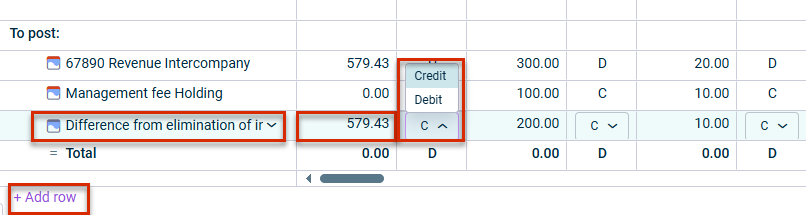
The To post area displays the postings that the wizard carries out after saving.
The following options are available in the To post area:
Click a displayed difference account to change it if necessary.
Click + Add Row to insert a row and select an additional difference account.
If necessary, change the amounts to be posted to the difference account by clicking the respective amount.
If necessary, choose Debit or Credit in the displayed drop-down list.
If necessary, click the trash can icon if you want to delete a difference account.
Options in the 'To post' area
This content was generated using AI and reviewed by Lucanet subject matter experts before publication.