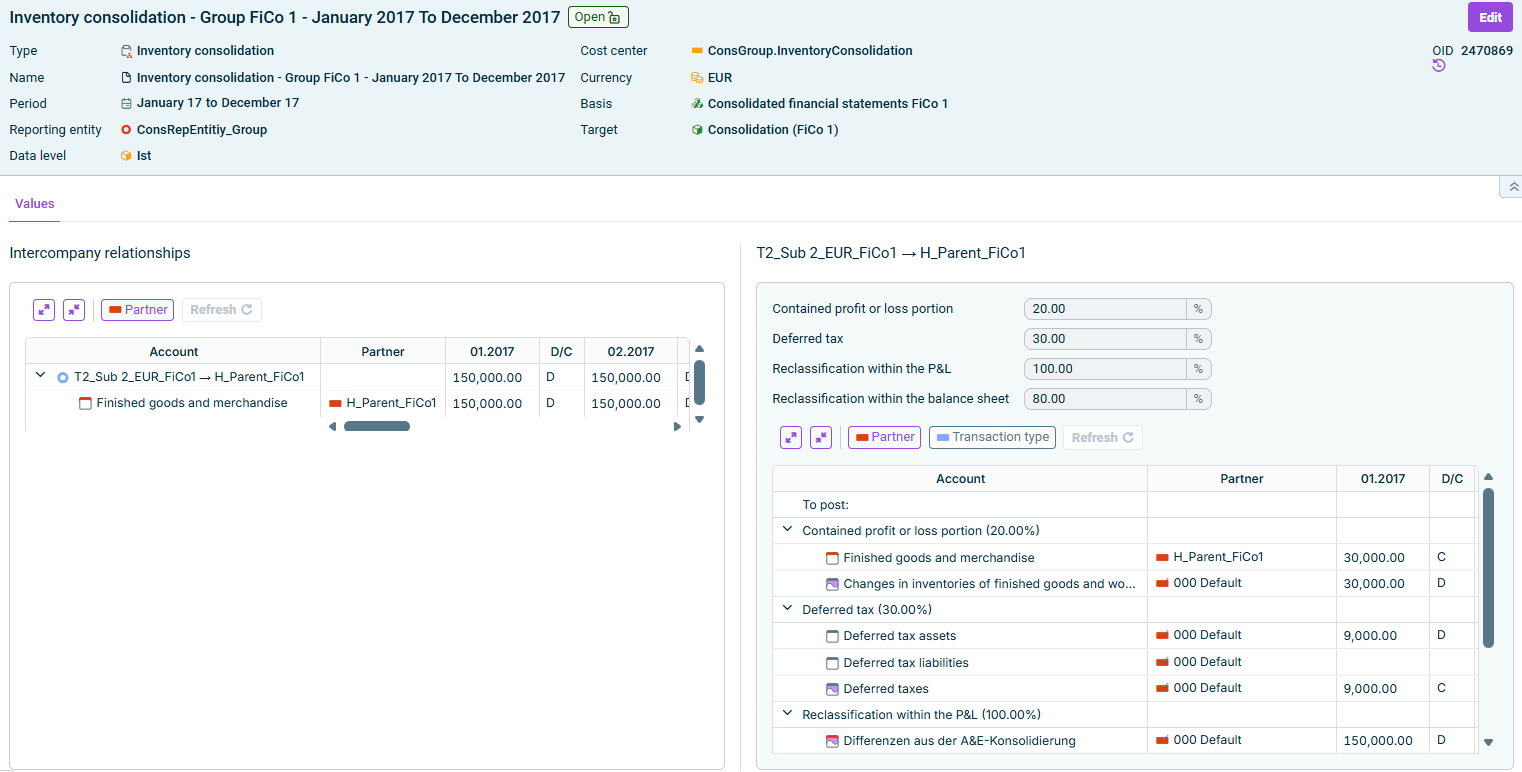
The Inventory consolidation wizard enables the wizard-assisted elimination of intercompany profit or loss contained in stock (inventory) between affiliated companies. Intercompany relationships are formed between reporting entities based on settings previously made in the Consolidation areas workspace.

The wizard for inventory consolidation is displayed as follows, for example:

Wizard for inventory consolidation

The following options must be configured in the Inventory consolidation wizard:

Edit the general properties of the wizard for inventory consolidation in the top area of the detail view:

OptionDescription
NameName of the wizard
PeriodTime period for which the elimination is to be performed

Note: After the period has been changed, it is necessary to update the wizard (see section Updating Wizard).
Cost centerCost center for the postings
CurrencyCurrency, in which the consolidation postings are to be made. By default, the transaction currency of the consolidation area is used.
BasisAdjustment level with the data for the generation of the consolidation postings
TargetAdjustment level on which postings are to be made

All intercompany relationships for which the assigned balance sheet items contain values are listed on the Values tab.

Area 'Intercompany relationships'

  • Refresh: Refreshes the values in the wizard.
  • Select the intercompany relationship in the table whose details you want to view or edit.
The following options are available in the table on the right:

OptionDescription
Contained profit or loss portionPercentage of the selected intercompany relationship's balance sheet items that contains intercompany profit or loss.
Deferred taxPercentage for deferred tax. Only displayed if Incorporate deferred tax was activated in the configuration.
Reclassification within the P&LPercentage of the amount to be moved. Only displayed if Reclassifications within P&L was activated in the configuration.
Reclassification within the balance sheetPercentage of the amount to be moved. Only displayed if Reclassifications within balance sheet was activated in the configuration.
Transaction types/PartnerShows or hides the Transaction types column or the Partner column.

Changes only apply to the selected intercompany relationship; other intercompany relationships remain unaffected.

Below the fields, the To post area shows the postings the wizard carries out after saving, grouped by category (Contained profit or loss portion, Deferred tax, Reclassification within the P&L, Reclassification within the balance sheet), with the applied percentage shown next to each category.

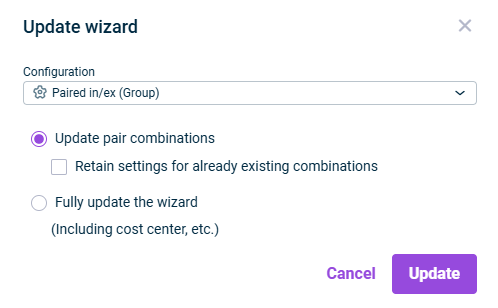
If you change the period in the General area, or click Refresh in the Intercompany relationships area, the Update wizard dialog is displayed:

'Update wizard' dialog
1

Choose the desired configuration for the inventory consolidation.

2

Define which elements should be updated. Do one of the following:

  • Update pair combinations, if only the pair combinations are to be updated.

Note: If the Retain settings for already existing combinations check box is deactivated, any settings already created might be overwritten by the configuration settings of the wizard.

  • Fully update the wizard (including cost center, etc.), to update all settings in the wizard.
3

Click Update.