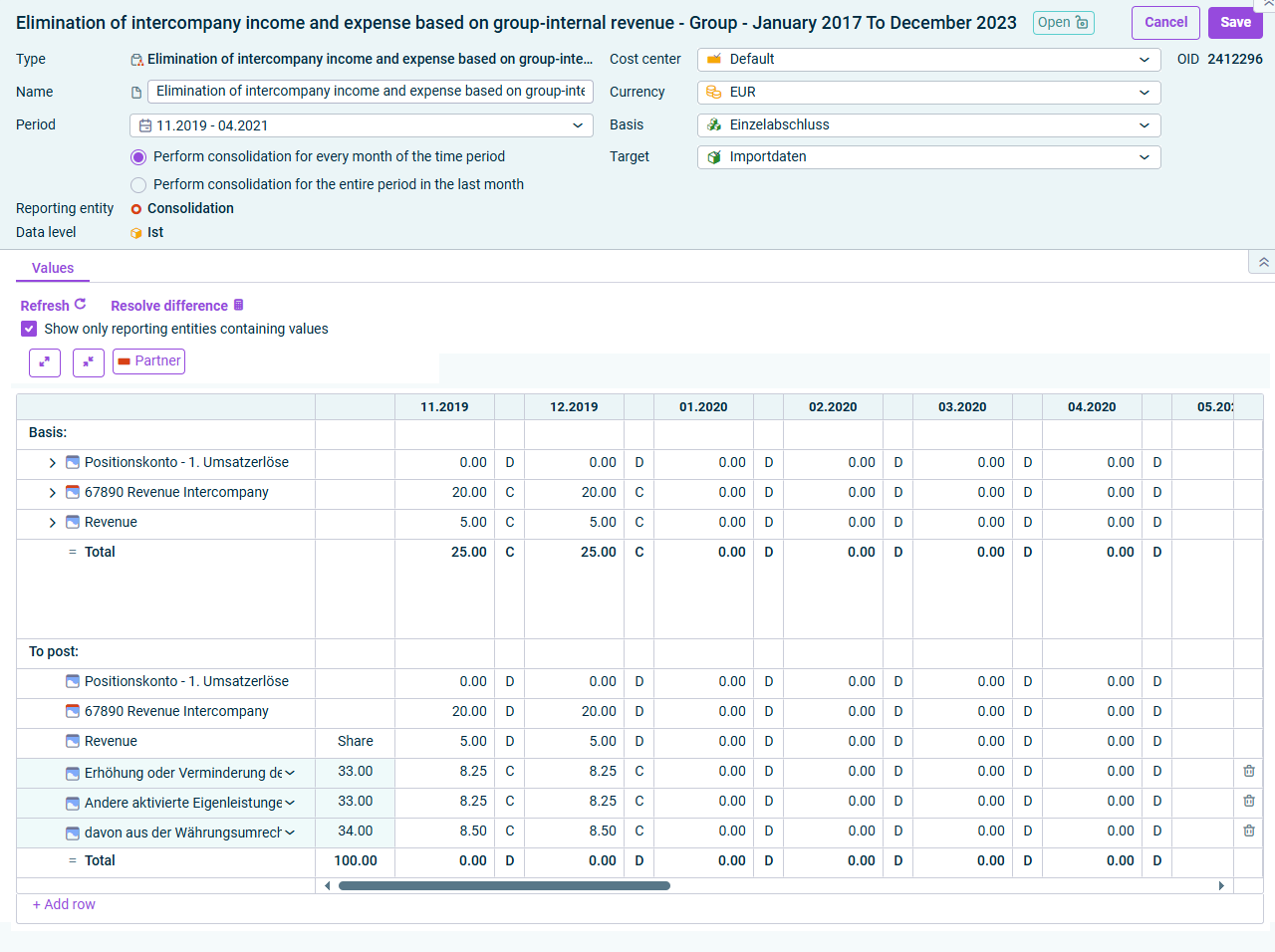
The Elimination of intercompany income and expense based on group-internal revenue wizard enables the wizard-assisted elimination of expenses and income between affiliated companies. In this case, (revenue) accounts previously defined in the Consolidation areas workspace are offset with one or more expense accounts with allocation of a percentage.
The wizard for elimination of intercompany income and expense based on group-internal revenue is displayed as follows, for example:
Wizard for elimination of intercompany income and expense based on group-internal revenue
The following options must be configured in the Elimination of intercompany income and expense based on group-internal revenue wizard:
Edit the general properties of the wizard for elimination of intercompany income and expense based on group-internal revenue in the top area of the detail view:
Option
Description
Name
Name of the wizard
Period
Time period for which the elimination is to be performed
Note: After the period has been changed, it is necessary to update the wizard (see the Updating Wizard note below).
Choose whether you want to perform consolidation for every month of the time period or for the entire period in the last month.
Option
Description
Cost center
Cost center for the postings
Currency
Currency, in which the consolidation postings are to be made. By default, the transaction currency of the consolidation area is used.
Basis
Adjustment level with the data for the generation of the consolidation postings
The accounts for the elimination of intercompany income and expense based on the group-internal revenue are displayed on the Values tab:
The following options are available:
Option
Description
Refresh
Refreshes the values in the wizard.
Resolve differences
Automatically resolves any differences that may have occurred within a posting. Click on a row that contains differences and then click the Resolve differences command.
Show only reporting entities containing values
Hides all reporting entities that do not contain any values.
Partner
Shows or hides the Partner column
'Basis' area: Accounts for related products according to the configuration of the wizard.
'To post' area: Displays the postings that the wizard carries out after saving.
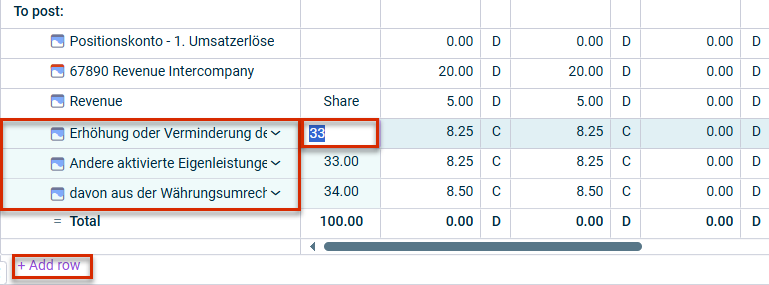
The following options are available in the To post area:
Click a displayed difference account to change it if necessary.
Click + Add Row to insert a row and select an additional difference account.
If necessary, change the amounts to be posted to the difference account by clicking the respective amount.
If necessary, click the trash can icon if you want to delete a difference account.
Options in the 'To post' area
If you change the configuration of a wizard in the Consolidation areas workspace and the change should take effect in the posting, the posting must be deleted in the journal and then created again because the Update wizard function only updates the values, but not the structure of the wizard-assisted posting.
This content was generated using AI and reviewed by Lucanet subject matter experts before publication.