Interest statements document the calculated interest for defined periods and generate PDF reports. Interest statements are created either automatically — a processing channel of the Create interest statements type generates the interest statement based on the configured interest conditions — or you create them manually for specific accounts and periods.
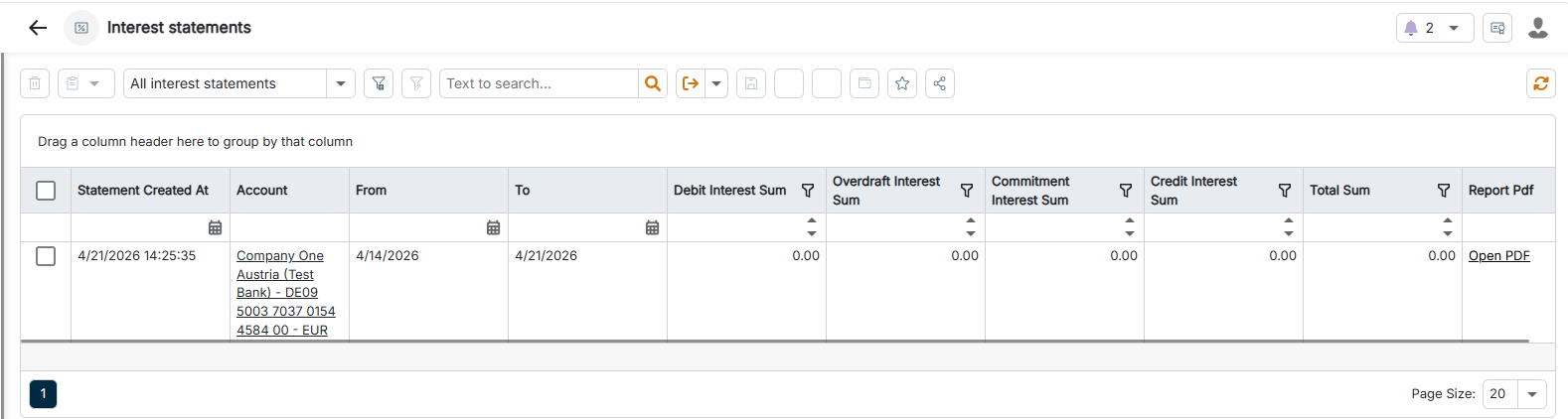
The Interest statements workspace can be found under Banking & Cash Management | Cash management | Interest statements and is displayed as follows, for example:
Prerequisite: An interest condition must already be assigned to the account for which you want to create an interest statement. Without an assigned interest condition, BCM does not generate the interest statement.
To create an interest statement manually:
1
Navigate to Cash management | Interest statements.
2
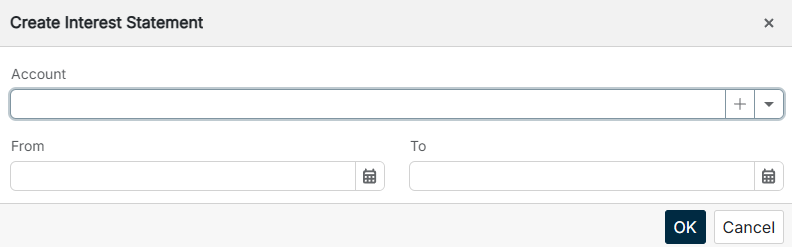
Click Create Interest Statement in the toolbar. The Create Interest Statement dialog is displayed:
Creating an interest statement manually
3
In the Account field, select the desired account. You can create an account directly via the Plus icon or select one of the accounts created in the Master data.
4
Enter the start date of the statement period in the From field and the end date in the To field.
5
Click OK.
This content was generated using AI and reviewed by Lucanet subject matter experts before publication.