Interest conditions define the interest rates and calculation methods for bank accounts. They determine the conditions at which Lucanet Banking & Cash Management (BCM) calculates debit, overdraft, commitment, and credit interest.

If the interest condition is to use a variable interest rate, first create the reference interest rate and then the interest condition that builds on it.

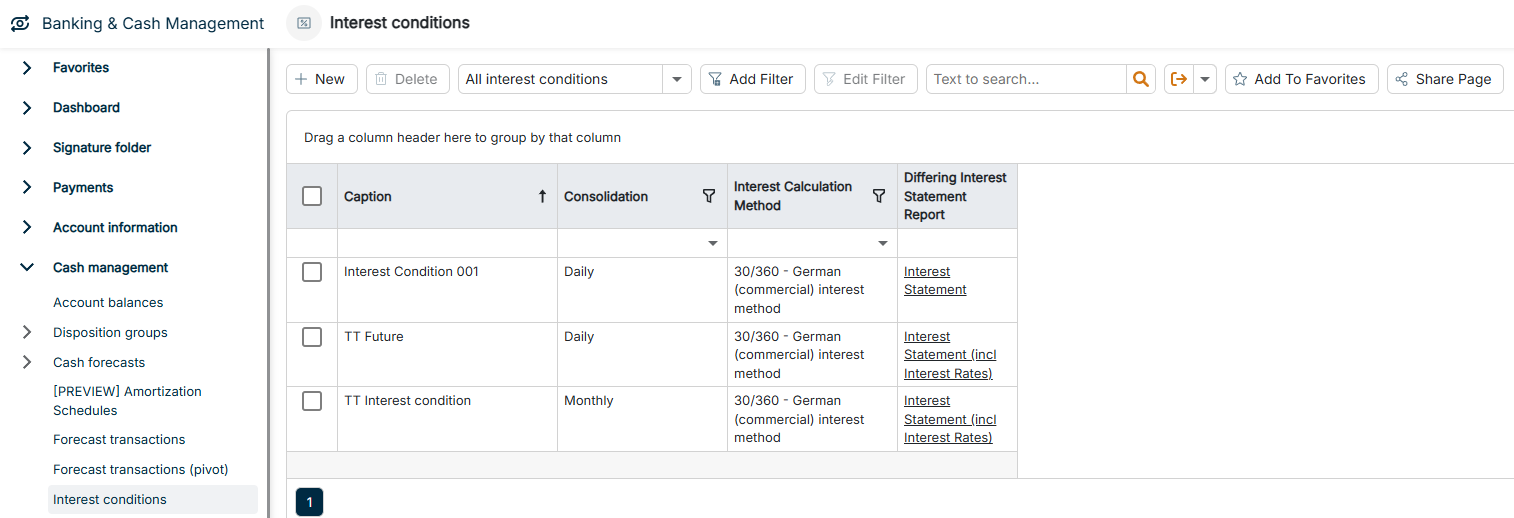
The Interest conditions workspace can be found under Banking & Cash Management | Cash management | Interest conditions and is displayed as follows, for example:

The Interest conditions workspace is displayed.
Workspace 'Interest conditions'

To create an interest condition:

1

Navigate to Cash management | Interest conditions.

2

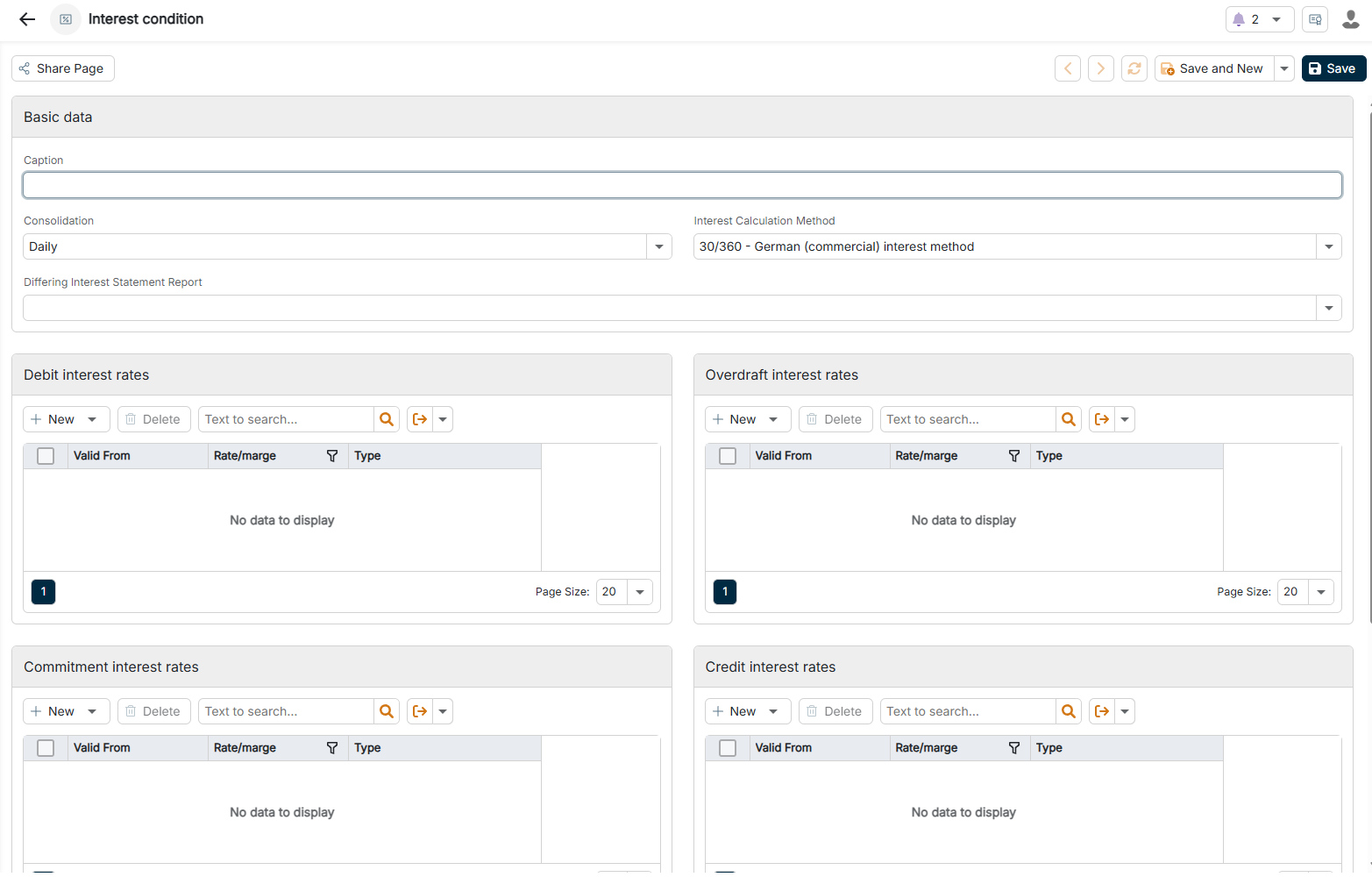
Click + New in the upper left corner. The configuration options for an interest condition are displayed as follows:

The configuration options for an interest condition are displayed.
Configuring an interest condition
3

Configure the interest condition according to your requirements (see Configuring Interest Conditions).

The configuration options of an interest condition are divided into three areas: Basic data, Debit interest rates, and Accounts.

The Basic data area contains the following options:

OptionDescription
CaptionUnique name of the interest condition for identification. Is referenced in interest statements and overviews.
ConsolidationTime interval of the interest calculation. Determines how often BCM calculates and capitalizes interest. Available values: Daily, Monthly, Yearly, Complete.
Interest Calculation MethodMethod for calculating the interest. Depending on the industry and contract type, different calculation methods can be used. Available values:
- 30/360 - German (commercial) interest method
- Act/360 - Euro interest method, French interest method
- Act/365 - English interest method
- Act/act - Daily accrual or effective interest method
- 30E/360 - US interest method
Differing interest statement reportSelection of an alternative report template for the interest statement from a list of predefined templates — for customer-specific or multilingual interest statements. For each template, the list displays:
- Display Name
- Code
- Language: English or German
- Version
- Timestamp
- Landscape: True or False

For each interest condition, you define up to four interest rate types. Each type can contain several entries with different validity dates. The following interest rate types are available:

  • Debit interest rates
  • Overdraft interest rates
  • Commitment interest rates
  • Credit interest rates

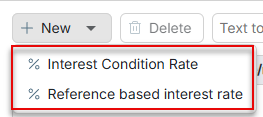
When creating, you choose between two options for each interest rate type:

The Interest rate and Reference based interest rate options are displayed.
Interest rate options

Option 1: Interest condition rate (fixed interest)

Direct, fixed interest rate without reference.

OptionDescription
Valid fromStart date from which this interest rate applies. Enables you to stagger interest rates over time.
Interest rateFixed interest rate as a percentage, for example 2.5000 for 2.5%. Is used directly for the interest calculation.

Option 2: Reference based interest rate (variable interest rate)

Variable interest rate based on a reference interest rate plus margin.

OptionDescription
Reference interest typeReference interest rate from the list of reference interest rates. BCM automatically uses the current value of the reference interest rate for the calculation. You create new reference interest types via the Plus icon directly in the dialog; the master data is maintained under Master data.
Valid fromStart date from which this interest rate configuration applies.
MargePremium or discount on the reference interest rate as a percentage, for example 1.5000 for +1.5%. The final interest rate results from reference interest rate + margin.

In the Accounts area, you select the bank accounts to which the interest condition is to apply. Multiple selection is possible.