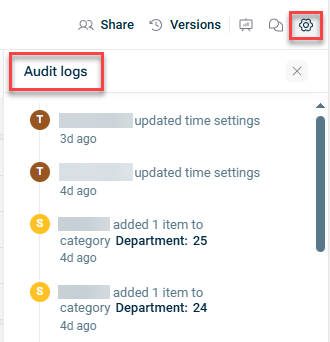
In Lucanet xP&A (Extended Planning & Analysis), audit logs are a model-by-model running history of who has made what edits (and when) to a model's variables, dimensions, visuals, or data.
They give model admins oversight when sharing edit access to the model with other team members, and comfort in knowing they are always in the loop with recent changes that have been made by others.
To view the audit logs of a model, a user needs to have edit or full access to the model.
To open the audit log of a model, click the gear icon in the top right corner of a spreadsheet to open the Model settings and click Audit logs at the bottom. The audit log is displayed as follows, for example: