Lucanet xP&A (Extended Planning & Analysis) offers different options for AI assistance when creating new variables. AI can be used to suggest new variables to be added to your model. It comes up with up to 5 suggestions for names and formulas completely on its own, including adding new hardcoded assumptions to then be used in its own calculations.
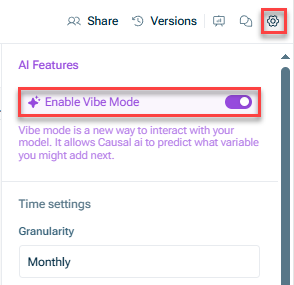
You can enable the AI assistance in xP&A at model level or when creating new variables.
How it works
Based on the variables that you have in your model, AI makes suggestions for your next variable. The suggestions are based on names of the variables and on the formulas you are already using.
To use the AI assistance for creating variables, a user with the License Manager role must have activated the AI features of the Lucanet CFO Solution Platform in the Lucanet licenses workspace. For more information, see Managing Lucanet Licenses | Activating and Deactivating the AI Features.
With the Ask AI menu in xP&A, you can benefit from two different AI functionalities:
Suggest variables
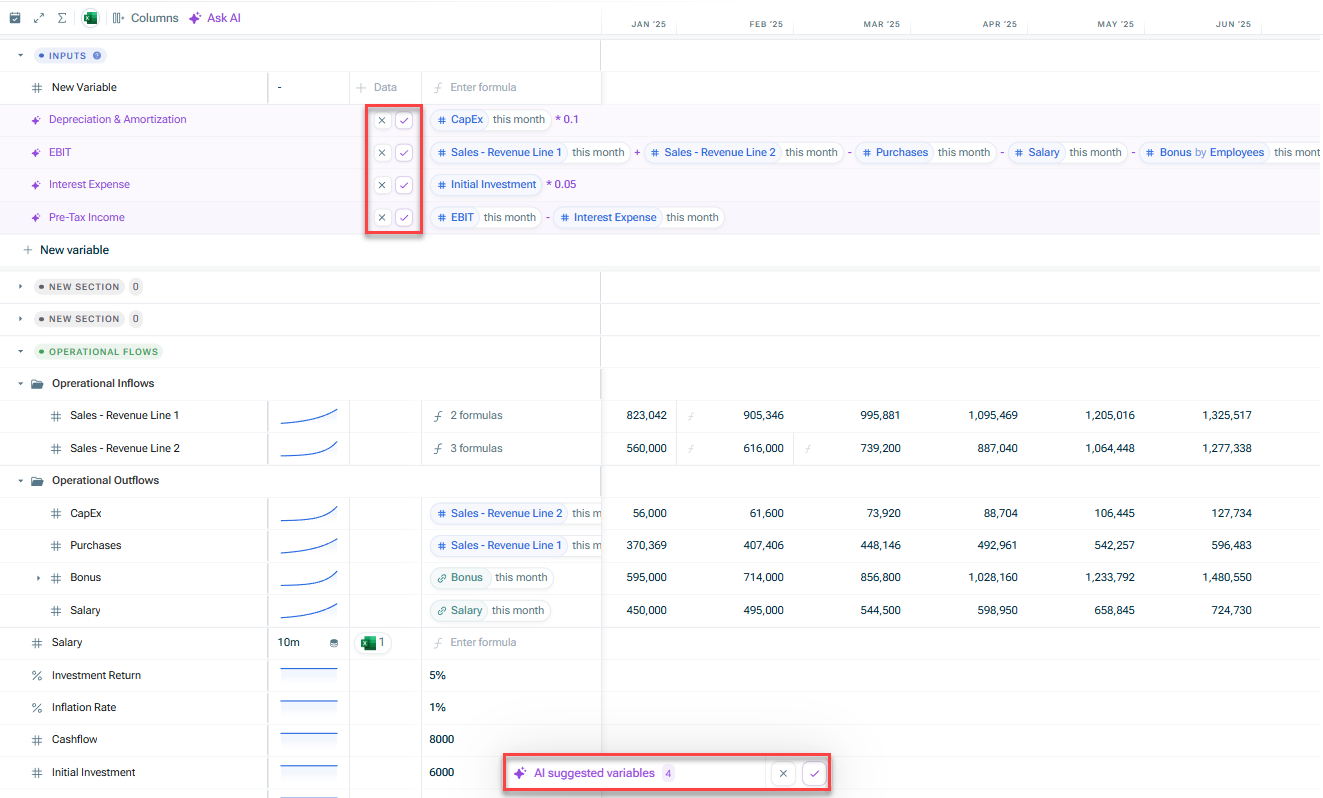
With this option, you can ask AI to generate one-off suggestions for new variables based on your model.
To use it, click on the Ask AI button at the top of the spreadsheet in xP&A and select Suggest variables. The AI-suggested variables will appear in the Inputs section:
Suggest variables in the 'Ask AI' menu
Prompt AI
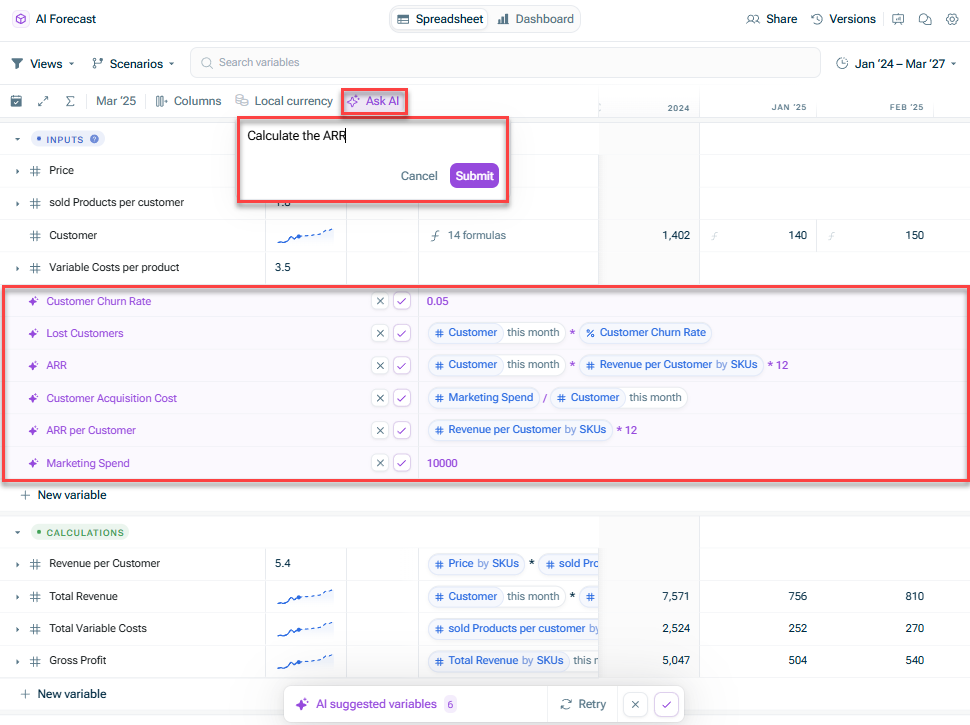
With this option, you can directly interact with the AI, asking for help with setting up certain calculations and analysis. The AI then suggests the variables typically used for these calculations.
To use it, click on the Ask AI button at the top of the spreadsheet in xP&A and select Prompt AI. Enter your prompt in the text field and click Submit. The AI-suggested variables will appear in the Inputs section: