: The tool requires no registration or installation and processes all data locally in the browser, fully protecting users’ privacy.Data privacy Navigate your inline XBRL reports with an intuitive, professional user interface. Tagged elements, their relationships, and hierarchies are clearly visualized.Ease of use: : Lucanet XBRL Vision provides interactive visualization of inline XBRL reports, technical and business validation according to XBRL 2.1, and supports standards such as ESEF and ESRS.Extensive analysis functions : The tool converts XBRL data into structured JSON formats optimized for large language models and modern data pipelines, enabling advanced analysis and integration.AI-friendly data preparation
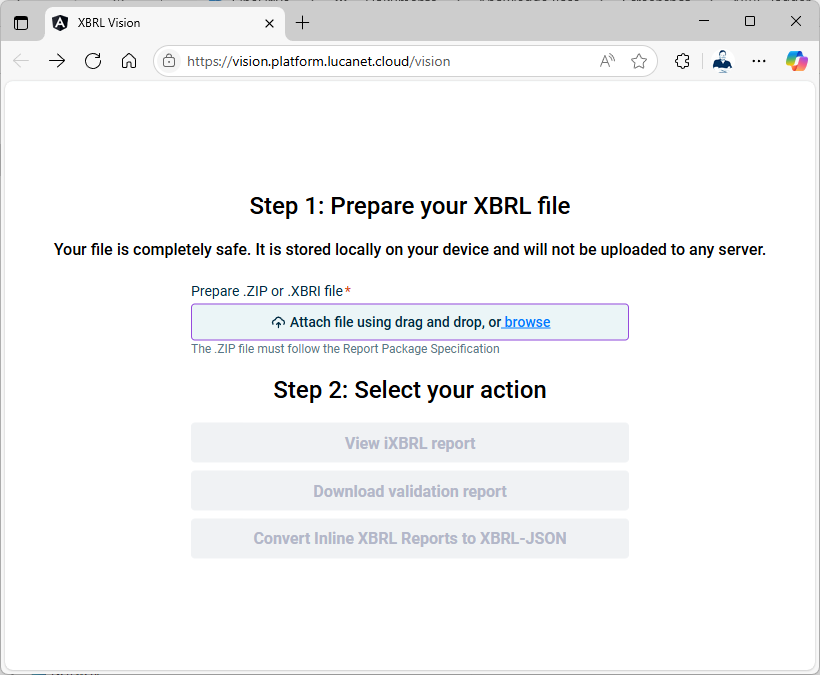
Click the following URL to open Lucanet XBRL Vision: https://vision.platform.lucanet.cloud/vision Copy the URL to the clipboard and paste it into your web browser’s address bar.
1
2
3
: For visualization and manual review of inline XBRL content and information, the document is displayed in the iXBRLView iXBRL report . The stored XBRL information can be displayed and highlighted.Inline Viewer : Creates an Excel file with any validation errors and their severity and downloads the file.Download validation report : Creates an XBRL‑JSON file and saves it to the local computer.Convert inline XBRL reports to XBRL-JSON
Last updated on Aug 16, 2023