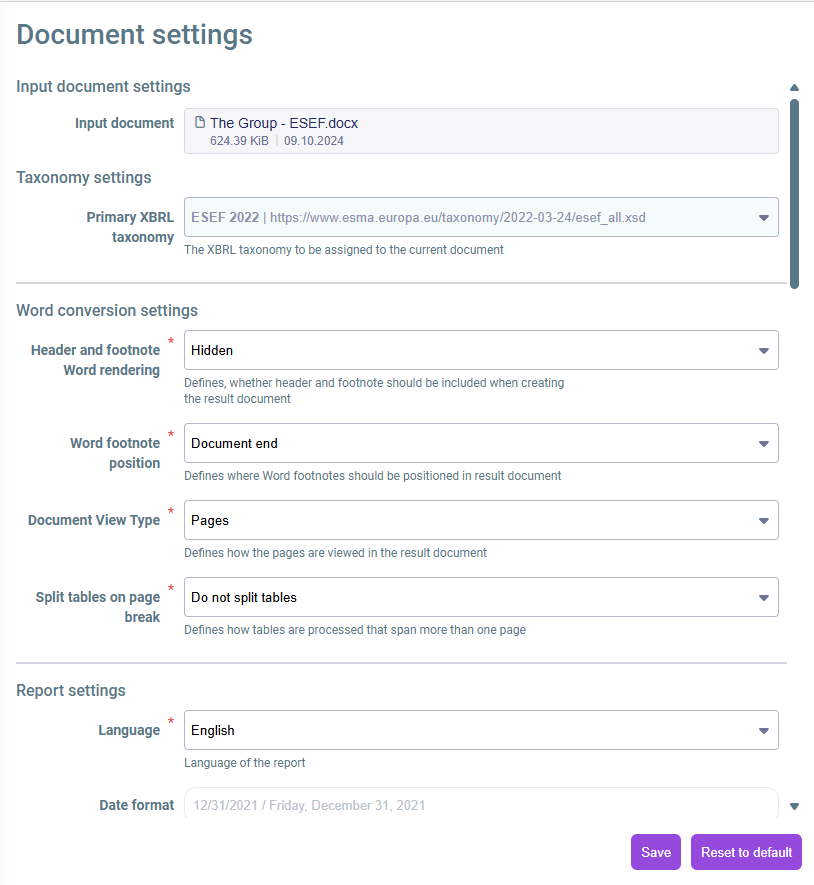
Individual specifications can be configured for each document in the Settings workspace, such as:

  • The taxonomy to be used
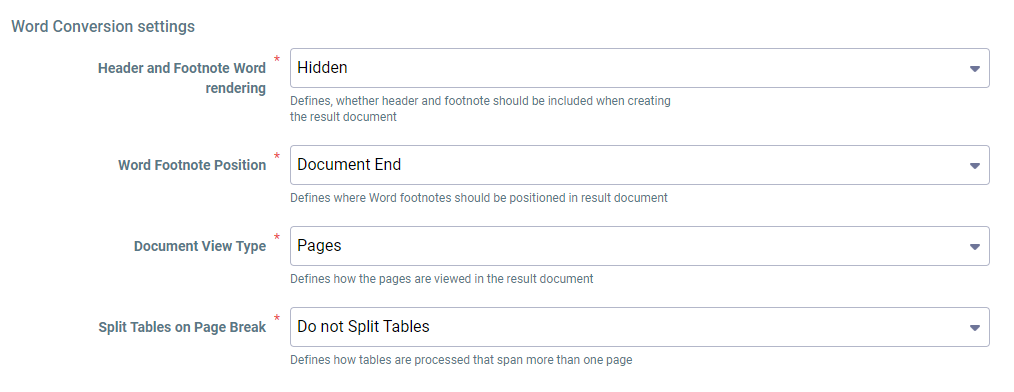
  • Settings for using specific Word elements, e. g. footnotes and tables
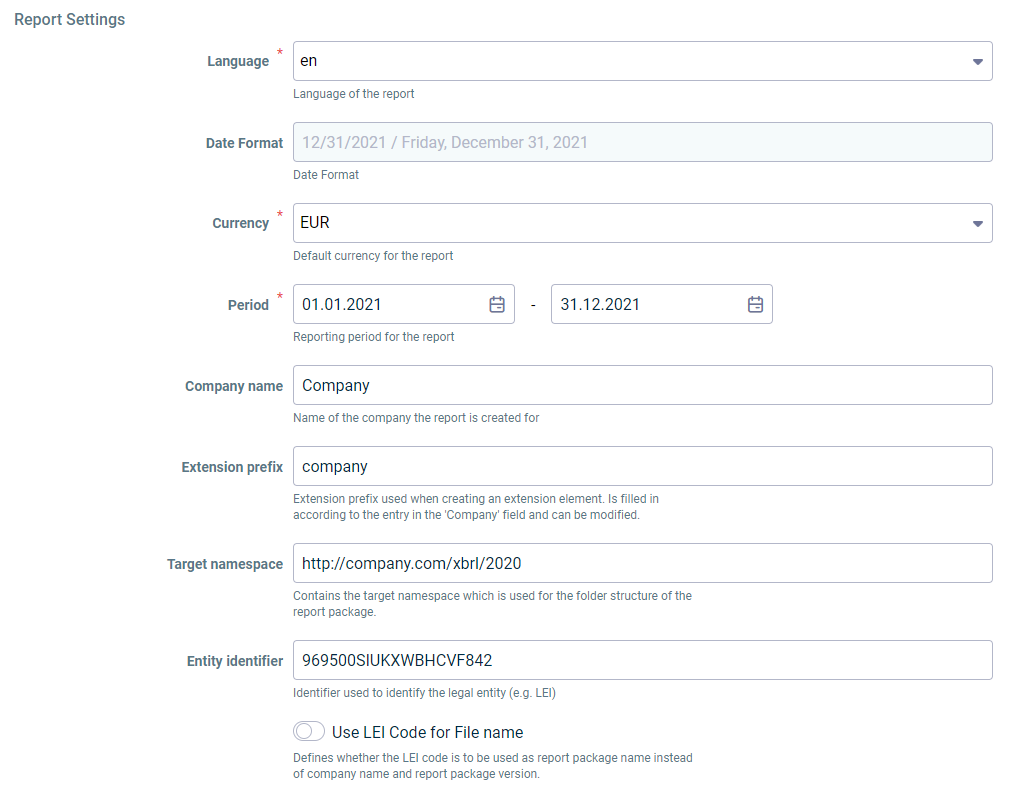
  • Settings for the report to be created, such as the language and currency
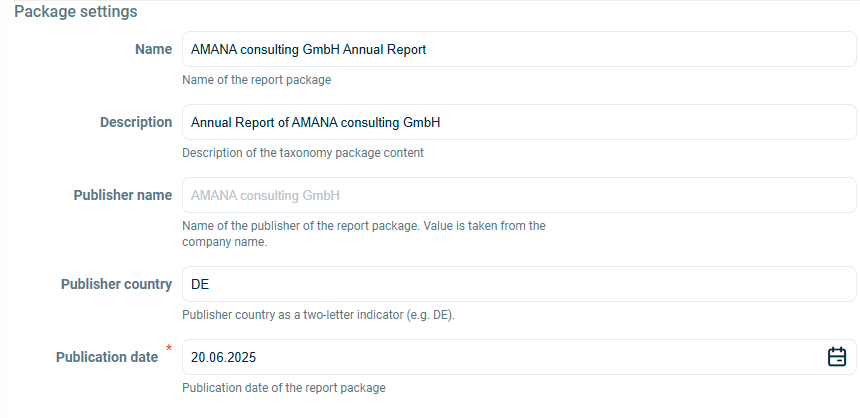
  • Settings for the report package
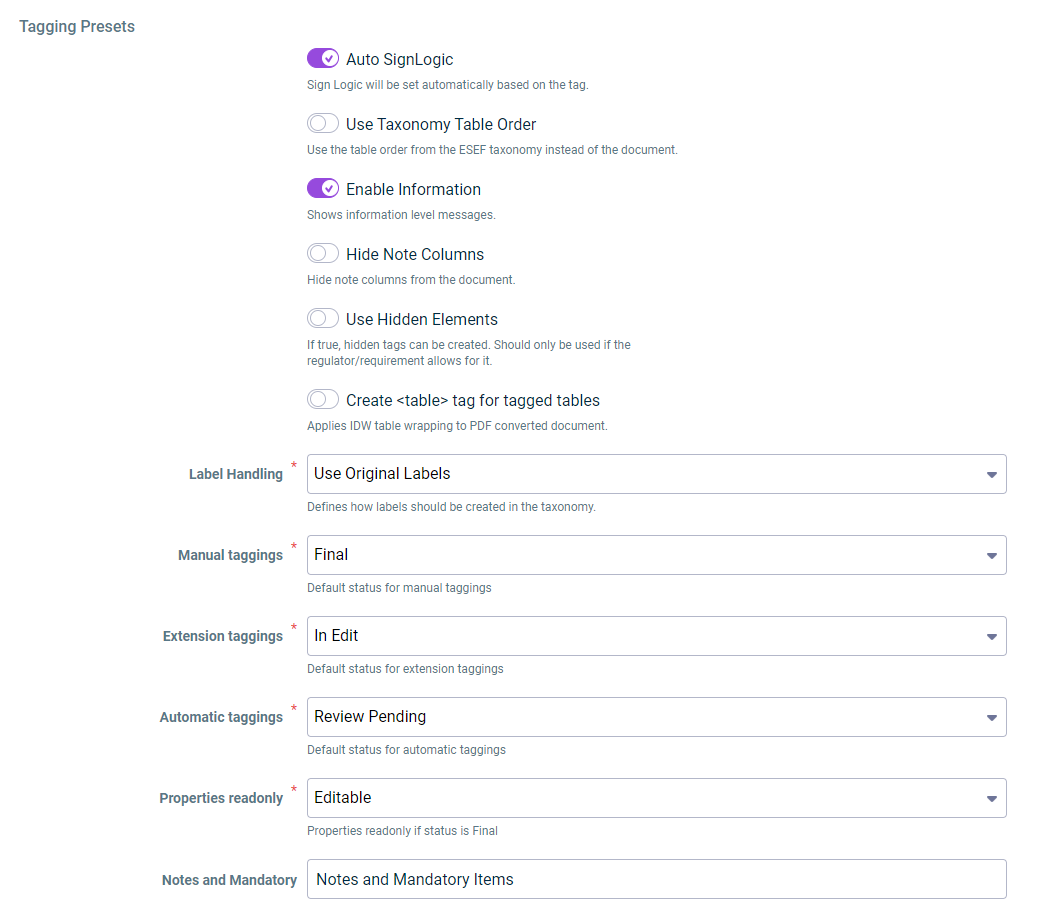
  • Settings for tagging a document

To open the Settings workspace:

1

Make sure you have opened the desired document.

2

Click the icon in the function bar to open the workspace.

3

Configure the settings (see Configuring Settings)

4

Save the settings.

Part of the XBRL Tagger. In the overview, the button for opening the settings is outlined in red.
Open the 'Settings' workspace

You can configure the following options in the Document settings. You can find an explanation of the options directly at the respective setting on the user interface.

To restore the default settings, scroll to the end of the settings and click Reset to default.

Selection of the taxonomy to be used:

The primary taxonomy is automatically determined according to the selected reporting requirements and cannot be changed.

Selection of the taxonomy

Settings for elements in Word documents:

Default settings for Word elements

Settings for the report to be created:

Default settings for the report to be created

Settings for the report package to be created:

Tagging settings:

Default settings for tagging a document