The Home workspace is the start page of Lucanet VAT (Value Added Tax). Choose the reporting country, the period, and the company here before you start working. This selection sets the context for all other workspaces. Which options VAT displays depends on your permissions.
Alternatively, you can change the reporting country, the period, and the company in every workspace via the breadcrumb navigation. For more information, see the User Interface and General Functions in VAT page.
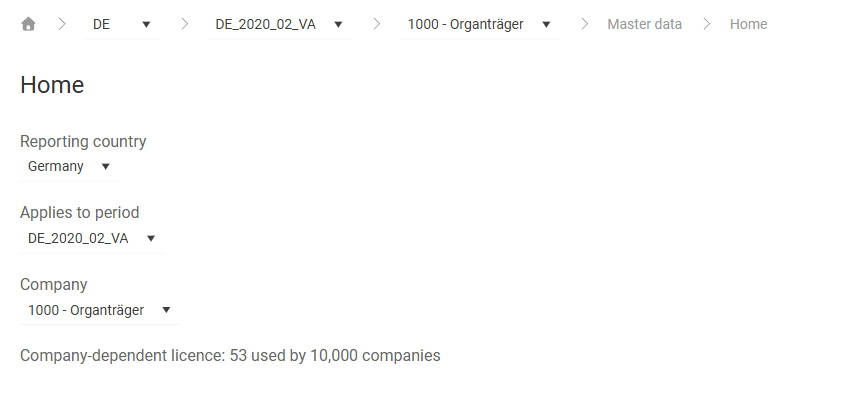
The Home workspace can be found under VAT | Master data | Home. You can also open the workspace via the house icon in the breadcrumb navigation. The workspace is displayed as follows, for example:
The Home workspace in VAT contains the following elements:
Element
Description
Reporting country
Lists all reporting countries for which you have permission. If a reporting country is missing, you may lack the permission. In this case, contact the person in your organization who manages the users and roles in VAT.
Applies to period
Lists all active periods of the chosen reporting country.
Company
Lists all companies for which you have permission. If a company is missing, you may lack the permission. In this case, contact the person in your organization who manages the users and roles in VAT.
Company-dependent licence
Displays the current license usage. The first number indicates how many companies are currently in use, the second number the maximum number of licensed companies. 1 used by 500, for example, means that 1 of 500 available company licenses is in use.
This content was generated using AI and reviewed by Lucanet subject matter experts before publication.